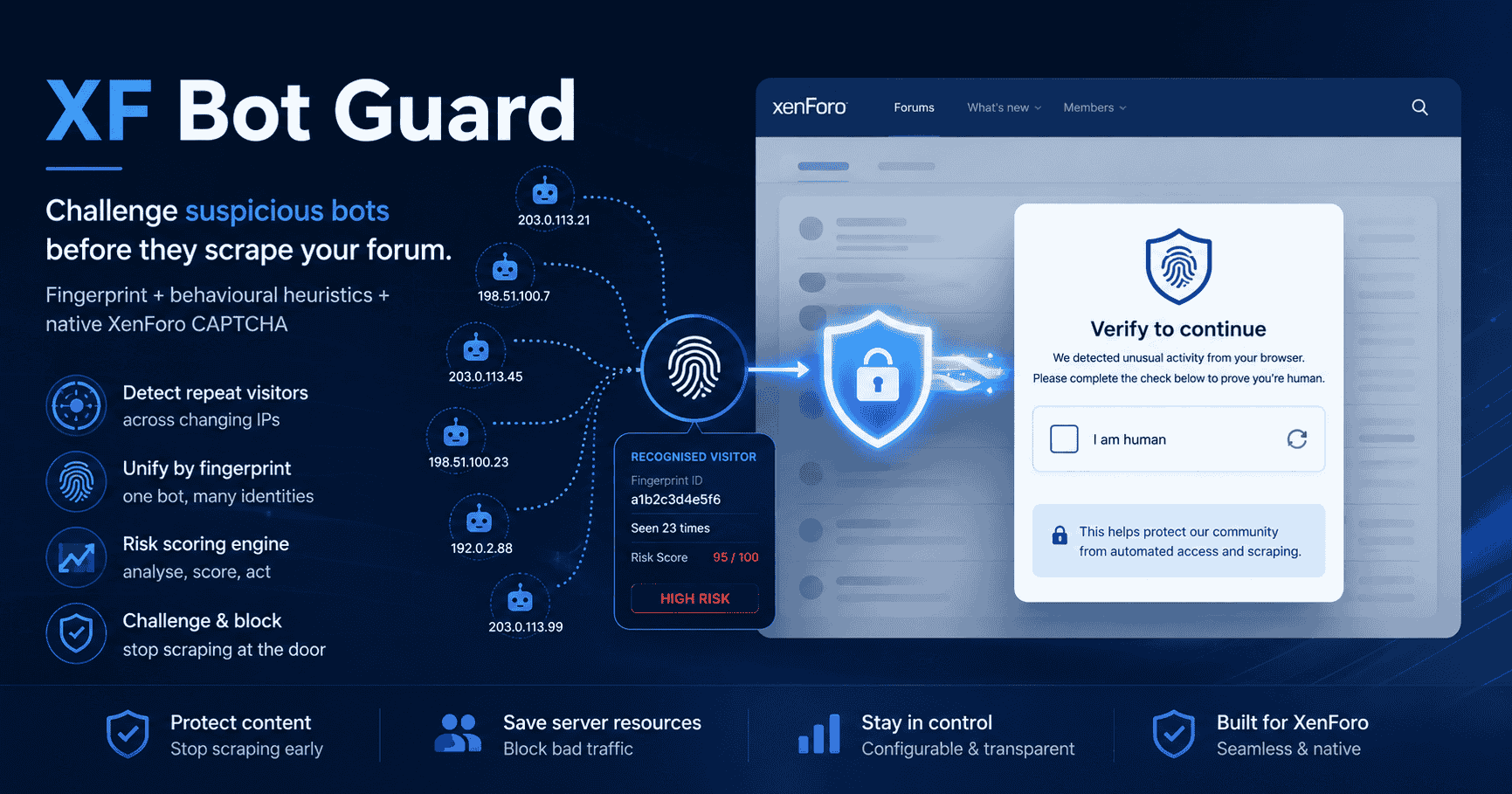
XF Bot Guard is a XenForo add-on that protects public forum traffic from abusive bots, scrapers, fake browsers, AI crawlers, suspicious registration/login-adjacent activity and bot-driven load. It works at the XenForo application layer by deciding whether a request should be allowed, observed, challenged, temporarily trusted, denied, logged or optionally exported to Cloudflare Edge Enforcement.
XF Bot Guard protects XenForo public pages by adding a local browser-validation and risk-scoring layer in front of protected content.
It is designed to help with:
It does this by combining:
XF Bot Guard is not:
Advanced bots can run JavaScript, keep cookies, rotate IPs, pass CAPTCHA through solving services, use residential proxies and mimic browser behaviour. XF Bot Guard raises the cost of abuse and gives forum admins more local control and visibility; it does not make abuse impossible.
Fresh installs are supported. Direct upgrades require an installed XF Bot Guard version of 1.2.9 (1020970) or newer. If setup detects an older installed version, it stops before running upgrade steps and tells the admin to first upgrade XF Bot Guard through an intermediate release that still contains the legacy migrations, then install this package again.
When XF Bot Guard is enabled, XenForo ACP one-click upgrades check the live XF Bot Guard support declaration before the upgrade download begins. If the target XenForo version has not been declared fully supported, or the live declaration cannot be checked, the upgrade form warns the admin and requires explicit confirmation before continuing. Manual file-upload upgrades and CLI upgrades run through XenForo's installer app and are not gated by this ACP warning.
XF Bot Guard is designed to run inside XenForo and does not require Cloudflare. It can be used on:
The important requirement is that XenForo must see the correct real visitor IP. If XenForo sees only your proxy/CDN/load balancer IP, IP-based scoring, reputation and logs will be less accurate.
By default XF Bot Guard runs locally, but some features may contact external services:
Bot Guard server-side HTTP requests identify XF Bot Guard in the outbound User-Agent. When XenForo has a safe Board URL configured, the same User-Agent may include the forum URL so the remote service can identify which forum server is contacting it. This does not add visitor IPs, visitor user agents, cookies, visitor request URLs or browser signals to these service requests.
User-Agent, and conditional ETag/Last-Modified headers; they do not include visitor IPs, visitor user agents, cookies, visitor request URLs or browser signals. The full configured source URL is stored locally for maintenance refreshes, so do not place secrets or bearer tokens in source URL query strings.User-Agent and the configured forum Board URL when available.User-Agent and the configured forum Board URL when available.Requests that pin a validated destination address require approved direct egress, PHP cURL and a supported native Guzzle cURL handler. The default XenForo handler stack is supported. An explicitly selected StreamHandler or an unrecognized custom transport prevents pinned reads and downloads before network contact; Bot Guard preserves the configured transport instead of replacing it. Bot Guard rejects outbound proxy settings inherited from the shared HTTP client, cURL options or applicable proxy environment variables, including HTTPS_PROXY and ALL_PROXY (and their lowercase forms). NO_PROXY exclusions do not override this check. Configure direct egress through your server administrator; Bot Guard does not route around a configured proxy. This applies to crawler and additional CIDR JSON refreshes, Web Bot Auth discovery and the XenForo upgrade-support check. Pinned downloads use the same rule. Each pinned transfer opens a fresh connection to the selected address, so an existing connection cannot override the current address check. This adds a connection handshake on each network fetch; fresh application-cache hits do not need a network connection.
Downloaded IPLocate country and ASN databases may be queried locally during request handling when country or ASN signals are needed. Visitor IP addresses are not sent to IPLocate or the XF Bot Guard distribution endpoint for request-time country or ASN lookup.
XF Bot Guard applies aggressive no-store headers to protected HTML responses and Bot Guard endpoints. Public Bot Guard challenge, solve, collector and manual visitor report endpoints also send X-Robots-Tag: noindex, nofollow, noarchive because these endpoints are operational validation surfaces, not indexable forum content. This is necessary because a shared HTML cache that serves guest pages without PHP/XenForo running can bypass application-layer challenge logic.
XenForo's internal application cache is different from an external full-page cache. When available, Bot Guard may use the XenForo application cache to accelerate bounded derived data such as counter buckets, verified-crawler candidate lookups, Web Bot Auth key-set fetches, parsed network option data, short-lived ASN/CIDR source match results, compact local IP country/ASN index pages, URL unfurl light response pattern parsing, signed contextual link canary lookup payloads, short-lived Link Chronology manifests, rolling Link Chronology dwell-bound reads, route-pressure challenge outcome telemetry and cache-only Health-page suppressed caught-failure diagnostics. Managed Bot Intelligence Feed matching uses activated local JSON bucket files rather than XenForo application cache or request-time HTTP. Most of these entries do not store whole challenge decisions, raw request bodies, raw user-agent strings, cookies or mutable visitor identity rows. Suppressed caught-failure diagnostics are different: they are developer/support diagnostics for material caught failures and may contain redacted exception messages, stack traces and server file paths. Counter cache hits are used only for DB-confirmed sealed bucket values, verified-crawler cache hits are still checked against the request IP range, Web Bot Auth cache hits are still tied to a matched resolved Web Bot Auth identifier and discovery type and are checked against each key's validity dates, compact local IP geo cache pages are keyed by an index fingerprint, fallback per-IP local geo cache entries are keyed by a source-file fingerprint and packed-IP hash, Link Chronology stores hashed URL evidence plus depth/hour aggregate dwell statistics only, and route pressure stores secret-hashed route/path bucket keys plus aggregate challenged/pass/fail counts. If the internal cache is unavailable or returns an unusable entry, Bot Guard falls back to the database, normal request-time calculation, local compact-index file pages, the bundled MMDB reader fallback or the signed short-lived Link Chronology cookie fallback where applicable; Web Bot Auth key lookup failures fail closed, dwell-bound scoring is skipped until healthy cached bounds are available, route-pressure scoring is skipped until fresh cache telemetry exists, managed feed matching is skipped when a valid local feed is unavailable, and suppressed caught-failure diagnostics are not recorded. Activation-related failure diagnostics omit original exception messages and argument values, including when retained cache records are read. They retain the failure type and code location for support.
Light-DB runtime mode changes that cache relationship for Bot Guard public request handling. When the mode is active, short-lived public request telemetry and counters are held in XenForo application cache instead of writing or consulting raw public event/detail/reason rows, public request counter rows, visitor/session/fingerprint relationship rows, or IP request/reputation telemetry rows for public risk-data decisions. Light-DB uses the effective XenForo cache provider for the bot_guard_light_db context when configured, otherwise it uses XenForo's global application cache fallback. A filesystem-backed effective provider is not Light-DB ready because public telemetry writes can create heavy filesystem I/O; use Redis, Memcached, APCu where appropriate, or another non-filesystem application cache provider. Because visitor/session/fingerprint relationship rows are suppressed, the relationship-derived risk reasons fingerprint_on_many_ips_recently, fingerprint_country_or_asn_jump and many_fingerprints_from_same_ip are unavailable while Light-DB runtime mode is active. DB-backed feature state remains available for rDNS, verified crawlers, Cloudflare Edge Enforcement, contextual canaries, Link Chronology, duplicate account detection, Dashboard snapshots, health checks, admin workflows and adjusted online counts when enabled. Recent completed Dashboard snapshots can also include approximate public event-type totals, decision totals, session-oriented country pressure, aggregate CAPTCHA trust telemetry and aggregate risk samples from hourly Light-DB cache telemetry. When Observe-only is also active, the Dashboard can show aggregate would-action event/decision telemetry, session-oriented would-hard-intervention country pressure and aggregate observe risk samples from the same cache-backed telemetry; exact raw observe rows and exact session-style observe analytics require normal DB-backed telemetry. Route-pressure scoring uses the same XenForo application-cache-only hot path in both normal DB-backed mode and Light-DB runtime mode; Light-DB mode has no raw-row backfill for that signal. Duplicate account detection remains a DB-backed Pro review workflow when effectively enabled and Light-DB runtime mode is active; it records exact logged-in account fingerprint matches from confirmed collector submissions. If Light-DB is configured but cache readiness fails, Bot Guard public protection fails open and DB-backed public telemetry stays suppressed, but logged-in duplicate-account collector proof and confirmed duplicate-account review rows can still be written while the duplicate-account feature is effectively enabled. XenForo core may still use its own database for options, permissions, sessions, routing and normal page rendering.
The XenForo native guest page-cache compatibility option is off by default. When it is off, Bot Guard keeps the normal public lifecycle: no early compatibility route matching, no guest-state probe, no compatibility decision bundle, the existing dispatcher_pre_dispatch request gate remains authoritative, zee_botguard_js continues to render request-specific collector configuration in the template path, and existing page-cache safety bypasses remain unchanged.
This option is a Pro feature. The saved option value is not enough by itself; runtime use also requires the compact local Pro entitlement snapshot to permit xf_native_page_cache_compatibility. Missing, corrupt, origin-mismatched, grace-expired, never-confirmed or unentitled Pro state makes the option effectively disabled while preserving the saved value. Free Bot Guard behaviour is unchanged, and unentitled native page-cache compatibility never bypasses normal Bot Guard protection.
When the option is enabled and Pro-entitled, Bot Guard can prepare XenForo's native page-cache runtime even when XenForo's page-cache backend is not fully configured. If a XenForo page cache store already exists, Bot Guard enables page-cache use for the compatible request without changing the global cache or session cache. If no usable page store exists, Bot Guard uses XenForo's filesystem cache backend for the page context only, stored under internal_data/zee/botguard/page_cache with XenForo's normal TTL and opportunistic cleanup behaviour. Existing XenForo pageCache settings such as lifetime, route matches, session-activity recording and onSetup remain authoritative; an onSetup veto still disables native page-cache use for that request.
When the option is enabled, Bot Guard runs a strict guest-only compatibility gate in a late app_pub_start_begin listener, before XenForo can read its native guest page cache. Only confidently allowed guest traffic may continue to XenForo's native page-cache lookup. Fresh guests, browser-validated guests, CAPTCHA-trusted guests and verified crawler traffic can use the native cache only when identity, route, policy, request classification and Bot Guard decision facts are deterministic. Requests that need bootstrap validation, CAPTCHA, denial, forced network challenge, URL unfurl light response handling, Bot Guard internal routes, AJAX/feed/non-primary HTML handling, redirect/error/non-HTML handling, logged-in identity, remember-cookie processing, personalized guest session state, active router_public_setup or dispatcher_match route mutation listeners visible to the late gate, an existing custom XenForo native page-cache ID generator, malformed uncertain state or any unsupported condition disable native page-cache use for that request and continue through the normal uncached gate. App-start listeners ordered after Bot Guard's late gate that add route mutation are unsupported for this compatibility mode; order them before Bot Guard's late gate or disable the option.
Cacheable base HTML contains only a stable Bot Guard marker instead of request-specific collector tokens, CSRF, force-recollection state, privacy-mode state, contextual canary mutations or per-request Link Chronology state. For native-cache-compatible allows, Bot Guard prepares the request-specific runtime output early enough for XenForo to save and apply the public session cookie that backs collector proof, then app_pub_complete inserts that prepared output into the final response and continues response-time Link Chronology, contextual canary and cache-shield handling. If the marker is missing, the body is not safely mutable, fresh runtime output cannot be generated, or the early bundle cannot be validated later, Bot Guard disables XenForo native page-cache use for that request and records compatibility diagnostics. If an early decision cannot be completed, Bot Guard disables native page-cache use and falls back to the normal uncached request gate. If an already-scored early allow bundle cannot be safely validated later, Bot Guard fails closed rather than silently trusting stale state or repeating stateful scoring side effects. If native cache storage may already have occurred before completion and runtime output cannot be inserted, Bot Guard attempts to purge the current compatibility cache entry and returns a non-cacheable empty 503 response rather than serving protected HTML without required runtime state.
This compatibility mode applies only to XenForo's native internal guest page cache. It does not make Cloudflare Cache Everything, reverse-proxy page caching, Varnish, nginx FastCGI cache, LSCache guest HTML cache, DigitalPoint Cloudflare guest page caching or other external full-page HTML caches safe. XenForo's own native page cache can still skip normal XenForo controller actions, controller extensions, controller pre/post-dispatch effects, thread-view logging, read marking, view counters and arbitrary controller side effects on native cache hits. Bot Guard preserves its own decisions, interventions, counters, event/counter side effects, Cloudflare candidate evaluation, collector proof, Link Chronology, contextual canaries and cache shielding, but it does not make XenForo native page cache transparent for every add-on or controller effect.
Route pressure score multiplier is an advanced Pro feature and is off by default. The saved option value is not enough by itself; runtime use requires the compact local Pro entitlement snapshot to permit route_pressure_score_multiplier. Missing, corrupt, origin-mismatched, grace-expired, never-confirmed or unentitled Pro state makes the option effectively disabled while preserving the saved value.
When effectively enabled, Bot Guard learns which protected route plus normalized path cohorts are producing challenged sessions that mostly do not pass CAPTCHA. The route-pressure key removes the Board URL path prefix, collapses duplicate slashes, safely URL-decodes path bytes, trims a trailing slash except for root, rejects unsafe or control-character paths, excludes query strings, and preserves page numbers and content-specific path segments. Cache keys use a site-secret hash of the route and normalized path rather than storing raw query strings or using the public URL as the cache key.
Training happens only from real enforcement events while the feature is effectively enabled. Observe-only events do not train the signal. The original challenge_required event records a short-lived marker for the challenged session's forwarding route/path. Later captcha_pass and captcha_fail events on the Bot Guard solve route are attributed back to that original route/path marker. A pass wins over a fail for the same challenge cohort. If no pass is seen inside the result lookahead window, the challenged session counts as non-pass after the hourly bucket is sealed.
Public request scoring reads sealed hourly XenForo application-cache summaries only. It never runs a route-pressure database aggregate from the public request hot path. In normal DB-backed mode, event logging updates the same cache telemetry, and scheduled snapshot/maintenance work can use a bounded application-cache cursor to fill missing sealed route-pressure buckets from retained raw event rows without replacing existing cache telemetry. If the warmer's bounded replay state would grow too large for a sealed hour, that hour is skipped, maintenance continues with later eligible hours and route-pressure scoring has no rebuilt signal for the skipped hour. In Light-DB runtime mode, the feature uses the same cache telemetry path through Light-DB logging, but there is no raw-row backfill; if cache is flushed or unavailable, the signal is absent until fresh telemetry accumulates.
The default window is 24 hours. The default minimum is 10 non-pass challenged sessions. The default low pass-rate threshold is 20%. The default maximum multiplier is 1.5x, and the default maximum score uplift is +20. The score adjuster runs after the base risk score and before late reverse-DNS/final threshold handling. It is a no-op unless the request is in protected scoring scope, the route key is valid, XenForo application cache is available, the current score is positive, sealed buckets contain enough data, the non-pass count meets the configured minimum and the pass rate is below the configured threshold. Matching requests receive reason code route_pressure_low_pass_rate with the uplift points, and the final score remains clamped to the normal Bot Guard score bounds.
Duplicate account detection is a Bot Guard Pro feature and is off by default. The saved option value is not enough by itself; runtime use requires the compact local Pro entitlement snapshot to permit duplicate_account_detection. Missing, corrupt, origin-mismatched, grace-expired, never-confirmed or unentitled Pro state makes the option effectively disabled while preserving the saved value.
When effectively enabled, Bot Guard records confirmed browser fingerprints for logged-in user accounts after the collector successfully posts proof. If the same exact hashed FingerprintJS visitor identifier has been seen on another logged-in account inside the visitor-retention window, Bot Guard opens or updates a duplicate-account case for the sorted pair of user IDs. The case records the exact matched visitor hash and whether the latest observation also shared hashed IP, hashed user-agent, country or ASN evidence.
Duplicate-account cases are admin review signals rather than automatic enforcement. They do not add risk score, block visitors, submit Cloudflare candidates, merge accounts or change user state. Admins with View sensitive XF Bot Guard operational details can review cases under ACP > XF Bot Guard > Accounts > Duplicate accounts while the feature is effectively enabled. Status actions require View sensitive XF Bot Guard operational details, Manage XF Bot Guard operations and the same effective Pro gate, so an admin must be permitted to review the sensitive case data before acknowledging, ignoring, resolving or reopening a case. A resolved case reopens and can alert again if the exact fingerprint match is observed later; ignored cases stay quiet until an admin reopens them. Cases record a completed alert attempt after the eligible sensitive-admin recipient scan finishes; if no eligible recipients exist, the case stays reviewable without repeating the same alert attempt on every subsequent collector submission.
Detection reads a bounded recent candidate set from retained account-fingerprint rows with the same exact visitor hash. Very common fingerprints do not create unbounded database work or alert bursts on the public collector request path; repeated confirmed submissions continue refreshing account evidence and can surface additional recent cases as activity changes. The related-account and related-match tables on an individual case are separately bounded for readable case review.
Collector submissions that are forum-area enforcement-suppressed do not write account-fingerprint rows and therefore do not create or update duplicate-account cases. This keeps duplicate-account storage aligned with the same fingerprint-persistence suppression applied to those forum areas.
Managed Bot Intelligence Feed consumption is a Bot Guard Pro feature and is off by default. The saved option value is not enough by itself; runtime use requires the compact local Pro entitlement snapshot to permit managed_intelligence_feed. Missing, corrupt, origin-mismatched, grace-expired, never-confirmed or unentitled Pro state makes the feed match path effectively disabled while preserving the saved option value.
All XF Bot Guard installations contribute qualifying security indicators through scheduled cron work unless an effective Pro contribution opt-out applies. Installations without effective Pro access contribute only. Pro installations contribute by default and can opt out of contribution with the Pro contribution opt-out option, which stops new local contribution and revocation queue rows as well as uploads while the effective Pro entitlement is active. The saved opt-out may remain effective during Pro access propagation. Feed consumption remains a separate Pro option; turning on consumption does not make public requests contact the managed service.
Contribution uses a shared versioned community hash key that is separate from the site's private local Bot Guard hash secret. Qualifying contributions can include exact fingerprint, fingerprint plus user-agent-family, IP plus user-agent-family, exact IP and severe high-confidence IPv6 /64 indicators. User-agent or browser family alone is not published as a challenge-forcing indicator. Raw IP addresses, raw FingerprintJS visitor IDs, raw user-agent strings, cookies, request bodies and page URLs are not sent as feed indicators.
Only high-confidence local Bot Guard enforcement contributes: a real challenge_required decision from non-feed Bot Guard causes, a score of at least 90, approved high-confidence reason codes and no Observe-only, crawler, custom-network, manual-report, logged-in/staff or forum-area suppression root cause. CAPTCHA failures for feed-caused challenges do not contribute back into the feed. CAPTCHA passes enqueue central revocation only for the exact indicator set attached to this installation's own original local challenge contribution or preserved feed match. A CAPTCHA pass after a feed-caused challenge still receives normal local CAPTCHA trust, and the pass revocation is treated as a trust signal rather than a new punitive contribution.
Contribution upload and Pro feed refresh run on the five-minute cron cadence with a stable per-install phase. Feed refresh downloads a signed manifest and JSONL indicator artifact, verifies the feed signing key, size and SHA-256 hash, then builds local bucket files for request-time lookup. The public request gate checks those local buckets only for protected interactive primary HTML requests, after normal disabled, out-of-scope, exclusion and crawler handling, and before writing challenge state it still honors CAPTCHA trust, forum-area suppression and Observe-only. Feed matches log challenge_required with reason code managed_intelligence_feed_matched, score 90, threshold metadata, feed sequence, indicator type and key ID. Feeds, APIs, AJAX, speculative and other non-interactive requests keep their existing Bot Guard behaviour.
Be careful with:
If a cache ignores origin no-store headers and serves protected guest HTML from cache, Bot Guard cannot reliably challenge or log those requests.
Origin survival mode returns a fixed empty 503 Service Unavailable response with Retry-After and Bot Guard no-store/cache-shield headers. It is intended to be generated by PHP/XenForo during an origin pressure incident. A CDN, reverse proxy or host cache that serves the request before PHP runs can bypass the survival decision entirely, and a cache that stores 503 responses can extend the incident beyond the pressure window. Keep protected guest HTML out of upstream shared caches and make sure upstream cache rules do not cache Bot Guard 503 responses.
For candidate GET requests whose user agent matches a valid light response pattern, Bot Guard disables XenForo public page-cache use early in the public app lifecycle before route checks are available. The final empty-body allow still requires the stricter public guest page eligibility, protected scope and sensitive-route exclusions. The early cache bypass prevents a matched unfurl agent from receiving a cached full protected page, and the later response handling prevents the empty-body response from being saved as the canonical guest page for normal visitors. If XenForo returns a canonical redirect for an eligible URL, such as a thread post link, Bot Guard preserves the redirect status and Location with an empty body so the unfurl fetcher can resolve the final page without receiving protected content on the redirect hop. Observe-only and forum-area enforcement exclusions keep the cache bypass but suppress the empty-body rewrite.
For speculative prefetch/prerender primary HTML candidates, Bot Guard also disables XenForo public page-cache use early in the public app lifecycle. The later request gate still makes the authoritative allow, observe or empty-403 decision after route and protection context are available. This prevents XenForo's own guest page cache from serving a cached protected body before the speculative request gate can run.
External full-page caches in front of PHP require separate care. Bot Guard cannot control a CDN, reverse proxy or host page cache that serves the request before PHP and XenForo run. Do not cache protected guest HTML by URL alone when light responses are enabled. If a CDN must cache anything, vary or bypass protected HTML for these user agents and respect origin no-store headers.
When Contextual link canaries is enabled and Observe-only is inactive, Bot Guard disables XenForo public page-cache use early for plausible non-AJAX GET HTML requests before XenForo can read or save a guest page-cache entry. Exact protected-page, exclusion, verified-crawler, forum-area enforcement exclusion and response-type checks still run later before any link is mutated. This prevents a canary-mutated response from being saved as normal guest HTML and prevents stale XenForo page-cache HTML from bypassing canary instrumentation on eligible requests.
External CDN, reverse-proxy and host full-page caches still sit outside this PHP lifecycle. Keep protected guest HTML out of upstream shared caches or ensure those caches respect origin no-store headers.
Link Chronology observes protected HTML after the normal protected-page and response checks have passed. It records hashed protected internal links and selected safe native form actions from the original response body before contextual canaries or other link rewriting can change hrefs. Safe form discovery is limited to the exact read/search/listing generator routes search/search, search/member, tags, whats-new/posts and whats-new/profile-posts; upload, account, moderation, authentication, API, payment, Bot Guard and contextual-canary alias actions are not recorded. For protected scoring traffic the response still receives Bot Guard no-store/cache-shield headers, and the chronology state is short-lived visitor/session state, not a cacheable page variant. Logged-in non-staff users outside the configured protection scope and eligible guests matched by soft country exclusion can still update sample-only chronology state on otherwise protected primary HTML responses, but that path does not score, challenge, log risk events or apply Cloudflare Edge Enforcement handling.
When a same-origin redirect response points to a protected safe target, Link Chronology can carry that target forward only if the redirect source URL was already present in recent chronology state. It does not use referrer headers as a trust source and does not create fresh chronology state from arbitrary redirects. Routed attachments are treated as non-page resources and do not participate as primary chronology document navigation.
When XenForo application cache is available, Link Chronology uses that cache for rolling manifests and cached dwell bounds. When the application cache is unavailable, it may use a compact signed HttpOnly cookie containing hashed manifest state. If an accepted redirect continuation cannot be persisted to normal chronology state, Link Chronology may use a separate one-shot signed HttpOnly cookie containing only the accepted target hash long enough for the immediate follow-up request to fail open. Learned dwell aggregates remain local rolling database buckets keyed by URI depth and hour, not cookie state. The cookies are bound to the visitor/session identity, expiry and payload so clients cannot forge or repackage state without the site secret.
Sites using ModSecurity or Comodo/CWAF should keep a working XenForo application cache available for Link Chronology state, or tune the WAF to exclude Bot Guard-owned cookie values from the relevant cookie inspection targets. If the host cannot add that ModSecurity/CWAF exclusion and no XenForo application cache is available, disable Link Chronology.
Cloudflare is optional. XF Bot Guard does not require Cloudflare, but Cloudflare-backed XenForo sites can use a static and media cache profile that leaves protected HTML uncached while caching selected XenForo resources.
Do not use this as a full-page cache profile. Keep Cache Everything, APO-like guest page caching and other shared HTML caching disabled for protected XenForo pages.
In Cloudflare Dashboard > your domain > Caching > Configuration, set:
Then go to Caching > Cache Rules and create these rules in this order. The /zee/ bypass rule keeps Bot Guard asset paths under js/zee/ and styles/default/zee/ out of Cloudflare cache. Bot Guard public endpoints use the bot-guard route and rely on origin no-store/cache-shield behaviour unless you separately bypass them at the CDN.
For each Eligible for cache rule, set Edge TTL to use the cache-control header if present and use Cloudflare's default TTL for the response status if not. Set the status-code TTLs to:
Leave Browser TTL, Cache key, Serve stale while revalidating, Respect strong ETags and Origin error page pass-through unset unless your site specifically needs them.
The final rule order is:
After the rules are saved, you can optionally use Cloudflare's Purge Everything action from Caching > Configuration so Cloudflare fetches fresh copies using the cache profile. This clears the Cloudflare cache broadly and can temporarily increase origin traffic, so use it deliberately on busy sites.
XF Bot Guard includes a compatibility option for DigitalPoint Cloudflare guest page caching. When enabled, Bot Guard attempts to disable incompatible guest HTML/page caching because cached pages can be served without PHP running. Static asset and media caching rules are not disabled, but the compatibility action may purge Cloudflare broadly after disabling the incompatible guest page cache rule. This can temporarily increase origin traffic while Cloudflare refetches cached resources.
The Health check page includes checks and actions for cache compatibility.
The safest rollout is:
The zip contains an upload/ directory. Upload the contents of upload/ to the XenForo installation root so the files land in these locations:
Do not upload the upload folder itself as a nested directory. The contents of upload go into the XenForo root.
Immediately check:
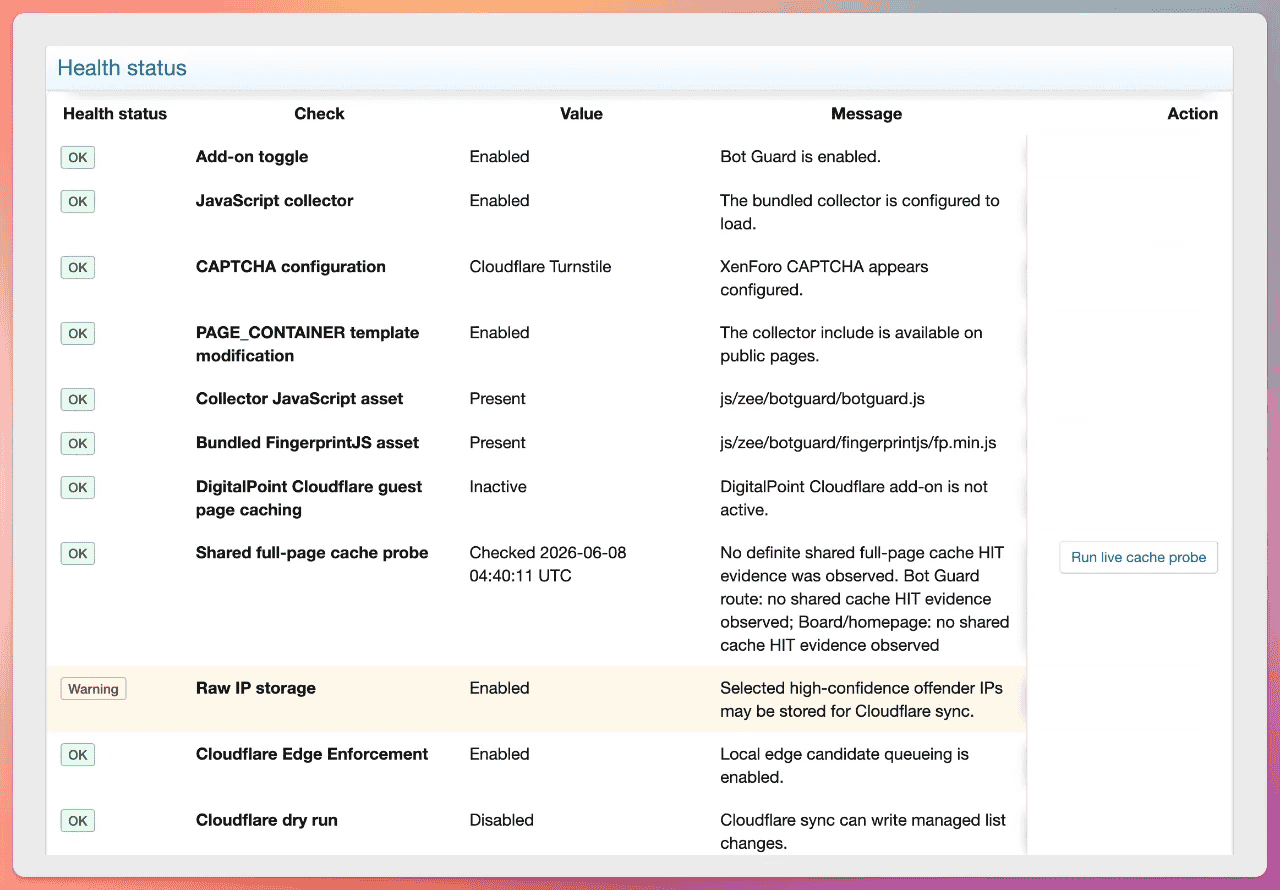
The Health check is the first place to look after install, upgrade or a support report.
Admins with viewBotGuardSensitive see a Support bundle block near the top of the Health check page. The bundle is redacted and includes environment/version details, key option state including feed request exclusion and forum-area enforcement exclusions, XenForo native guest page-cache compatibility saved/effective state, route pressure score multiplier saved/effective state, managed intelligence feed saved/effective/contribution state, redacted Pro subscription status, retention, cleanup prune window, event-detail write mode, shared origin-pressure thresholds and Cloudflare Edge Enforcement thresholds, stored/local health checks, warning/error health rows such as crawler trust check failures, operational fallback evidence and Cloudflare option sync failures, Light-DB cache readiness provider/source diagnostics and cache telemetry when configured, recent event summaries and current page context. Copy the bundle before opening the support message. The support message opens xenforo.com in a new tab and is not sent until the admin reviews and submits it. If clipboard copy does not work, select the textarea and copy it manually.
The support message helper prefills only a short message asking the admin to describe the issue and paste the redacted bundle. The full support bundle is not placed in the URL.
The bottom of the Health check page shows a Suppressed caught failures table when XenForo application cache is available. It records the five most frequently observed material caught failures by count, then last-seen time. These are reviewed failure paths where Bot Guard catches an exception after a caller-visible failure, existing diagnostic signal or material suppressed degradation; intentionally neutral catches and successful fallback catches are not recorded. The table stores redacted exception messages, stack traces, catch-site identifiers, thrown file/line, feature area, diagnostic target, first/last seen time and counts in one XenForo application-cache key. Stack traces and messages require viewBotGuardSensitive. The table is Health-page-only and is not included in the Support bundle. Activation-related failure diagnostics omit original exception messages and argument values, including when retained cache records are read. They retain the failure type and code location for support.
Health checks include:
Health status is contextual. A disabled optional feature, a not-applicable check, or an advisory maintenance note can be OK when it does not require action for the current configuration. Warning is reserved for states where an admin should review the site or raise the signal for administrator or support review, such as a minimally required protection feature being disabled, an enabled integration missing required data, active origin pressure, old pending work, stale IP geo data, or a runtime fallback. Error is reserved for conditions that can materially break protection, attribution, storage, or integration safety.
The Quick settings workflow uses a recommendation-aware readiness gate over the same health signals. When the admin can manage XF Bot Guard operations, the workflow can run the shared full-page cache probe during preview and apply. Without that permission, it uses a valid cached probe result when one exists and treats a missing cached probe as an OK not-checked state with a manual probe action. Capacity Fit Profile uses these same product health and readiness signals as its server-capacity evidence, including a forced Light-DB cache readiness check when it needs to decide whether Light-DB can be applied safely. It does not run benchmark scripts or require benchmark tooling. A general warning on the Health check page can be advisory during normal operations but still require explicit acknowledgement when it is relevant to a recommendation. Conditions that can bypass protection or break the challenge flow are blockers in the Quick settings workflow.
When a managing admin opens the live Health check page, Bot Guard may queue narrowly scoped health-critical maintenance after the first health pass and render the current health rows without waiting for the work to finish. This queued repair path covers downloaded local MMDB refresh and compact-index repair, repairable known crawler source refresh, repairable ASN range refresh, and repairable network CIDR JSON source refresh. Each task is throttled for five minutes, protected by a durable non-overlap lock, respects XenForo's job runtime budget, and keeps resumable progress when a host time limit interrupts the work. Partial task results carry a retry delay so XenForo's automatic job runner waits before resuming the same queued repair job, including on activity-triggered job setups. If another worker already holds the task lock, the queued job waits briefly and retries instead of recording a false repair result. While a relevant task is queued or running and the current health row is still warning or error, the Health check page shows a maintenance notice and the admin can refresh the page again in a few minutes. Invalid ASN or CIDR JSON configuration remains a configuration error and is not retried as maintenance. Support bundle generation, recommended settings, dashboard snapshots, public requests, cleanup, Cloudflare sync and broad cron execution do not trigger this repair path.
The all-cron schedule health row checks every XF Bot Guard cron entry against the expected callback and schedule. Missing rows, callback drift and crons more than 24 hours behind or more than 24 hours suspiciously future are errors. Inactive rows, schedule drift and smaller next_run delays are warnings. Normal warning grace is 5 minutes for every-minute and every-2-minute jobs, 10 minutes for 5-minute jobs, and 15 minutes for hourly jobs. The health value summarizes offender counts and the worst cron entry, while support bundles include bounded offender metadata such as entry ID, next run time, ideal next run time, and behind/future seconds.
Light-DB runtime mode health reports whether the option is configured, whether the mode is active, whether the effective XenForo application cache provider is suitable, whether cache passed a write/read/delete readiness probe, and whether recent cache-only runtime telemetry has been seen. Active Light-DB mode and its limited-feature note are expected states and report OK when cache is ready. If the option is configured and cache readiness fails, including when the effective provider is filesystem-backed, Health check reports an error because public Bot Guard protection is failing open instead of using the DB-backed request path.
Route pressure score multiplier health reports disabled as OK, enabled and entitled as OK when XenForo application cache is available, and saved-on-but-unentitled as a warning because the option value is preserved but the feature is effectively disabled. If the feature is enabled and entitled but XenForo application cache is unavailable, Health check reports a warning because route-pressure scoring has no hot-path telemetry source until cache readiness is restored.
Managed intelligence feed health reports disabled as OK when consumption is off, saved-on-but-unentitled as a warning, and active as OK when Pro entitlement is effective and a signed feed refresh inside the local 30-minute freshness window has been activated. If feed consumption is active but no recent local feed is available, Health check warns and public requests fail open for feed matching while normal Bot Guard protection continues. Registration, queue and identity table checks are separate table-status rows.
XenForo native guest page-cache compatibility health reports whether the option is enabled, whether XenForo native page cache appears configured, whether Bot Guard can prepare its request-scoped runtime fallback, whether compatible native hit/miss signals have been observed, and whether sampled recent compatibility fallbacks, early-gate failures, bundle mismatches, cache-purge failures or runtime output injection failures have been observed. A missing native page-cache configuration with an available runtime fallback, an unavailable fallback directory, or an enabled compatibility path with no observed native hit is a warning rather than a save blocker because the option remains safe but may not prove a performance benefit. This health row is not a substitute for live native cache-hit validation on the installed forum. Shared full-page cache warnings remain separate and still apply to CDN, reverse-proxy and host-level HTML caches.
The secure random generator health row reports whether PHP random_bytes() can mint Bot Guard security tokens. When unavailable, collector, return, continuity, report and contextual canary security tokens are withheld until PHP or operating-system entropy is fixed. Non-security maintenance identifiers may still use best-effort fallbacks because they do not grant trust or prove browser state.
The CAPTCHA configuration health row reports Bot Guard's effective provider. It warns when Bot Guard is using a fallback because the selected provider is stale, invalid or unconfigured, and reports an error when no usable provider can be resolved. If a provider was previously usable and its credentials or question state later becomes unusable, health marks the result as configuration drift. Health output does not display CAPTCHA secret keys.
Dashboard snapshot health checks allow a 24-hour grace window before warning for missing trusted snapshots, backfill gaps, premature rows, non-ok rows, orphan metrics, missing metrics, or stale backfill current-state rows. The Health check and Dashboard aggregation both count only current-format trusted snapshot rows, so older snapshot metric formats are treated as missing report hours until the snapshot cron rebuilds them through the normal backfill path. Snapshot table and cron configuration errors still report immediately.
Cloudflare Edge Enforcement health checks use stored local configuration, stored option-sync failure markers, stored last-check/last-error diagnostics and local candidate counts on normal page refresh. They do not call Cloudflare just to refresh the Health check page. When Cloudflare Edge Enforcement is disabled, Edge setup, credential, sync, API reachability, list-count, dry-run and stored last-error rows are informational OK rows because no Cloudflare sync is active. When Cloudflare Edge Enforcement is enabled, raw IP storage is expected so local candidates can be queued; disabled raw IP storage, dry-run mode, observe-only-forced dry run, incomplete setup, sync failures and stored last errors require review. Origin IP sanity still runs independently because incorrect visitor IP attribution can affect safe operation beyond Edge sync.
Known crawler source health ignores policy-managed AI source rows while their matching AI option value is unselected. When verified crawler allowlist matching is disabled, the master allowlist row remains a warning and source freshness rows are informational so the Health check does not duplicate the same concern. When an AI search crawler or AI user-triggered fetcher is selected and verified crawler allowlist matching is enabled, its source row is included in normal source freshness checks; missing, stale or failing source data is reported like other verified crawler source problems. Refresh failures keep last-known-good ranges, and stored error text is bounded and redacted. Source refresh depends on working server DNS and outbound HTTPS; dual-stack source hosts use IPv4 when available, while IPv6-only source hosts require working IPv6 egress.
Downloaded local IP country/ASN database health validates the IPLocate MMDB files used as the authoritative country and ASN source for local lookup. Health reports available when both databases can be read, the active files match the recorded sync metadata, and the add-on has successfully synchronised them from the configured distribution endpoint within the expected update window. It reports stale when both databases are usable but the last successful add-on sync is outside that window or the active files no longer match the recorded sync metadata, and unavailable when either database is missing or invalid. Bot Guard builds a compact local geo index from the validated MMDB files and uses it for faster request-time lookup when its source-file identity still matches the active MMDB files. Local MMDB reading remains the fallback and uses Bot Guard's bundled MaxMind DB reader, a compatible official maxminddb PHP extension, an already-loaded PHP reader whose source materially matches the bundled reader, or a compatible already-loaded PHP reader that passes local MMDB runtime validation. Other preloaded reader classes are treated as unavailable. The source database build age and compact index status are reported separately from add-on sync freshness where metadata is available and the active files still match the recorded sync state. If the compact index is missing, stale or fails validation while the MMDB files remain usable, Health reports a warning and request handling continues through the validated MMDB reader fallback. If local geo lookup data is stale or unavailable, request handling continues safely; unavailable data is ignored, the previous known-good files remain active after failed refreshes or partial downloads, stale compact index files are ignored, and queued managing-admin Health maintenance or the hourly MMDB refresh cron keeps retrying with delayed partial retry state when work cannot finish in one run. Soft country exclusions depend on a resolved trusted proxy country header or local country lookup; when no valid country can be resolved, the country exclusion does not match and normal protection continues.
Origin pressure health refreshes the shared cached pressure state used by automatic event-detail buffering and origin survival mode. The state includes MySQL connection usage with DB enter/exit hysteresis when the database account can read the required global status values, and can also include load1 per core, CPU busy, IO wait and swap-out activity when those local signals are available cheaply. Missing DB or host signals, including signals blocked by shared-hosting policies such as open_basedir, are ignored safely. The shared minimum active window keeps pressure active briefly after a signal fires so buffering and survival shedding do not flap on short spikes.
Event detail buffer health reports path writability, pending detail files, processing detail files, failed detail files and the last detail flush result. Pending and processing detail files are expected while the buffer is draining and warn only when the oldest known file age reaches 24 hours. Failed detail files are an error state with count/bytes because Bot Guard preserves failed buffer files under failed/ for manual investigation. Review them when the count appears or grows, especially when internal_data disk usage is increasing.
Request-gate fail-open health warns when a recent request-gate exception forced an availability-preserving allow path. The health row shows bounded metadata only, such as branch, recorded count, first/last seen time, exception class and a hash of the exception message. It does not show raw cookies, request bodies, tokens or raw exception messages.
Operational fallback health warns when cache or counter work recently failed and Bot Guard preserved request availability by using a safe default, disabling the failing cache adapter or suppressing the failed counter operation. The rendered health row and support bundle summarize the status without raw exception data. The underlying local health result keeps only bounded metadata, such as branch, recorded count, first/last seen time, exception class and a hash of the exception message.
Crawler trust check failure health warns when a recent KnownBot or KnownCrawlerVerifier failure affected crawler trust, edge export suppression, online robot classification or origin-survival crawler exemptions. The health row and support bundle show only status, recorded count, first/last seen time and generic reason labels such as known bot header check failed or verified crawler check failed.
Cloudflare option sync health warns when saving Cloudflare Edge Enforcement setup cannot fully sync the XenForo option values that mirror the local Cloudflare config row. The warning or error remains visible until a later clean setup save clears it. Basic health and support output show only the generic warning or error state. Sensitive health output can include bounded, redacted repository and SQL fallback errors.
ASN range cache health is only operationally relevant when decimal ASN entries are configured in Excluded IPs/CIDRs/ASNs or Forced challenge IPs/CIDRs/ASNs. Invalid stored network-list entries are reported as health errors and are not retried as maintenance. A configured ASN with no active cached ranges means that ASN entry cannot match request IPs. Stale ASN data means last-known-good ranges are still local, but the WHOIS/IRR refresh path should be checked. A managing admin opening the live Health check can queue refresh work for repairable missing, stale or failed ASN cache rows. ASN refresh accepts up to 4 MiB per WHOIS/IRR response and up to 10,000 unique parsed CIDR ranges per ASN; responses beyond either limit are treated as refresh failures.
Network CIDR JSON source health is only operationally relevant when Additional excluded CIDR JSON sources or Additional forced challenge CIDR JSON sources are configured. Invalid source lines are reported as health errors and are not retried as maintenance. A configured source with no active cached ranges cannot affect request-time matching. Stale or failing source data means last-known-good ranges remain local until expiry, but the source URL, server DNS, outbound HTTPS access and JSON format should be checked. A managing admin opening the live Health check can queue refresh work for repairable missing, stale or failed network CIDR JSON source rows. Dual-stack source hosts use IPv4 when available; IPv6-only source hosts require working IPv6 egress.
In this workflow, blockers are conditions where Bot Guard cannot safely prove that validation will run, requests are identified correctly, or required data is available. The workflow blocks when DigitalPoint Cloudflare guest page caching is active; when the shared full-page cache probe fails or shows HIT/error evidence; when collector assets, FingerprintJS assets, or the PAGE_CONTAINER template modification are missing or disabled; when XenForo's Board URL is invalid or does not match the current request origin; when Bot Guard has no usable CAPTCHA provider; when hash secret/globalSalt is unavailable; when required runtime tables are missing; when known crawler source/range data is missing for a recommendation that enables verified crawlers; when the Light-DB enable action is selected and XenForo application cache is not ready, including a filesystem-backed effective provider; or when XenForo appears to see a Cloudflare proxy IP as the visitor IP. A missing cached shared-cache probe result is an OK health state with a Run live cache probe action, not a blocker by itself.
Warnings that matter most before production:
Admin navigation entries are added to the ACP navigation. Most Bot Guard pages are controlled by XF Bot Guard-specific admin permissions; Advanced > Options opens XenForo's standard option group page and uses XenForo's native option permission.
Main admin areas:
The Health check page includes a redacted support bundle workflow for admins with View sensitive XF Bot Guard operational details. The Raw event log and event detail pages provide access to the same workflow for permitted admins, including current filter or event context where relevant.
The Raw event log is sorted newest first. Use Older events and Newer events to move through retained rows; Newest events returns to the current front of the filtered log. CSV export uses the current filters and is not limited to the visible cursor page.
New duplicate-account matches require Load bundled FingerprintJS collection script to be enabled so eligible logged-in browsers can submit confirmed fingerprints. The Pro hub reports this prerequisite when collection is disabled; existing case review remains governed by effective feature access and permissions. The Duplicate accounts page is available only to admins with View sensitive XF Bot Guard operational details when Duplicate account detection is effectively enabled by both the option and the Bot Guard Pro entitlement snapshot. Direct duplicate-account review URLs and alert content use the same effective Pro gate. Duplicate-account alerts and native push notifications are prepared using the receiving administrator’s permissions, so a permitted administrator receives the case details and link even when an ordinary member’s browser triggers detection. Historical case content remains unavailable when effective access or the required sensitive-data permission is absent. Access changes can take time to propagate; see Pro access propagation. When active, the page lists exact browser-fingerprint matches between logged-in user accounts, shows whether the pair also shared hashed IP, hashed user-agent, country or ASN evidence, and supports status filters for active, acknowledged, ignored, resolved and reopened cases. Status-changing actions require View sensitive XF Bot Guard operational details, Manage XF Bot Guard operations and the same effective Pro gate. Very common fingerprints are processed through a bounded recent candidate set on collector submissions, so case review should be treated as a high-confidence investigation aid rather than a guarantee that every historical account with a common fingerprint has been paired immediately.
Managed intelligence feed controls are standard Options > XF Bot Guard settings rather than a separate ACP page. Health check and the redacted support bundle show whether feed consumption is effective, whether contribution is enabled for the current licence state, and whether local registration/feed refresh state is healthy.
Duplicate account review links are added where they reduce investigation friction. Permitted admins can open a filtered duplicate-account list from the Bot Guard Dashboard open-case count, Raw event log user/hash context, event-detail visitor hash, XenForo ACP user edit actions menu and the public member profile action area. These shortcuts are hidden when the admin lacks sensitive Bot Guard access or the Pro entitlement does not make duplicate detection effective.
When Observe-only is active, Bot Guard ACP pages show a status notice explaining that would-actions are reported while punitive or visitor-altering local responses and Cloudflare Edge Enforcement writes are suppressed. When Light-DB runtime mode is configured, the same Bot Guard ACP pages show whether cache-backed mode is active or whether cache readiness failed and public protection is failing open. Health check and support bundle show current approximate cache-only telemetry when activity is present. The standard XenForo full options page does not show these shared notices.
The public Online page can show a Flag visitor action on visitor rows for admins with Manage XF Bot Guard operations. The action appears only when the displayed row is in Bot Guard scope, is not excluded by Bot Guard options or forum-area enforcement exclusions, is not classified as a robot/crawler row, and can be matched to exactly one recent Bot Guard session/visitor identity. Rows that cannot be mapped confidently, including ambiguous shared-IP cases, do not show the action. Confirming the action records an admin visitor report event for that Bot Guard identity so the report contributes to Bot Guard scoring on later protected page views for the same identity.
XF Bot Guard uses dedicated XenForo admin permissions for its own Admin Control Panel pages, links and actions. These permissions are separate from XenForo’s normal option-management permissions.
The standard Options > XF Bot Guard page and the XF Bot Guard > Advanced > Options navigation item are governed by XenForo’s native option permission. XF Bot Guard does not replace XenForo’s standard option permission model.
The Quick settings navigation item opens the Quick settings page, which also uses XenForo’s native option permission when it needs to show real current/new option values or write options. Admins with View XF Bot Guard can see the preset, overlay and Observe-only mode cards. Previewing a recommendation requires View XF Bot Guard plus the native option permission. Applying a recommendation requires Manage XF Bot Guard operations plus the native option permission.
The support development reminder appears in its existing Bot Guard ACP locations unless Hide support development reminder is enabled. Its actions are Donate, Review and Bot Guard Pro, in that order. Donate and Review open external pages in new tabs; the primary Bot Guard Pro action opens the internal hub in the same tab for admins with View XF Bot Guard. Donating supports development and does not purchase Pro. Admins with XenForo's native option permission can dismiss the reminder site-wide. The reminder is completely absent throughout the Pro hub, recovery, disconnect and activation-return journey, independently of its saved dismissal setting. Operational notices such as Observe-only remain separate.
The Bot Guard-specific admin permissions are:
The support bundle block, textarea, copy button and xenforo.com direct-message helper require viewBotGuardSensitive. They are hidden from admins without that permission, and the support-bundle controller action enforces the same permission if the URL is opened directly.
The permission split is intentional. An admin who can view the Dashboard or Raw event log does not automatically receive access to sensitive event metadata or Cloudflare Edge Enforcement controls. An admin who can manage Cloudflare Edge Enforcement does not automatically receive expanded event-detail access unless they also have the sensitive-detail permission.
Template links and buttons are hidden when the current admin does not have the relevant permission, but controller-level permission checks are also enforced. Directly opening a Bot Guard ACP URL still requires the relevant Bot Guard permission.
Typical access mapping:
Bot Guard Pro costs $149 USD per year, billed annually. Open XF Bot Guard > Bot Guard Pro in the ACP to compare Free and Pro, subscribe, connect an existing purchase or manage feature setup. The navigation stays visible to admins with View XF Bot Guard regardless of subscription state or support-reminder dismissal. Dashboard and Quick settings also show a compact Pro status and link to this hub, with the actual temporary-access deadline during grace.
Pro adds four optional capabilities: managed bot intelligence feed matching, exact browser-fingerprint duplicate-account detection for administrator review, XenForo native guest page-cache compatibility and the route pressure score multiplier. The feed downloads shared indicators and matches locally; its separate contribution opt-out is available while the required Pro access is effective. A duplicate-account match is an investigation aid, not proof of abuse. Native cache compatibility applies to XenForo's own guest cache and does not make arbitrary CDN or reverse-proxy full-page caches safe. Route pressure scoring needs suitable application-cache telemetry. Free Bot Guard protection continues independently of a subscription.
Subscribe to Pro identifies the canonical HTTPS forum origin being connected and opens hosted checkout. An administrator with Manage XF Bot Guard operations must initiate this action in the ACP. The forum needs a valid HTTPS Board URL, a configured hosted checkout address and local signature-verification support. Checkout uses a fresh one-use local connection reference that expires after 60 minutes. A pending reference means connection has started; it does not establish that payment occurred. If checkout was closed before payment, use Restart unpaid checkout. If payment completed or you are unsure, use Already subscribed? to recover the connection without another purchase.
If your forum is installed in a subdirectory or uses a renamed ACP entry point, confirm the return destination with support before checkout. Provide the clean ACP entry address, such as https://forum.example/community/admin.php, without query strings, fragments or activation details. The forum origin identifies the connection; support also verifies the destination needed to reach your ACP.
After checkout, return while signed in to the ACP with Manage XF Bot Guard operations. JavaScript securely submits the signed return details to the same-origin protected connection action; the reference is consumed once and an immediate subscription check follows. The return page removes connection details from the address bar before submission. Connection details are not included in logs, support bundles or browser storage. If JavaScript is unavailable, enable it and use the fresh return supplied by support. Missing, expired or already-used return details lead to recovery rather than another purchase.
The hub reports actual effective access and distinguishes it from the saved settings. When verification fails after grace, its primary action checks subscription status; a forum-address mismatch leads to support-assisted recovery. Billing remains available. A connected forum awaiting its first successful check does not yet have Pro access. After confirmation, each feature shows access, saved configuration and readiness separately. Configure opens the existing option and requires XenForo's native option permission; subscribing does not enable features. Saved settings can become effective again when access is restored. Each feature explains its setup prerequisites before enablement. Feed refresh and cache telemetry may need time to accumulate. Native guest-cache readiness is verified in Health; historical cache hits do not prove that its backend or filesystem fallback is still available. Opening the hub does not run those live checks. Review cases also requires sensitive Bot Guard access and effective duplicate-account detection. View health opens the diagnostic workflow.
If only some features are available, the hub identifies the actual feature access and directs you to support. A stored active status does not override an invalid, expired or forum-address-mismatched local access snapshot. Ordinary page rendering reads local state and does not run an external subscription check. Use Check subscription status explicitly when needed; the result distinguishes a completed check, a failure, an existing check or a cooldown. If the connection or a newer check changes while a check is running, its outdated result is discarded; review current access and check again if needed. Billing details such as invoices, payment methods and cancellation schedules are available through Manage subscription in Stripe's hosted portal. Sign in using the billing customer's details, which can differ from the ACP administrator's. Visiting the portal or cancelling renewal does not itself disconnect the forum or immediately end effective access.
Use Already subscribed? or Connect an existing subscription on the hub if checkout completed but connection was interrupted, return details expired, a restore lost local linkage, the forum was disconnected or its address changed. Do not purchase again merely to reconnect. The support link opens a private message compose page; review and send it yourself. Exchange recovery material privately and never post it in a public support thread.
Contact support first. Once support is ready, a permitted administrator generates a fresh recovery reference in the ACP for the intended current forum origin. Generating this reference does not clear existing access. Support independently verifies purchase ownership and the completed checkout, then supplies a short-lived signed return for the reference and origin. Stay signed in to the ACP and open it promptly; the return normally expires after five minutes. If it expires, coordinate fresh issuance with support. A prior payment alone does not grant current access: the forum still checks the subscription after connection. Forum-address changes remain support-managed. Confirm the clean ACP entry address with support before fresh issuance if the forum uses a subdirectory, changes its installation path or uses a renamed ACP entry point.
Disconnect this forum is a secondary action in the hub's troubleshooting details. Its confirmation explains that disconnecting removes local linkage and clears stored Pro access but does not cancel billing. Pro features may remain available while the change takes effect; see Pro access propagation. Use the hosted billing portal to manage cancellation. Saved feature options remain in place. A disconnected forum shows connection guidance and retains access to billing and support. A subscription check already in progress cannot restore stored access after disconnection or confirm a replacement connection using the old connection’s result. Cached access can still propagate separately.
When effective Pro access ends, including after any applicable grace period, new duplicate-account detection stops and administrators lose access to existing case pages, actions, alerts and shortcuts. Existing records continue through normal retention; expiry does not immediately delete them. There is no historical read-only case access. Retained duplicate-account alerts check effective access and sensitive-data permission before loading their match or related account content. The community-intelligence contribution opt-out also becomes ineffective, so qualifying contributions resume under the normal eligibility and scheduling rules even if the opt-out remains saved. Saved configuration can become effective again after access returns. Free protection continues.
The Pro entitlement cron wakes every 30 minutes but contacts Stripe only when activation/manual refresh is pending, retry backoff has elapsed or the installation is due in its deterministic 48-hour refresh phase. Each linked installation is assigned a stable phase inside repeating 48-hour windows using product ID, Stripe Customer ID, canonical origin and the local installation salt. This spreads about 5,000 paid installations across the window while keeping the normal cadence close to one refresh per installation per 48 hours. Activation and Check subscription status bypass the routine phase but still use the non-overlap lock and short local cooldowns.
Refresh uses Stripe Active Entitlements with full pagination before confirming registered entitlements are absent. Each active Stripe entitlement lookup key is mapped through Bot Guard's local Pro feature registry. A successful response with at least one registered active entitlement marks the subscription active and writes the full active feature map to the compact local snapshot. A successful fully paginated response with no registered active entitlements marks the subscription missing entitlement and immediately clears the stored effective feature map. Other requests may continue using an older cached snapshot while this change propagates. Temporary Stripe, network, TLS, DNS, timeout, rate-limit, oversized-response or parsing failures retain the last successfully confirmed entitlement state for up to seven days. There is no grace period before the first successful entitlement confirmation. After grace expires, Pro features are unavailable until a later successful refresh confirms entitlement again. Free XF Bot Guard functionality continues regardless of Pro activation, Stripe or refresh failures.
Cron and administrator refresh maintain a compact local Pro feature snapshot for public request handling. Public feature checks read this already-loaded local state and request-local memoization; they do not perform Stripe, external-service, Redis, application-cache or database lookups solely to decide whether a Pro feature may run. Missing, corrupt, expired, origin-mismatched or unknown values deny Pro features without affecting free Bot Guard behaviour. Native option-cache rebuilds coordinate publication of the Pro snapshot with subscription changes, so a delayed rebuild cannot republish access removed by disconnecting or replacing a connection. Durable refresh timestamps, diagnostics and grace-period expiry remain in the Pro subscription table and are used by cron, ACP and Health workflows. The compact public snapshot also carries a bounded expiry, so Pro features fail closed after grace even if cron stops before it can rewrite the effective feature map.
Pro access propagation: Access changes can take time to reach every request. If XenForo caches its data registry in an application cache, an in-flight cache-miss request can repopulate that cache with an older Pro snapshot after disconnection, connection replacement or a subscription check that withdraws access. Other requests may continue using that snapshot. Pro features, case access for otherwise permitted administrators and the contribution opt-out can remain effective during this delay. Once effective access ends, the detection, historical-review and contribution rules above apply. Permissions, origin checks, normal retention and saved settings still apply throughout.
The registry-cache lifetime defaults to one hour from cache population; this is not a guaranteed one-hour deadline from disconnect. Each successfully confirmed active snapshot expires seven days after that confirmation. A fresh access check rejects an expired snapshot, and cache reads or republication do not extend its expiry. That existing snapshot expiry is the outer bound for fresh checks, not an expected routine delay or an additional grace period. Requests that have already evaluated their local access snapshot can finish using that result. Pro access decisions retain their existing public-request performance: no additional database or remote-cache lookup is made to enforce immediate revocation, and registry caching can remain enabled.
The bundled Stripe restricted key is readable PHP source and must be treated as distributed credential material, not a secret hidden from server owners. It should have Entitlements Read only in a dedicated Stripe account or similarly isolated Stripe environment. A shared key creates account-wide availability and read-allocation risk: abuse, revocation or rate limits can affect all installations using the same key. If the active key is revoked because it is compromised or abused, affected installations use any existing seven-day grace and then make Pro unavailable until an upgraded package with usable entitlement credentials is installed. Health and ACP report key/auth/permission failures without displaying key material.
|
Route/listener/extension |
Purpose |
|
Public route bot-guard |
CAPTCHA challenge page, solve endpoint, collector endpoint, managed intelligence site-control proof endpoint and confirmed manual visitor report endpoint. Responses send Bot Guard no-store/cache-shield headers and X-Robots-Tag: noindex, nofollow, noarchive. Rendered Bot Guard-owned public pages suppress XenForo native Google Analytics; normal forum pages keep XenForo's configured analytics behaviour. Contextual link canary aliases are recognized by the early listener from their registered route-native path/query hashes, not from this public route. |
|
Admin route bot-guard-dashboard |
Dashboard. |
|
Admin route bot-guard-recommended |
Quick settings preset, overlay and Observe-only mode cards, previews, readiness checks and apply action. |
|
Admin route bot-guard-log |
Raw event log, filtered CSV export, event detail, Health check page and sensitive-permission support bundle page. |
|
Core admin route options/groups/zeeBotGuard/ |
Standard XF Bot Guard option group opened by Advanced > Options; access is governed by XenForo's native option permission. |
|
Admin route bot-guard-pro |
Permanent Bot Guard Pro hub for discovery, annual pricing, checkout, feature setup, billing and subscription checks. Recovery guidance and fresh-reference preparation use bot-guard-pro/recovery. Disconnect confirmation uses bot-guard-pro/disconnect before the protected clear POST. Signed checkout/recovery returns use bot-guard-pro/return and the protected finalize-activation POST. All Pro screens omit the support reminder; view and management permissions still apply. |
|
Admin route bot-guard-duplicates |
Duplicate account list, filtered user/hash review, case detail and case status actions. |
|
Admin route bot-guard-edge |
Cloudflare Edge Enforcement Overview, Setup, Candidates and Sync log. |
|
Listener app_pub_start_begin |
Runs the origin survival mode cached-pressure check before route resolution, and disables XenForo public page-cache use early for candidate light response requests and plausible contextual link canary HTML requests. Final route, protected-page, exclusion and response eligibility are checked later for those cache-bypass behaviours. |
|
Listener dispatcher_pre_dispatch |
Main early challenge gate, including local managed intelligence feed matching for protected interactive HTML requests, non-interactive feed and speculative document deny handling, and contextual link canary alias/resolver request handling. |
|
Listener dispatcher_post_dispatch |
Observes likely error routes for risk scoring. |
|
Listener app_pub_complete |
Applies no-store cache shield headers to protected HTML responses and Bot Guard endpoints, records Link Chronology manifests before link mutation when enabled, carries accepted same-origin redirect targets forward only from already-exposed chronology sources, records logged-in non-staff and soft country-excluded guest sample-only chronology state on otherwise protected primary HTML when enforcement is out of scope, and may instrument eligible protected HTML with contextual link canaries when enabled and Observe-only is inactive. When XenForo native guest page-cache compatibility is enabled, it also replaces the stable Bot Guard marker with fresh request-specific runtime output on the final response. Speculative prefetch/prerender requests and forum-area enforcement-excluded responses are not used for contextual canary mutation. |
|
Listener templater_template_pre_render |
Injects collector token/config for zee_botguard_js, emits only the stable compatibility marker for a request-local native-cache-compatible allow, and prepares duplicate-account review links on supported user/profile views when permitted and effectively enabled. |
|
Template modification on PAGE_CONTAINER |
Inserts zee_botguard_js before </body>. When XenForo native guest page-cache compatibility is enabled, Bot Guard also verifies during template post-render that a cache-compatible base page contains the marker before allowing native page-cache storage. |
|
Template modification on option_template_captcha |
Conditionally loads the admin-only CAPTCHA option form helper when inactive XenForo CAPTCHA key preservation is enabled. |
|
Template modification on index |
Displays the ACP home Dashboard Overview before XenForo's main ACP icon links when Show Dashboard Overview on ACP home is enabled and the admin has View XF Bot Guard. |
|
Template modification on addon_list_macros |
Displays XF Bot Guard add-on list description and Documentation extra URL label through phrases. |
|
Template modification on online_list |
Adds the Flag visitor action to eligible displayed Online rows for admins with Manage XF Bot Guard operations. |
|
Template modification on user_edit |
Adds a duplicate-account review action to the ACP user edit action menu for admins with sensitive Bot Guard access when Duplicate account detection is effectively enabled. |
|
Template modification on member_view |
Adds a duplicate-account review action to public member profiles for signed-in admins with sensitive Bot Guard access when Duplicate account detection is effectively enabled. |
|
Template modification on widget_members_online |
Displays the challenged visitor/Bots count below Members Online totals. |
|
Template modification on widget_online_statistics |
Displays the challenged visitor/Bots count below Online statistics totals. |
|
Class extension XF\AdminNavigation |
Hides the Duplicate accounts ACP navigation entry unless Duplicate account detection is effectively enabled for an admin with sensitive Bot Guard access. |
|
Class extension XF\Entity\SessionActivity |
Adds transient per-row options used to display the manual visitor report action without changing XenForo's session activity table. Rows in excluded forum areas are not annotated for manual visitor reporting. These Bot Guard annotations remain available in Light-DB runtime mode. |
|
Class extension XF\Repository\Option |
Coordinates publication of the Pro access snapshot during native option-cache rebuilds with subscription changes. Ordinary public feature checks continue to use the already-loaded snapshot. |
|
Class extension XF\Repository\SessionActivity |
Adjusts online counts and robot classification, and annotates only the currently displayed Online rows for manual visitor reporting when they are in Bot Guard scope and outside forum-area enforcement exclusions. These adjustments remain available in Light-DB runtime mode when the related options and permissions allow them. |
|
Class extension XF\Admin\Controller\Tools |
Adds the XF Bot Guard support declaration warning to XenForo ACP one-click upgrades before XenForo downloads upgrade files. |
|
Class extension XF\Data\Robot |
Adds Bot Guard robot keys and additional crawler labels. |
If something goes wrong but you can still access the Admin Control Panel:
Use your normal XenForo add-on recovery process. Options include:
After recovery:
The ACP Quick settings page turns the full protection presets, optional overlays and Observe-only mode into a guided workflow: choose one protection preset, optionally apply an overlay separately or alongside a preset, use the separate Observe-only mode card when would-action reporting is needed, preview the exact option changes, review readiness blockers and warnings, acknowledge warnings when appropriate, then apply only the listed changes. The preview is recalculated during apply. If another admin changes relevant options or a preview-relevant readiness signal changes, the recommendation is not written and the refreshed preview is shown.
Applying a recommendation uses XenForo’s native option writer, so normal option validation and array-option handling still apply. Recommendations do not write posted option values from the form.
Capacity Fit Profile appears at the top of Quick settings. It starts from Balanced production, reads the same product health and readiness signals that Bot Guard can safely collect from the installed forum, and previews the strongest capacity-safe profile for the current server state. It does not run or require developer benchmark scripts, PHPBench tooling, test-suite fixtures or additional package dependencies. Capacity Fit signals are lightweight operational checks such as shared origin pressure, Light-DB application-cache readiness, event-detail buffer health and route-pressure readiness when Pro entitlement and XenForo application cache make that feature usable.
Capacity Fit keeps a cost classification for every shipped Bot Guard option. The preview shows cost factors for suggestion-only options and uses the cost/degradation order internally when it chooses which settings to reduce first. Capacity Fit can apply only capacity-safe Bot Guard posture changes: core Balanced or storm protection values, low-value logging suppression, event-detail write mode, event-detail buffer and flush pressure knobs, raw retention windows, Dashboard snapshot and zero-signal IP retention windows, adjusted online-count handling, validation guest online-list hiding during severe pressure, Origin survival mode pressure settings, Light-DB runtime mode when cache readiness is proven, Light-DB disablement when a configured mode is not cache-ready, route pressure scoring and tuning when Pro entitlement and application cache are ready, Observe-only fallback and last-resort Bot Guard disablement.
Capacity Fit can also apply direct safety repairs when a lower-cost setting is available: disabling incompatible DigitalPoint Cloudflare guest page caching through Bot Guard's existing compatibility option, disabling known verified crawler header trust when origin lockdown is not acknowledged, and disabling verified crawler source matching when its data or tables are unusable. These repairs appear as warnings and require acknowledgement before apply. If no safe repair exists, the profile degrades further through Observe-only or disabling Bot Guard until the blocker is fixed.
Capacity Fit does not automatically change Privacy-assured mode, Cloudflare Edge Enforcement, raw IP storage, managed intelligence feed or contribution choices, duplicate account detection, selected AI crawler/fetcher policy, selected routes/content, custom paths, exclusions, forum/group/country policy, Web Bot Auth fallback, XenForo native guest page-cache compatibility, Light Response pattern text, cleanup window timing or support display preferences. Those appear as suggestions for administrator review rather than option changes. The site-specific hash secret, internal Pro service URLs, effective entitlement state, CAPTCHA provider selection, inactive CAPTCHA key preservation and debug safeguards remain manual-only and are not rewritten by Capacity Fit.
Capacity Fit reports one of five tiers. Healthy recommends Balanced production and can restore earlier degradation, including disabling Origin survival mode, disabling Observe-only, returning route pressure to the measured ready state, restoring default long-form capacity windows and disabling Light-DB when DB-backed telemetry is viable again. Constrained keeps Balanced protection while reducing optional write pressure and using ready cache-backed helpers. Severe pressure moves to the active bot storm posture, minimum raw retention, reduced long-form retention, buffered event detail when the local buffer path is writable, direct event-detail writes when the buffer path is not writable, stronger event-detail buffer/flush settings and Origin survival mode. Terminal Observe-only is used when visitor-altering protection is unsafe but sensing can continue. Terminal disable is used when a readiness or capacity blocker makes even viable Bot Guard operation unsafe. Terminal Observe-only and terminal disable require a separate acknowledgement before apply.
Capacity Fit previews are ephemeral. Each preview measures the current signals again, includes those signals in the preview fingerprint, and applies nothing if the measured state changes before apply. Rerun the same Capacity Fit card after server capacity, cache configuration, traffic level or health blockers improve; the next preview can recommend restoring features that were previously degraded.
Full protection presets set the core challenge posture, contextual link canary posture, logging intensity, online-count handling, raw retention windows and event-detail write handling. Active bot storm also enables the Origin survival mode pressure bundle. They do not change selected AI crawler/user-fetcher allowances, URL unfurl pattern text, Light-DB runtime mode, Privacy-assured protection mode, XenForo native guest page-cache compatibility, managed intelligence feed consumption or managed intelligence contribution opt-out. Use the SEO-sensitive overlay when you want those crawler and unfurl policy values refreshed.
The Origin survival mode overlay is available as one reversible Quick settings card. When Origin survival mode is off, the card shows the enable action and writes the survival and shared pressure values listed in its overlay section. When Origin survival mode is on, the card shows the disable action and writes only zeeBotGuardSurvivalModeEnabled = 0. Disabling the overlay preserves Retry-After, shared pressure thresholds and pressure cache duration for future emergency use.
Observe-only mode is available as one reversible Quick settings card. When Observe-only is off, the card shows the enable action and writes only zeeBotGuardObserveOnly = 1. When Observe-only is on, the card shows the disable action and writes only zeeBotGuardObserveOnly = 0. Cloudflare Edge Enforcement saved settings, raw IP storage, cleanup timing, exclusions, selected routes/content, custom paths, forum-area enforcement exclusions, RSS/Atom feed exclusion, additional CIDR JSON sources and other unrelated options are not written by this card. Observe-only does not turn off the separate Origin survival mode overlay.
The Light-DB runtime mode overlay is available as one reversible Quick settings card. When Light-DB runtime mode is off, the card shows the enable action and writes only zeeBotGuardLightDbMode = 1 after XenForo application cache passes readiness with a non-filesystem effective provider. When Light-DB runtime mode is on, the card shows the disable action and writes only zeeBotGuardLightDbMode = 0. The enable preview warns that raw public request event/detail/reason rows, public request counters, visitor/session/fingerprint relationship rows and IP request/reputation telemetry are suppressed and not consulted for public risk-data decisions while rDNS, Cloudflare Edge, contextual canaries, Link Chronology, crawler/source data, Dashboard, Health check, manual visitor reports and adjusted online counts remain available. Dashboard snapshots can include approximate public event-type totals, decision totals, session-oriented country pressure, CAPTCHA trust telemetry and aggregate risk samples from recent hourly Light-DB cache telemetry. When Observe-only is also active, Dashboard would-action event/decision telemetry, would-hard-intervention country pressure and observe risk samples are aggregate cache-backed telemetry; exact raw observe rows and exact session-style observe analytics require normal DB-backed telemetry. Relationship-derived risk reasons that depend on visitor/IP relationship history are unavailable while the mode is active.
The Privacy-assured protection mode overlay is available as one reversible Quick settings card. When Privacy-assured protection mode is off, the card shows the enable action and writes only zeeBotGuardPrivacyAssuredMode = 1. When Privacy-assured protection mode is on, the card shows the disable action and writes only zeeBotGuardPrivacyAssuredMode = 0. The enable preview warns that ordinary page views no longer passively load FingerprintJS or write the localStorage collection timing marker, while bootstrap validation, forced recollection and protected no-proof validation still collect full browser proof. First protected actions may see validation more often because proof is collected at the point of need instead of being pre-warmed on earlier ordinary page views. Light-DB runtime mode remains a separate complementary control for database minimisation. XenForo native guest page-cache compatibility is configured directly in Options > XF Bot Guard and is not enabled by broad Quick settings presets. See GDPR-compatible security posture for privacy, cookie and storage notice guidance.
Use this when you are not currently under severe bot load or you want to minimise false positives.
Use this after a healthy rollout.
Use this when bots are causing load and you accept more challenges and temporary origin survival shedding for unknown first-hit visitors.
Use this reversible emergency overlay only when origin load is severe enough that unknown first-hit visitors should be shed before normal Bot Guard scoring. The enable action requires warning acknowledgement because it can temporarily block real unknown visitors. The overlay does not change Bot Guard enabled state, threshold, trust duration, scope, protected areas, RSS/Atom feed exclusion, crawler options, Cloudflare Edge Enforcement settings, raw IP storage, exclusions, route/content selections, CAPTCHA provider, logging, light response settings or Observe-only.
When Origin survival mode is already enabled, the same Quick settings card shows the disable action. The disable action writes only zeeBotGuardSurvivalModeEnabled = 0 and preserves Retry-After, shared pressure thresholds and pressure cache duration. While the overlay is enabled, watch Health check origin pressure, server load, HTTP 503 reports and analytics. Shed requests are fixed empty 503 responses with Retry-After and are not written as per-request Bot Guard event rows.
Use this overlay when search indexing, AI search visibility, user-triggered AI fetches and social preview metadata matter. The overlay does not change enabled state, threshold, trust duration, scope, protected areas, RSS/Atom feed exclusion, Cloudflare Edge Enforcement settings, raw IP storage, custom domains, custom paths, excluded IPs/CIDRs/ASNs, additional excluded CIDR JSON sources, forced challenge IPs/CIDRs/ASNs, additional forced challenge CIDR JSON sources, excluded groups, soft excluded countries, selected routes or selected content types.
The overlay depends on usable known crawler source data. After applying it, review verified_crawler_allow events and external crawler tools to confirm legitimate crawlers are still reaching the site. If URL unfurl light responses are used, review light_response_allow events and test external preview tools to confirm metadata is visible without protected body content. When Observe-only is active, review observe_light_response_required events instead because the empty-body rewrite is suppressed. Avoid adding custom trusted crawler reverse DNS domains unless you control the domain and understand the trust boundary, keep URL unfurl patterns narrow, and avoid aggressive CDN full-page caching on routes where Bot Guard must validate guests.
Use this reversible mode when you want Bot Guard to report what it would do without challenging, denying, blocking visitors or rewriting URL unfurl responses to an empty body. Quick settings shows one Observe-only card in its own Observe-only mode section: the enable action when Observe-only is off, and the disable action when Observe-only is on. No other option is changed by this card. Origin survival mode remains a separate reversible emergency control and should be disabled separately when you do not want early 503 shedding.
While active with normal DB-backed telemetry, review Dashboard would-action panels, observe_* rows in the Raw event log, candidates and Cloudflare Edge Enforcement sync dry run output. When Observe-only is combined with active Light-DB runtime mode, review the Dashboard aggregate would-action event/decision panels, would-hard-intervention country pressure and aggregate observe risk samples instead of expecting exact raw observe rows or exact session-style observe analytics. Cloudflare Edge Enforcement dry run resumes from its saved option value when the mode is disabled.
Use this reversible overlay when the site needs Bot Guard to reduce Bot Guard-owned public telemetry writes while keeping normal DB-backed protection features available. Quick settings shows one Light-DB card: the enable action when Light-DB runtime mode is off, and the disable action when Light-DB runtime mode is on. No other option is changed by this card.
The enable action requires XenForo application cache to be configured with a non-filesystem effective provider and pass the readiness probe. While active, public request protection uses the normal decision path with cache-backed short-lived public telemetry, signed Bot Guard cookies, normal rDNS and crawler verification, contextual canaries, Link Chronology, Cloudflare Edge Enforcement, browser validation and CAPTCHA flows. Durable public request event/detail/reason rows, public request counter rows, visitor/session/fingerprint relationship rows and IP request/reputation telemetry rows are suppressed and not consulted for public risk-data decisions. The relationship-derived risk reasons fingerprint_on_many_ips_recently, fingerprint_country_or_asn_jump and many_fingerprints_from_same_ip are unavailable while those relationship rows are suppressed. Current approximate cache-only telemetry is shown on Health check and support bundle, and recent completed Dashboard snapshots can include approximate public event-type totals, decision totals, session-oriented country pressure, CAPTCHA trust telemetry and aggregate risk samples from hourly Light-DB cache buckets. With Observe-only active, the Dashboard uses aggregate cache-backed would-action event/decision telemetry, would-hard-intervention country pressure and aggregate observe risk samples; exact raw observe rows and exact session-style observe analytics require normal DB-backed telemetry.
Before relying on a preset, overlay or Observe-only mode in production, open XF Bot Guard > Quick settings in the ACP and preview the recommendation you intend to use. Treat the option changes table as the apply contract: the apply action should write only those listed values.
Before applying, review the preview issues and the option changes table. Fix blockers before continuing, especially a shared full-page cache probe that cannot be run or read from cache, fails, or reports unsafe evidence. If a saved value is not listed in the option changes table, Quick settings does not write it; verify custom exclusions, RSS/Atom feed exclusion, excluded IPs/CIDRs/ASNs, forced challenge IPs/CIDRs/ASNs, forced challenge network hard-deny mode, excluded groups, soft excluded countries, forum-area enforcement exclusions, selected routes, selected content types and additional CIDR JSON sources directly in Options > XF Bot Guard if they matter to the change. For the SEO-sensitive overlay, also review selected AI crawler/fetcher changes and any appended URL unfurl default patterns. For Active bot storm and the Origin survival mode overlay, acknowledge the Origin survival mode warning only if temporary 503s for real unknown visitors are acceptable. For Observe-only mode, verify that the preview writes only zeeBotGuardObserveOnly. For the Light-DB runtime mode overlay, verify that the enable action writes only zeeBotGuardLightDbMode, that no XenForo application cache blocker is shown, that the effective provider is not filesystem-backed, and that the limitation warning is acknowledged only when raw public request telemetry can be replaced by current approximate cache-only telemetry plus retained admin/off-hot-path rows and server/CDN logs. For Privacy-assured protection mode, verify that the enable action writes only zeeBotGuardPrivacyAssuredMode and acknowledge the trade-off only when passive browser proof pre-warming can be replaced by protected/bootstrap/recollection proof collection at the point of need. For the Origin survival mode overlay, verify that the enable action lists only the ten survival and shared pressure options. When the disable action is shown, verify that it writes only zeeBotGuardSurvivalModeEnabled = 0 and preserves Retry-After, pressure thresholds and pressure cache duration.
After applying, verify the final values in Options > XF Bot Guard. If the preview becomes stale, the workflow should refuse to write options and show a refreshed preview for review.
Use a browser with JavaScript disabled or a command-line client. Expected result: Bot Guard should not serve protected content freely to a fresh no-proof guest; the visitor may be challenged or denied depending on request type and scoring. When Observe-only is active, the corresponding would-action event is logged and the visitor is allowed.
Open the forum RSS/Atom/feed endpoint. Confirm it returns feed content if intended, or add an exclusion if the feed should always remain available.
Send a guest protected HTML request with Sec-Purpose: prefetch or Sec-Purpose: prerender. A fresh no-proof request should receive an empty 403 in normal mode instead of a protected page body, CAPTCHA redirect or browser-validation interstitial. With normal DB-backed telemetry, the Raw event log should contain challenge_required with deny decision, non_interactive_request speculative and speculative_purpose metadata. In Observe-only, the request should be allowed and the Raw event log should contain observe_deny_required with the same non-interactive metadata.
Repeat with an active CAPTCHA trust window or verified/allowed crawler path and confirm the allow path still applies. For forced-network hard-deny coverage, repeat from a matching hard-deny network and confirm active CAPTCHA trust does not bypass the empty 403. Repeat against a static asset, API route, feed or AJAX request and confirm the normal non-page/feed/AJAX classification applies rather than speculative document handling.
Trigger any payment, webhook, SSO or API endpoints you rely on. They should not receive HTML validation/CAPTCHA responses. Add explicit exclusions where needed.
Check logs for verified_crawler_allow after legitimate crawler traffic arrives. Also check known crawler source health; source refresh depends on public HTTPS DNS resolution, direct no-redirect JSON responses, bounded response size and valid public CIDR ranges.
For selected AI search crawlers or AI user-triggered fetchers, confirm the matching source refresh is healthy before relying on the allow path. A valid verified_crawler_allow row should show crawler_category ai_search or ai_user_fetcher, the provider, source ID, source label, official CIDR verification, matched_user_agent_token and the verified_ai_search_crawler_source or verified_ai_user_fetcher_source reason code.
To test the safety boundary, a correct AI user-agent token from an IP outside the provider CIDR should not verify, and an IP inside the provider CIDR with the wrong user-agent token should not verify. GPTBot, ClaudeBot, CCBot and Perplexity user agents should not be treated as selected AI search crawlers or selected AI user-triggered fetchers.
For BETA Web Bot Auth fallback testing, keep the normal verified crawler checks enabled and enable the beta fallback only during a controlled check. A successful fallback verified_crawler_allow row should show verification web_bot_auth, reason code verified_web_bot_auth_signature, the expected provider/source, resolved Web Bot Auth identifier, discovery type, key ID, algorithm and matched user-agent token where applicable. Submitted Signature-Agent URLs, member keys, signature labels and matched admin patterns/hashes appear as [redacted] in event detail. A request with Web Bot Auth headers but an unknown user-agent and no matching configured trusted identifier pattern should continue through normal scoring. A request with no signed Signature-Agent member is not attributed to Google's Web Bot Auth directory identity. A bad, expired, future-created, unsupported-algorithm or key-missing signature should not create a hard deny by itself; it should simply fail to verify and continue through normal Bot Guard handling.
For a controlled Web Bot Auth check, use an operator-owned test key rather than a published demonstration key. Confirm one signed HTTPS request from an expected identifier verifies, then confirm changed signature input, expired key material, unsupported algorithms, HTTP requests, missing signed members, mismatched identifiers and unavailable discovery/cache state fail to verify and continue through normal Bot Guard handling. If testing behind a proxy or URL rewriting, confirm the request values Bot Guard sees match the signed authority, path and query, and that direct client-supplied scheme headers do not establish HTTPS trust. Keep this check to staging or a controlled maintenance window because discovery depends on outbound HTTPS, application cache and the configured trust boundary.
To test claimed crawler reporting without trusting the request, send a protected guest request with a known crawler/bot user-agent token from an IP that does not verify as that crawler. If the request reaches CAPTCHA or feed deny, the challenge_required event should include crawler_claim_unverified and the stable per-robot reason such as crawler_claim_google_unverified. The event detail should show bounded crawler_claim metadata and should not show the raw user-agent string.
For forced-network challenge testing, use a known crawler/bot user-agent token from a network listed in Forced challenge IPs/CIDRs/ASNs. The challenge_required row should include both network_challenge_matched and the crawler_claim_* reasons. When Hard deny forced challenge networks is enabled, the matching challenge_required row uses deny action and returns 403 instead of creating pending CAPTCHA state. When Observe-only is active, interactive forced-network challenges record observe_network_challenge_required and forced-network hard denies record observe_deny_required. For feed testing, repeat from a matching forced network without active CAPTCHA trust. A protected feed request is non-interactive, so the forced-network match should return 403 instead of a CAPTCHA redirect; the challenge_required row should include network_challenge_matched, non_interactive_request feed and crawler-claim metadata when the user-agent claims a known crawler/bot. Observe-only records observe_deny_required and allows the feed response.
For additional CIDR JSON source testing, configure a small HTTPS JSON source you control, run or wait for the hourly Bot Guard refresh cron or open the live Health check as a managing admin when the source row is repairable, and confirm the Health check shows active Network CIDR JSON source ranges. Test one IP inside the source range and one outside it. Excluded source matches should allow without challenge handling; forced challenge source matches should challenge protected interactive requests, deny protected feed requests non-interactively, and still honour successful CAPTCHA trust unless Hard deny forced challenge networks is enabled. Request-time testing should not create outbound HTTP requests to the source URL; refresh traffic belongs to bounded maintenance paths only.
If using Cloudflare Edge Enforcement:
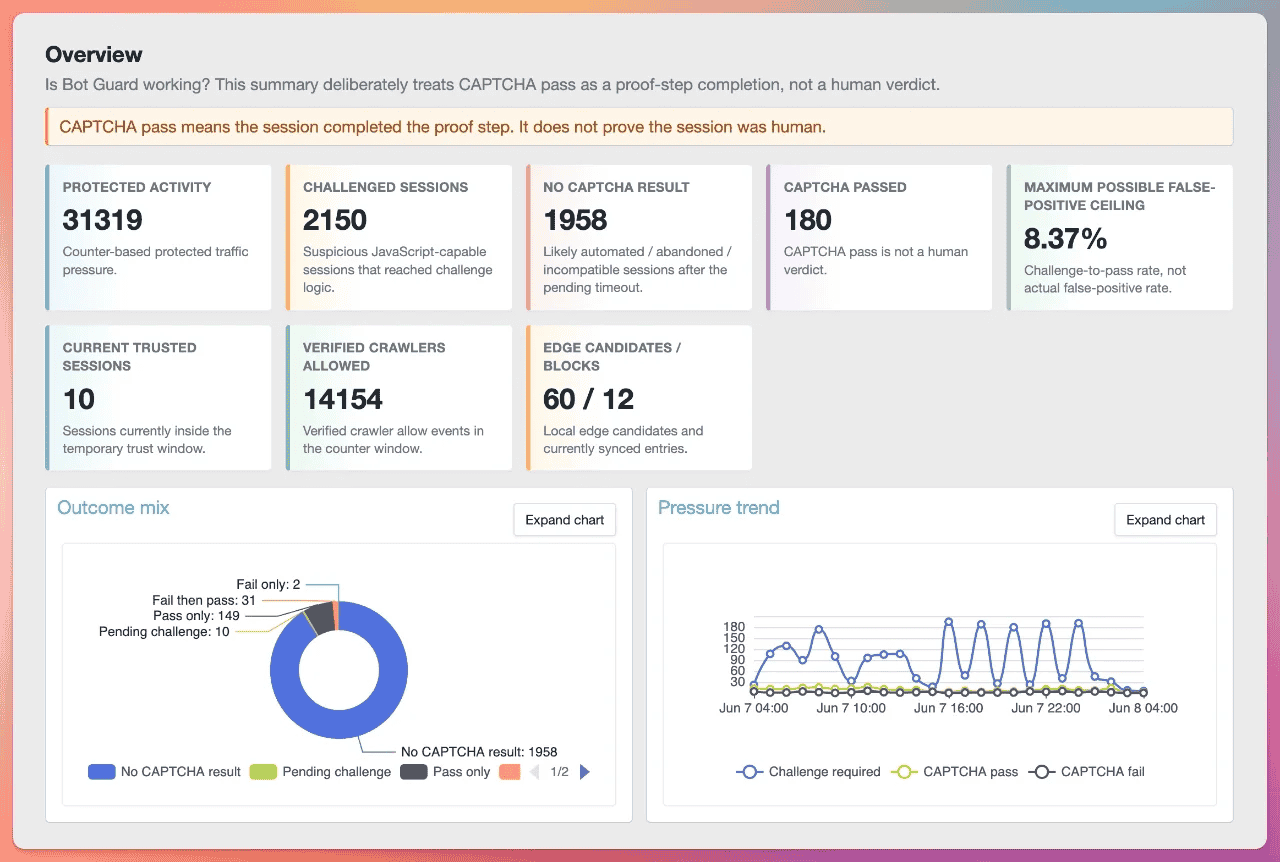
The Dashboard summarises Bot Guard activity over selectable ranges:
When Show Dashboard Overview on ACP home is enabled, admins with View XF Bot Guard also see the Dashboard Overview on the ACP home page. The ACP home overview uses the default 24-hour range, shows the same Overview cards, charts and country pressure surface as the full Dashboard for the active reporting mode, and links to the full Dashboard for range changes and drill-down.
Dashboard data is based on compact hourly snapshot tables rather than live querying raw event tables for every panel. Raw logs remain available separately for drill-down. Dashboard panels report according to the currently active reporting mode. Switching between normal DB-backed mode, Light-DB active mode and Light-DB Observe-only creates a reporting boundary: existing retained rows and prior snapshots are not deleted, but the active Dashboard layout does not merge unrelated mode-specific reporting surfaces into one combined panel, and newly generated snapshots should be interpreted under the reporting mode active when they were built.
When Light-DB runtime mode is active, the Dashboard remains available and uses a Light-DB layout. Recent completed snapshots may include approximate public event-type totals, decision totals, session-oriented country pressure, CAPTCHA trust telemetry and aggregate risk samples from hourly Light-DB cache telemetry when application cache is ready. Those cache-backed totals can feed counter/activity, browser validation, CAPTCHA, crawler, skip, light-response volume, country pressure, Traffic Journey, CAPTCHA Trust, Risk Signals and Light-DB challenge outcome panels. The Light-DB Traffic Journey view is an aggregate event/decision journey. In active enforcement mode it can show protected activity, browser validation activity, browser proof collection, risk/check pressure, challenge decisions, CAPTCHA challenge events, CAPTCHA pass events, failure/rate-limit events, trust allow events, deny decisions and light-response activity. In Observe-only with Light-DB active, it shows aggregate would-action stages such as would-show browser interstitial, would-challenge, would-deny, would-serve light response and observe-only decisions. Light-DB Observe-only country pressure uses would-challenge, forced-network would-challenge and would-deny sessions only. Light-DB Observe-only Risk Signals use aggregate observe risk samples where scored observe events exist. Exact raw observe rows and exact session-style observe analytics require normal DB-backed telemetry.
The Light-DB challenge outcome view is also aggregate event/decision telemetry: challenge events, CAPTCHA pass events, CAPTCHA fail events, CAPTCHA rate-limited events, total CAPTCHA failure pressure, challenge decisions, bootstrap/interstitial decisions, deny decisions, allow decisions and approximate pass/fail-pressure rates. When Observe-only is active with Light-DB, the same section switches to aggregate would-action events and observe decisions: would-challenge events, standard would-challenge events, forced network would-challenge events, would-deny events, would-show browser validation/interstitial events, would-serve light response events, observe challenge decisions, observe deny decisions, observe bootstrap decisions, observe light-response decisions and generic observe-only decisions. It does not show CAPTCHA pass/fail/no-result/session outcome labels because those visitor-altering outcomes are suppressed.
Pending challenge sessions, no CAPTCHA result sessions, pass-only sessions, fail-then-pass sessions, fail-only sessions, exact temporary trusted session counts, exact distinct trust allow sessions from raw event rows, exact durable rechallenge-after-trust-expiry joins and distinct challenged sessions require durable raw event/session relationship telemetry. Active Light-DB mode suppresses those public rows, so the Dashboard does not present those exact session cohorts in the Light-DB layout. The Light-DB country pressure map/table uses approximate session-oriented country aggregates from hourly cache telemetry, not raw public request rows or exact raw cohorts. The Light-DB CAPTCHA Trust panel uses aggregate cache telemetry for CAPTCHA pass and trust allow event totals/trends, per-hour de-duplicated session counts when a session identity exists, an approximate current trusted-session estimate from trust expiry buckets, estimated trust allow sessions, and observed rechallenges after a cached prior trust expiry marker. These are bounded estimates, not exact durable session rows. The active Light-DB layout also hides panels and links that require durable raw public telemetry without a cache-backed replacement dataset: outcome mix, route pressure/outcomes, claimed crawler challenge cohorts, recent decision timing metadata and raw drill-down quick links. Health check and support bundle also show current cache-only aggregate telemetry for recent activity, normal decisions, browser validation, CAPTCHA, CAPTCHA trust session aggregates, crawler, skip, canary, light-response signals, risk samples and Observe-only risk samples. Telemetry is stored only in XenForo application cache using 60-second buckets retained for about 65 minutes and 1-hour buckets retained for about 25 hours. These values are approximate runtime hints, not durable audit logs; use retained event rows, server logs and any upstream CDN/WAF logs for deeper investigation.
If Light-DB runtime mode is configured but XenForo application cache is not ready, including when the effective provider is filesystem-backed, public Bot Guard protection fails open instead of falling back to DB-backed telemetry writes. In that state, Dashboard availability marks raw public telemetry sources as retained rows only, and recent cache-backed Dashboard telemetry, including public event-type totals, decision totals, session-oriented country pressure, CAPTCHA trust telemetry, risk samples and Observe-only aggregate telemetry, is not available until cache readiness is restored.
An hourly Dashboard snapshot is trusted only after the completed hour, the event-detail pending timeout, an extra one-minute safety delay, and the current Dashboard snapshot metric format are all satisfied. The hourly snapshot cron runs at minute 10, so normal generation builds the previous completed hour. Dashboard coverage, metric aggregation and latest current-state payloads ignore ok snapshot rows that are future-dated, were refreshed before that safety delay, or use an older snapshot metric format. When current-format snapshots are missing but retained raw rows still exist, the snapshot cron backfills eligible hours before those hours appear as trusted Dashboard coverage. Snapshot builds are phase-based and resumable: repair, missing-hour selection, event totals, counters, challenge cohort, country pressure, risk signals, routes, trust, crawlers, Cloudflare Edge sync, timings and current-state payload work can continue on a later cron run without exposing an incomplete trusted snapshot. While Light-DB runtime mode is active, the snapshot cron prioritizes missing completed hours still inside the hourly cache telemetry retention window before older backfill so recent cache telemetry can be copied before it expires.
When the selected Dashboard range has incomplete trusted snapshot coverage, the Dashboard shows a warning above the section navigation. The warning states how many trusted snapshot hours are missing and, when the newest trusted snapshot is behind the selected range, how many hours behind it is. This can happen while snapshot backfill is catching up after an upgrade or delayed cron run. It can also reflect a selected range outside retained snapshot coverage or a persistent snapshot cron/health problem. XF Bot Guard remains operational during this period, but Dashboard visibility may be incomplete until trusted snapshots are available for the selected range. If the warning persists, review the selected range, Dashboard snapshot retention, snapshot cron and Health check.
Snapshot generation waits if buffered event-detail files for an hour are still pending or processing. This avoids building an hourly snapshot with partial reason-code or timing enrichment. Once the event detail buffer has flushed, a later snapshot run can process the hour normally.
When Observe-only is active, Dashboard challenge, deny, bootstrap, URL unfurl light response, route, risk and Cloudflare Edge Enforcement sync panels switch to observe-only source keys. Labels use would-action wording such as Would have challenged, Would have denied, Would have shown validation, Would have served light responses and Would sync to Cloudflare. Drill-down links point at the observe-only event types. The Dashboard does not mix punitive and observe-only cohorts in the same cards or charts.
The Overview section includes a country pressure map and table when trusted snapshots contain country pressure metrics. In normal DB-backed mode, the heat value is hard-intervention sessions plus browser validation dead-end sessions. In active Light-DB mode, the same values come from approximate session-oriented country aggregates held briefly in XenForo application cache before snapshotting. In Observe-only, including Light-DB Observe-only, the heat value is would-hard-intervention sessions only; browser validation dead-end counterparts are not reported because observe-only bootstrap rows would overstate a blocked validation outcome.
Country pressure is session-based. In normal DB-backed mode, a session is attributed to the country recorded for its first hard intervention or first browser validation dead-end in the snapshot hour, using trusted proxy-derived or downloaded local IP country state from the visitor/IP relationship where available, then IP state, then visitor state. In active Light-DB mode, the country is resolved at record time through the normal request geo context and stored only as aggregate country-code counts, with short-lived hashed session markers used to avoid counting the same session twice in an hour. Unknown countries are grouped into the Unknown country table row and are not drawn on the map. Valid country codes that are not present in the bundled map data can still appear in the table, but are not drawn on the map. If the selected range includes trusted snapshot hours without country pressure metrics, the country panel is marked partial while the rest of the Dashboard continues to use the trusted snapshot coverage rules.
Within each trusted hour, risk signal, route outcome and timing collectors process retained raw rows in deterministic event-id batches when DB-backed public telemetry is active. Risk signal and timing panels are exact over the retained raw rows available for that snapshot hour, and route outcome values are exact for the selected top route-pressure rows. Light-DB risk signal collectors copy aggregate hourly risk telemetry instead of raw rows. Reason-code JSON is decoded in PHP for MariaDB compatibility.
Risk signals count retained enforcement rows in normal mode and retained observe-only would-action rows while Observe-only is active. In normal mode, reason totals, reason-by-outcome totals and risk score distribution use stored challenge_required rows. In Observe-only, risk panels use observe_challenge_required, observe_network_challenge_required and observe_deny_required rows, and CAPTCHA pass/fail/no-result outcome splits are not shown because CAPTCHA is suppressed. In active Light-DB runtime mode, Risk Signals use aggregate runtime risk samples copied from hourly cache telemetry. Active enforcement can show reason totals, reason-by-outcome for challenge decisions, deny decisions, CAPTCHA pass events, CAPTCHA fail events and CAPTCHA rate-limited events, risk score distribution, average score, median score and p95 score. When Observe-only is also active, Light-DB Risk Signals use aggregate observe risk samples with would-challenge, forced-network would-challenge and would-deny outcome labels where scored observe events exist. They do not show exact raw-event or session-cohort outcomes such as pending challenge sessions or no CAPTCHA result sessions. Browser collection and browser recollection remain normal collection behaviour.
Routes under pressure stores the top 500 challenged route/path groups for each snapshot hour in normal mode and the top observe-only would-challenge, forced-network would-challenge and would-deny route/path groups while Observe-only is active. Observe-only bootstrap and URL unfurl light response would-actions are reported in their own browser validation, light response and counter panels rather than being mixed into route pressure. The top groups are ordered by sessions, events, route and request path, and the Dashboard displays the top 25 rows aggregated from those per-hour top groups in the selected snapshots. Admins without View sensitive Bot Guard data see route labels only; request paths remain hidden.
The route outcome cohort is grouped by route for the selected top route-pressure rows in the trusted snapshot range. Pending challenges are separated from no CAPTCHA result, which means the challenge is older than the pending timeout and has no pass/fail result in the bounded result window. Observe-only keeps the same route outcome structure for would-challenge and would-deny rows, with CAPTCHA pass/fail/pending/no-result values left at zero because CAPTCHA is suppressed.
Recent decision timing metadata is read from event detail metadata. The Dashboard uses scoring_ms for risk-scoring time and treats legacy risk_score_ms metadata as the same scoring metric when present. Timing values are rounded to the nearest integer millisecond before Dashboard averages and nearest-rank 95th percentile calculations, so timing percentiles are exact to the nearest millisecond over the normalized values.
Common Dashboard cards and panels include:
When Light-DB runtime mode is active, the Dashboard keeps supported overview summary cards including estimated current trusted sessions, overview pressure trend, counter, browser-validation/interstitial, approximate country pressure, aggregate Traffic Journey telemetry, aggregate challenge outcome telemetry, aggregate CAPTCHA Trust telemetry, aggregate Risk Signals, crawler allow/source, Cloudflare Edge, availability and health panels visible. It omits raw-backed exact session outcome cohorts, raw-backed risk signal cohorts, route pressure/outcome, claimed crawler challenge, recent decision timing and raw drill-down panels or links. The section navigation includes Traffic Journey because the Light-DB aggregate journey remains useful.
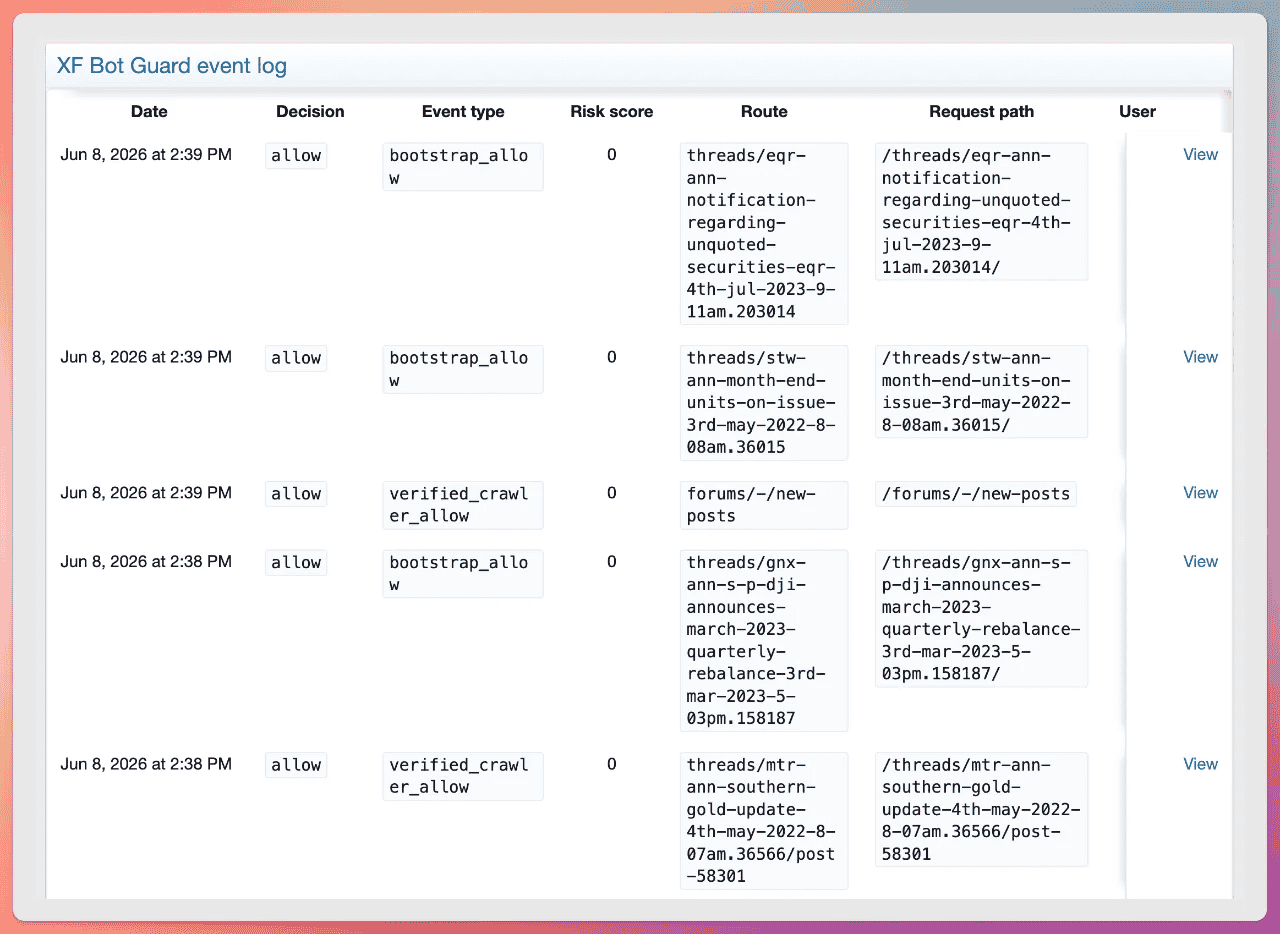
The Raw event log is the main troubleshooting surface.
The list is sorted newest first. Use Older events and Newer events to move through retained rows while keeping the current filters. Newest events returns to the current front of the filtered log.
When Light-DB runtime mode is configured, the Raw event log page, event detail view and CSV export remain available for retained durable rows. New automatic public request event/detail/reason rows are intentionally suppressed while the mode is active, so the log may not receive new rows for public request decisions until normal DB-backed telemetry is restored. Admin/manual/off-hot-path rows and previously retained rows can still be reviewed and exported according to the normal permissions and retention settings.
Available filters for admins with View XF Bot Guard include:
Admins with View sensitive XF Bot Guard operational details also receive investigation filters for:
Each filter includes an is-not control. For exact filters this excludes the selected value. For the user filter it excludes guests, excludes logged-in users, or excludes the selected user ID. For contains filters it searches for rows that do not contain the supplied text. For the minimum risk score it searches below the supplied value. For date ranges it searches outside the supplied range.
Decision and event type filters use exact event-row matches. For admins with sensitive-detail access, the reason-code picker uses normalized reason-code rows for exact filtering. Filtering challenge_required by crawler_claim_unverified shows challenged or feed-denied requests that claimed a known crawler/bot user-agent token. Filtering challenge_required by managed_intelligence_feed_matched shows protected interactive HTML requests challenged by an active local managed feed match. Filtering by contextual_shadow_alias_hit, contextual_shadow_alias_head_hit or shadow_resolver_* reasons shows canary evidence captured before the normal challenge decision. Filtering by link_chronology_unseen_protected_url shows protected requests where recent Link Chronology state existed but the requested protected URL was not recently exposed to the same visitor or session. Filtering by link_chronology_short_prior_dwell or link_chronology_long_prior_dwell shows matched Link Chronology transitions whose prior-page dwell was outside learned approximate percentile bounds. Filtering by duplicate_account_match shows exact logged-in account fingerprint matches recorded by Duplicate account detection. When Observe-only is active, use the observe_* event types to review would-actions without mixing them with normal challenge_required rows. The normalized reason-code index is populated by direct event detail writes, buffered event detail flushes and event detail buffer cron repair from retained event detail. The advanced reason-contains filter searches supplementary JSON detail and is intended for narrow investigations with enough text and an appropriate date range.
For admins with sensitive-detail access, hash filters accept full 64-character hashes or shorter hex prefixes. Full hashes use equality checks. Prefixes use indexed binary ranges against stored binary hash columns. The is-not hash mode excludes the matching hash or prefix and includes rows where that hash column is empty.
The Export CSV button downloads the full current filtered result set, not only the visible page. If no filters are applied, the CSV contains the full retained Raw event log. Admins with View XF Bot Guard receive the basic event-list columns. Admins with View sensitive XF Bot Guard operational details receive the expanded operational columns, including request path, method, controller/action, content fields and stored hash display values. Supplementary event-detail JSON such as reason-code detail, metadata and resource context is not included in the CSV export.
CSV export streams directly to the browser in batches and does not create or retain temporary CSV files on the server. This keeps large exports memory-safe, though very broad exports can still be database-heavy while they run.
If event details are waiting in the local detail buffer or reason-index repair is pending after a reason write failure, very recent events may not appear in sensitive reason-code filtered results until the buffer flush or reason-index repair has run.
Admins with viewBotGuardSensitive see support bundle access from the Raw event log. The bundle page includes current safe log filters as page context, copies a redacted diagnostic bundle, and offers a xenforo.com direct-message compose link. Admins without viewBotGuardSensitive do not see the support bundle access.
Admins with viewBotGuardSensitive can open listed events for detail. The detail page shows the retained parent event row, and supplementary reason-code, metadata and resource-context detail appears when it is present. If supplementary detail is buffered, pending or missing, the page shows the existing pending/missing detail state.
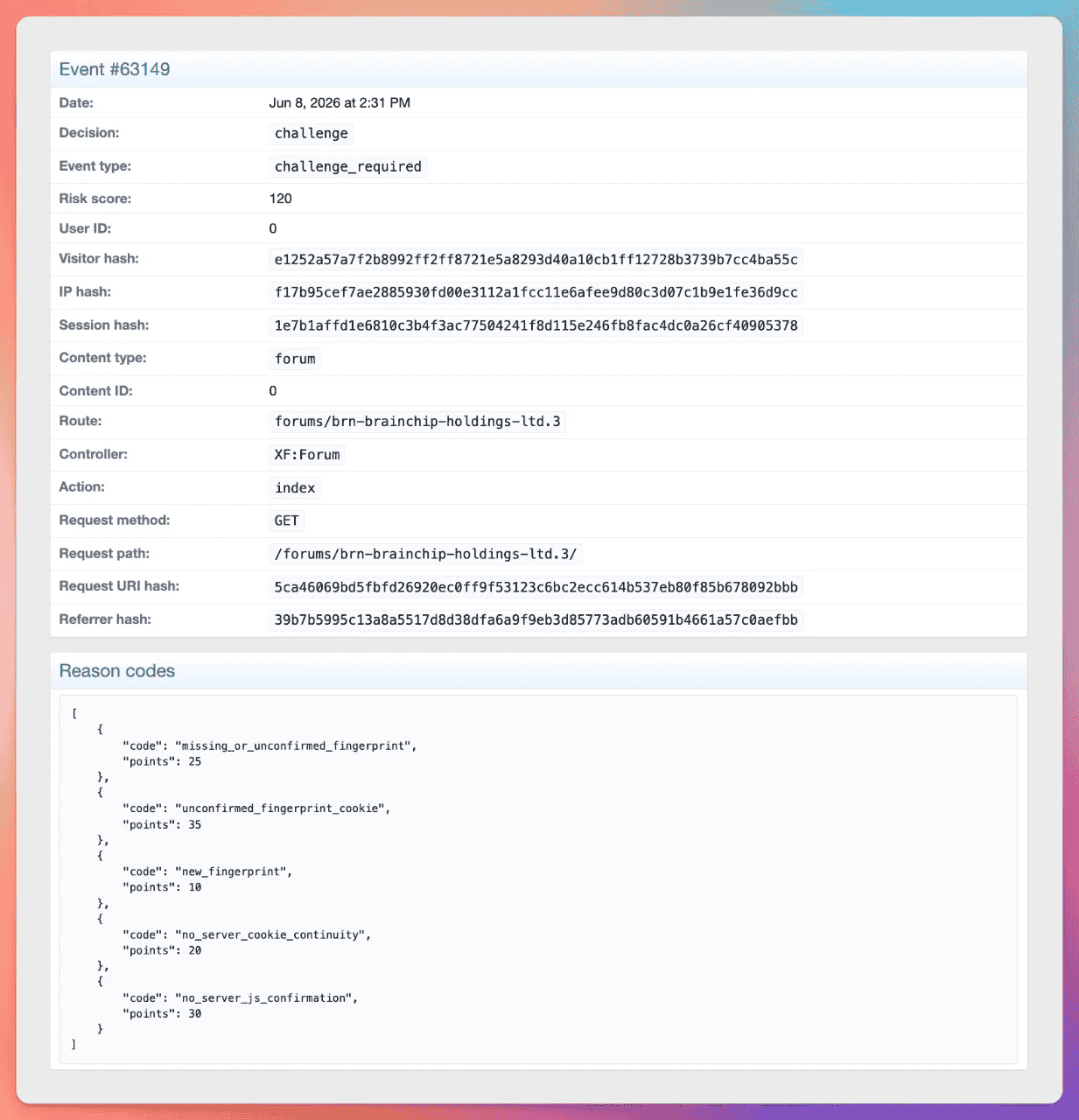
Event details may include:
The parent event row is written immediately and remains visible in the Raw event log. Route, controller/action, request method, request path, event type and decision values are cleaned to valid UTF-8 and truncated at their audit column limits before storage. Malformed request-derived bytes are not retained in those UTF-8 audit fields. Supplementary detail such as reason codes, metadata and resource context may be written directly or briefly held in the local event detail buffer.
The event detail page requires viewBotGuardSensitive and includes support bundle access for the current event. The bundle context includes a summary of the event ID, date, decision, event type, risk score and route. When a displayed user ID or visitor hash has duplicate-account evidence, permitted admins can use the duplicate-account links to open the matching filtered review list.
|
Event type |
Meaning / when to use it |
|
bootstrap_allow |
A fresh visitor was served the browser validation interstitial path before protected content was rendered. |
|
bootstrap_grace_allow, bootstrap_skipped, bootstrap_suppressed |
Browser validation bootstrap was allowed by a grace path, skipped, or suppressed by logging/audit policy while request handling continued according to the configured mode. |
|
fingerprint_collect |
Browser proof/fingerprint signals were collected successfully. |
|
browser_recollection_required |
Existing browser metadata should be refreshed because state changed or became stale. |
|
challenge_required |
A protected request produced a local enforcement outcome: an interactive CAPTCHA challenge because the risk score met/exceeded the threshold, an interactive CAPTCHA challenge because a forced IP/CIDR/ASN network challenge matched, an interactive CAPTCHA challenge because an active local managed intelligence feed indicator matched, a forced-network hard deny, a protected non-interactive feed deny, or a protected speculative document deny. If the challenged or denied request claims a cataloged crawler/bot user-agent token, the event includes privacy-safe crawler claim metadata and zero-point crawler_claim_* reason codes. |
|
observe_challenge_required |
Observe-only suppressed a normal threshold CAPTCHA challenge. Metadata includes observe_only, suppressed_action, would_decision and threshold where available. |
|
observe_network_challenge_required |
Observe-only suppressed a forced IP/CIDR/ASN network challenge. Metadata includes the suppressed action, network_challenge and source option details where available. |
|
observe_deny_required |
Observe-only suppressed a local deny response, such as a protected feed request, protected speculative document request or forced-network hard deny that would have returned 403. Metadata includes deny status where available. For non-interactive feed and speculative document denies, metadata describes the withheld body as a would-have outcome rather than claiming the Observe-only response body was actually withheld. |
|
observe_bootstrap_required |
Observe-only suppressed the blocking browser validation interstitial for a fresh no-proof request. |
|
observe_light_response_required |
Observe-only suppressed URL unfurl light response body rewriting. Metadata includes observe_only, suppressed_action, would_decision, matched pattern hash/index and cache-bypass state without logging the raw user-agent string. |
|
captcha_pass |
Visitor passed the resolved Bot Guard CAPTCHA provider and received temporary trust. |
|
captcha_fail |
Visitor failed CAPTCHA. |
|
captcha_rate_limited |
Too many CAPTCHA attempts occurred in a short period. |
|
captcha_trust_allow |
Visitor was allowed because temporary CAPTCHA trust was active. |
|
admin_visitor_report |
An admin with Manage XF Bot Guard operations confirmed a manual visitor report from the public Online page. The event is retained as an admin assertion against the resolved Bot Guard session/visitor identity and can add the configured admin visitor report score during later protected-page evaluation for that identity. |
|
duplicate_account_match |
Duplicate account detection recorded an exact confirmed browser-fingerprint match between logged-in user accounts. Metadata includes the duplicate case ID, both user IDs, visitor hash prefix, status and whether hashed IP, hashed user-agent, country or ASN also matched. |
|
request_dynamic |
Protected or dynamic request was observed/allowed below threshold. Low-value logging may suppress many rows. |
|
resource_skipped |
Static/non-page resource request was skipped. Low-value logging may suppress rows. |
|
non_document_skipped |
Request did not look like a primary HTML document and was skipped. |
|
sensitive_route |
A sensitive-looking route was observed, such as admin/install/api/webhook/payment-like paths. |
|
error_route |
Post-dispatch observer saw a likely error response. |
|
verified_crawler_allow |
A crawler/fetcher was verified by official range or reverse DNS plus forward DNS confirmation and allowed. Selected AI search/user-fetcher allows include crawler category, provider, source ID, source label, verification method, matched user-agent token and reason code metadata. |
|
known_crawler_allow |
Optional known-bot/header trust allowed a crawler when configured and origin lockdown is acknowledged. |
|
light_response_allow |
A configured URL unfurl user-agent pattern matched an eligible guest GET protected page request. Bot Guard allowed a valid XenForo page response with metadata and a literal empty body, or a bodyless canonical redirect the unfurl client can follow to that metadata-only page. |
|
shadow_canary_alias_hit |
A non-excluded visitor directly requested a contextual link canary alias with GET. The request is redirected to the canonical URL after adding high-confidence canary evidence to local scoring data and normal local candidate evaluation when configured. |
|
shadow_canary_alias_head_hit |
A non-excluded visitor directly requested a contextual link canary alias with HEAD. The request is redirected to the canonical URL after adding high-confidence canary evidence to local scoring data and normal local candidate evaluation when configured. |
|
observe_shadow_canary_alias_hit, observe_shadow_canary_alias_head_hit |
A visitor directly requested a contextual link canary alias whose canonical target matched a forum-area enforcement exclusion. The request is redirected to the canonical URL and logged as observe-only with forum_area_enforcement_suppressed, without adding canary score or creating a Cloudflare Edge Enforcement candidate. |
|
shadow_resolver_invalid_nonce, shadow_resolver_reused_nonce, shadow_resolver_binding_mismatch |
A non-excluded contextual link canary resolver POST failed nonce validation, attempted to reuse a burned nonce, or sent candidate data that did not match the registered alias binding. Responses are low-information and raw nonce values are not logged. AJAX and other configured exclusions still suppress scoring. |
|
hash_secret_unavailable, hash_unavailable |
Hashing was unavailable and Bot Guard failed open where appropriate. Request-gate hash fail-open rows use hash_secret_unavailable; hash_unavailable is also a registered event-type/filter value for stored event rows and event-log filtering. |
|
request_gate_fail_open |
A request-gate exception forced an intentional availability-preserving allow path. Metadata is bounded to branch, timing, recorded count, exception class and message hash. |
|
collector_nonce_missing, collector_nonce_malformed, collector_nonce_invalid, collector_nonce_expired, collector_nonce_mismatch, collector_nonce_context_mismatch, collector_nonce_reused |
Collector proof failed validation. |
|
collector_bootstrap_origin_invalid |
Bootstrap collect request failed same-origin or fetch-metadata checks. |
|
collector_bootstrap_token_type_invalid |
Bootstrap collect token type was not valid for the bootstrap collector. |
|
collector_hash_unavailable |
Collector could not hash visitor/session identifiers. |
|
edge_export_suppressed_private_ip, edge_export_suppressed_staff, edge_export_suppressed_logged_in, edge_export_suppressed_verified_crawler, edge_export_suppressed_never_export, edge_export_suppressed_excluded_ip |
A high-risk event was not exported to Cloudflare because of a suppression rule such as private IP, staff, logged-in user, verified crawler, never-export, direct excluded IP/CIDR/ASN or cached additional excluded CIDR JSON source match. |
|
edge_candidate_queued |
A high-confidence event created a local Cloudflare Edge Enforcement candidate when Cloudflare Edge Enforcement and raw IP storage were configured. |
|
edge_candidate_updated |
A matching local candidate was refreshed with newer score, priority, reason or expiry information. |
|
edge_candidate_forgiven |
A CAPTCHA pass triggered forgiveness handling for an existing local candidate. |
Bot Guard risk score is additive, clamped between -100 and 200. The default challenge threshold is 50.
Reason codes are stored with supplementary event detail and also in a normalized reason-code index. The Raw event log reason-code filter uses the normalized index for exact code matching. Direct event detail writes, buffered event detail flushes and event detail buffer cron repair populate the index from retained event detail.
Important scoring principles:
The first table covers reason codes that directly adjust the normal request score or are closely related allow, skip and observation reasons recorded during that decision. Operational and policy reason codes are listed separately after the scoring table.
|
Reason code |
Points |
Meaning |
|
missing_or_unconfirmed_fingerprint |
25 |
No confirmed browser fingerprint/visitor proof exists yet. |
|
unconfirmed_fingerprint_cookie |
35 |
Visitor hash cookie exists but the server has not confirmed it through collection. |
|
new_fingerprint |
10 |
Fingerprint is new to the local reputation store. |
|
fingerprint_on_many_ips_recently |
30 |
Same fingerprint has appeared across many IPs recently. |
|
fingerprint_country_or_asn_jump |
50 |
Fingerprint has jumped trusted, validated countries or ASNs recently. |
|
many_fingerprints_from_same_ip |
40 |
One IP is producing many fingerprints. |
|
user_agent_changed |
20 |
The visitor identity has changed user-agent hash. |
|
no_server_cookie_continuity |
20 |
Server-side continuity cookie/state is missing. |
|
no_server_js_confirmation |
30 |
Server has not seen JavaScript confirmation. |
|
high_request_velocity |
30 |
High total request velocity. |
|
high_dynamic_velocity |
30 |
High protected/dynamic request velocity. |
|
repeated_error_routes |
30 |
Repeated 4xx/error routes observed. |
|
sensitive_route_burst |
20 |
Repeated hits to sensitive routes such as admin/api/webhook/payment-like paths. |
|
recent_failed_captcha |
40 |
Recent CAPTCHA failure. |
|
admin_visitor_report |
Configured; default 35 |
Admin assertion from the public Online page for the same Bot Guard visitor or session identity within the last 24 hours. |
|
route_family_search_index |
12 |
Search/index-style route family contributes risk. |
|
route_family_find_new |
10 |
Find-new style route family contributes risk. |
|
route_family_member_enumeration |
10 |
Member-enumeration style route family contributes risk. |
|
route_family_deep_pagination |
8 |
Deep pagination contributes risk. |
|
route_family_repeated_listing |
8 |
Repeated listing route activity contributes risk. |
|
contextual_shadow_alias_hit |
80 |
Direct GET request to a contextual link canary alias by non-excluded traffic. |
|
contextual_shadow_alias_head_hit |
70 |
Direct HEAD request to a contextual link canary alias by non-excluded traffic. |
|
shadow_resolver_invalid_nonce |
35 |
Contextual link canary resolver POST supplied a missing, invalid or expired nonce. |
|
shadow_resolver_reused_nonce |
45 |
Contextual link canary resolver POST attempted to reuse an already burned nonce. |
|
shadow_resolver_binding_mismatch |
40 |
Contextual link canary resolver POST did not match the registered alias, attribute and nonce binding. |
|
shadow_resolver_bulk_pattern |
70 |
Multiple non-excluded contextual link canary resolver failures were observed recently for the same scoring context. |
|
link_chronology_unseen_protected_url |
configured |
A protected URL was requested while recent Link Chronology state existed, but the URL was not present in recent chronology exposure state and was not a same-page reload. The configured score is cumulative within the TTL and capped by the maximum contribution option. |
|
link_chronology_short_prior_dwell |
configured |
A protected URL matched a recent Link Chronology manifest, but the elapsed time since the matched prior page was unusually short for that prior page's URI-depth bucket. The configured score is cumulative within the TTL and shares the Link Chronology maximum contribution cap. |
|
link_chronology_long_prior_dwell |
configured |
A protected URL matched a recent Link Chronology manifest, but the elapsed time since the matched prior page was unusually long for that prior page's URI-depth bucket. The configured score is cumulative within the TTL and shares the Link Chronology maximum contribution cap. |
|
route_pressure_low_pass_rate |
computed |
The current protected route and normalized path had enough sealed route-pressure telemetry, at least the configured minimum non-pass challenged sessions, and a CAPTCHA pass rate below the configured threshold. The uplift is smoothed by how far the pass rate is below the threshold and capped by the configured maximum score uplift. |
|
unredeemed_browser_validation_range |
configured; default 70 |
A protected request completed bootstrap browser validation recently, has little or no continuity, and comes from a hashed public IP range with repeated recent bootstrap validations and no CAPTCHA pass in the range pass-credit window. Event metadata includes only counts and windows, not raw IP ranges. |
|
entropy_webdriver_true |
80 |
Browser reports webdriver true. |
|
entropy_webdriver_artifact_present |
60 |
Strong automation artifacts are present. |
|
entropy_headless_user_agent |
70 |
User-agent or client hints explicitly suggest headless browser. |
|
entropy_browser_automation_user_agent_marker |
40 |
User-agent/client hints include automation markers. |
|
entropy_webdriver_artifact_weak |
20 soft |
Weak automation artifacts are present. |
|
entropy_ua_ch_platform_mismatch |
25 soft |
User-agent OS and client-hint platform do not match. |
|
entropy_ua_ch_mobile_mismatch |
20 soft |
Mobile hint contradicts user-agent in a clear way. |
|
entropy_chromium_ua_missing_ch |
10 soft |
Chromium-like UA lacks expected client hints on HTTPS. |
|
entropy_chromium_chrome_object_missing |
15 soft |
Desktop Chromium-like browser metadata lacks expected Chrome object consistency. |
|
entropy_navigator_platform_mismatch |
20 soft |
Navigator platform conflicts with user-agent family. |
|
entropy_fetch_metadata_non_navigation |
25 soft |
Fetch metadata does not look like a document navigation. |
|
entropy_fetch_metadata_wrong_dest |
20 soft |
Fetch destination is not document/empty for a page request. |
|
entropy_fetch_metadata_suspicious_site |
10 soft |
Fetch site metadata looks unusual. |
|
entropy_impossible_screen |
35 soft |
Screen dimensions look impossible. |
|
entropy_outer_inner_size_impossible |
20 soft |
Outer and inner window sizes are impossible or highly suspicious. |
|
entropy_touch_platform_mismatch |
15 soft |
Touch capability conflicts with platform expectations. |
|
entropy_hardware_profile_implausible |
15 soft |
Hardware concurrency/device memory profile looks implausible. |
|
entropy_timezone_country_mismatch |
20 soft |
Timezone is unusual for inferred country. |
|
entropy_language_country_unusual |
10 soft |
Browser language is unusual for inferred country. |
|
entropy_resource_profile_sparse |
20 soft |
Very sparse resource timing profile for a rendered page. |
|
entropy_asset_loading_ratio_suspicious |
15 soft |
Low same-origin asset loading ratio. |
|
entropy_no_render_asset_mix |
20 soft |
No normal page-render resource mix is observed. |
|
entropy_cookie_disabled |
20 soft |
Collector reports cookies disabled or continuity impossible. |
|
entropy_collector_metadata_missing |
10 soft |
Expected collector metadata missing. |
|
hosting_network_rdns |
configured |
Late-stage score for forward-confirmed datacenter/hosting reverse DNS. |
|
network_challenge_matched |
0 |
Forced challenge network policy matched an IP, CIDR, cached ASN range or cached source range on a protected request. Interactive matches are challenged by default, and protected feed matches are denied non-interactively. Hard-deny mode returns 403 for matching requests, prevents interactive CAPTCHA state and ignores active CAPTCHA trust. |
|
crawler_claim_unverified |
0 |
A challenged or feed-denied request claimed a known crawler/bot user-agent token. This is not crawler verification. |
|
crawler_claim_<robot_key>_unverified |
0 |
Stable per-robot claim reason for event-log filtering and Dashboard grouping, such as crawler_claim_google_unverified. Robot keys are sanitized to lowercase a-z, 0-9 and underscores. |
|
verified_ai_search_crawler_source |
0 |
A selected AI search crawler matched fresh official provider CIDR data and the expected user-agent token. |
|
verified_ai_user_fetcher_source |
0 |
A selected AI user-triggered fetcher matched fresh official provider CIDR data, the expected user-agent token and the safe public guest fetch restrictions. |
|
recent_successful_captcha_trust |
-60 |
Recent CAPTCHA pass reduces risk while trust is active. |
|
logged_in_user |
-30 |
Logged-in users receive a risk reduction. |
|
staff_user |
-100 |
Staff receive strong risk reduction. |
|
light_response_user_agent_match |
0 |
A configured URL unfurl light response user-agent pattern matched. This is an allow/skip reason, not a crawler verification signal. |
|
known_allowed_crawler |
-100 |
Known bot trust option and origin-lockdown acknowledgement allowed this crawler/header. |
Soft entropy signals are capped so a pile-up of weak browser inconsistencies does not grow without limit.
Operational and policy reason codes are also indexed for exact filtering. These reasons explain interstitial handling, CAPTCHA trust, Cloudflare Edge Enforcement candidate handling, collector/bootstrap failures, crawler fallback verification and export suppression. They are not normal additive request-score reasons unless the points column explicitly describes candidate context.
|
Reason code |
Points |
Meaning |
|
browser_recollection_required |
0 |
Bot Guard requires browser state recollection before treating the current browser state as trusted. |
|
duplicate_account_exact_fingerprint_match |
0 |
Duplicate account detection opened or reopened a case because the same exact confirmed browser fingerprint appeared on more than one logged-in user account. |
|
managed_intelligence_feed_matched |
90 challenge context |
An active locally downloaded managed intelligence indicator matched a protected interactive HTML request and required CAPTCHA. Event detail includes bounded feed sequence, indicator type and key ID metadata. |
|
recent_successful_captcha_trust_override |
0 |
A recent successful CAPTCHA allows the request through active CAPTCHA trust handling. |
|
captcha_pass_forgiveness |
0 |
A CAPTCHA pass triggered forgiveness handling for a local Cloudflare candidate. |
|
captcha_fail |
120 candidate context |
When Cloudflare Edge Enforcement is configured, a CAPTCHA failure can be attached as candidate context. |
|
captcha_rate_limited |
180 candidate context |
When Cloudflare Edge Enforcement is configured, CAPTCHA rate limiting can be attached as candidate context. |
|
verified_official_cidr_source |
0 |
A verified crawler matched an enabled official CIDR source row for the request IP. |
|
verified_reverse_dns_forward_confirmed |
0 |
A verified crawler matched reverse DNS and forward confirmation for the expected crawler identity. |
|
verified_web_bot_auth_signature |
0 |
BETA Web Bot Auth fallback verified the request signature for an eligible crawler identity. |
|
method_observed_not_challenged |
0 |
A protected request used a method that Bot Guard observes but does not intercept with an interactive challenge. |
|
bootstrap_grace_started |
0 |
Bot Guard served browser validation through the lightweight bootstrap interstitial, or would have required it in Observe-only. |
|
known_allowed_crawler_override |
0 |
Known bot/header trust allowed the request after scored request evaluation. |
|
non_page_resource |
0 |
The request was a non-page resource and was skipped before risk challenge handling. |
|
not_primary_html_document |
0 |
The request was not a primary HTML document request eligible for challenge interception. |
|
forum_area_enforcement_suppressed |
0 |
A protected request matched a configured forum-area enforcement exclusion, so Bot Guard recorded the would-have enforcement action without applying the punitive response. |
|
hash_secret_or_global_salt_missing |
0 |
Bot Guard could not use its configured hash secret or XenForo global salt, so affected request handling failed open where appropriate. |
|
hash_secret_unavailable |
0 |
Bot Guard could not use the required hash secret during hash-dependent request or collector handling. |
|
non_interactive_speculative_requires_validation |
0 |
A speculative protected document request required browser validation on a non-interactive request path. |
|
collector_bootstrap_token_type_invalid |
0; 100 candidate context |
Collector bootstrap supplied an invalid token type. When Cloudflare Edge Enforcement is configured, this can also be attached as candidate context. |
|
collector_bootstrap_origin_invalid |
0; 80 candidate context |
Collector bootstrap origin validation failed. When Cloudflare Edge Enforcement is configured, this can also be attached as candidate context. |
|
collector_hash_unavailable |
0 |
Collector handling could not hash visitor or session identifiers. |
|
collector_nonce_invalid, collector_nonce_expired, collector_nonce_mismatch |
0; 100 candidate context |
Collector proof validation failed because the nonce was invalid, expired or mismatched. When Cloudflare Edge Enforcement is configured, these registered high-confidence failures can also be attached as candidate context. |
|
collector_nonce_missing, collector_nonce_malformed, collector_nonce_context_mismatch, collector_nonce_reused |
0 |
Collector proof validation failed because the nonce was missing, malformed, bound to a different context or reused. |
|
edge_export_suppressed_private_ip, edge_export_suppressed_staff, edge_export_suppressed_logged_in, edge_export_suppressed_verified_crawler, edge_export_suppressed_never_export, edge_export_suppressed_excluded_ip |
0 |
Local evidence existed, but Cloudflare export was suppressed by safety policy. |
When Adjust Members Online counts for challenged visitors is enabled, visitors who have been issued a Bot Guard challenge and have not yet passed it are deducted from the normal public online totals. A separate Bots count is displayed below standard online totals.
When Hide Bot Guard validation guests from Who is Online is enabled, the paginated Current visitors / Who is Online list hides anonymous, non-robot guest rows whose current activity is a Bot Guard validation or challenge route. This is display-only and leaves the underlying XenForo session activity rows and Bot Guard accounting intact.
Guest HEAD requests are also not written to XenForo session activity while Bot Guard is enabled with this adjustment active, so HEAD-only probes do not inflate Members Online or online statistics.
This helps avoid bot storms inflating public guest counts.
If the Known Bots add-on is installed, Bot Guard may suppress Known Bots' public robot statistics to avoid conflicting accounting surfaces. Known Bots itself, bot-list updates and admin tools are not disabled.
XF Bot Guard includes compatibility logic for Known Bots style robot accounting and XenForo robot classification.
If you use Known Bots or another crawler/robot add-on, verify:
Default exclusions include static assets and common sensitive paths. Keep these excluded unless you have a very specific reason.
Default excluded paths include:
css.php
js/
styles/
data/
favicon.ico
robots.txt
sitemap.php
sitemap.xml
ads.txt
admin.php
install
install/
api
api/
webhook
webhooks
bot-guard
login
logout
register
lost-password
misc/captcha
The code also excludes internal_data, payment_callback.php, payment_callback and payment-provider-callback style paths internally.
Review any third-party add-on or integration that uses public endpoints without a normal browser. Common examples:
Use Excluded paths and routes for paths that must never be challenged. Origin survival mode also honors these path exclusions on its early request path, so add SSO, OAuth, SAML, webhook, callback and payment-style public endpoints here when they must not receive emergency survival 503 responses.
Excluded IPs/CIDRs/ASNs and Forced challenge IPs/CIDRs/ASNs accept one item per line. Supported entries are exact IPv4/IPv6 addresses, IPv4/IPv6 CIDR ranges, and plain decimal public ASNs such as 32934. Do not use AS-prefixed ASN syntax such as AS32934; invalid entries are rejected when the option is saved.
Matching entries in Excluded IPs/CIDRs/ASNs are excluded from Bot Guard challenge handling. Matching entries in Forced challenge IPs/CIDRs/ASNs are challenged when the request is otherwise inside normal protected scope and eligible for an interactive challenge. Protected feed requests are non-interactive, so a forced-network match can return a 403 feed deny instead of redirecting to CAPTCHA. When Hard deny forced challenge networks is enabled, matching interactive requests return a hard 403 deny instead of creating pending CAPTCHA state, and protected feed matches remain 403 denies that ignore active CAPTCHA trust. Outside the protected feed branch, the forced challenge list does not protect routes that are out of scope, excluded, non-page resources, AJAX requests when AJAX exclusion is enabled, non-primary HTML responses, or non-challengeable methods.
Forced challenge entries honour successful CAPTCHA trust only while Hard deny forced challenge networks is disabled. When hard-deny mode is enabled, active CAPTCHA trust does not bypass the forced-network deny.
When Observe-only is active, an interactive non-hard-deny forced challenge match records observe_network_challenge_required with network/source metadata and allows the request. A protected feed forced-network match records observe_deny_required because feed handling is non-interactive. If Hard deny forced challenge networks is enabled, the matched request records observe_deny_required with deny and network/source metadata. This lets admins confirm forced IP/CIDR/ASN coverage without challenging or denying the visitor.
ASN entries are expanded by the hourly Bot Guard refresh cron and by queued managing-admin Health maintenance for repairable ASN rows, using WHOIS/IRR route data from whois.radb.net. Bot Guard queries route and route6 objects for the configured ASNs, validates and deduplicates the returned CIDRs, and stores the ranges locally. Each ASN refresh accepts up to 4 MiB of WHOIS/IRR response data and up to 10,000 unique parsed CIDR ranges. Request-time matching uses only the local ASN range cache and does not perform WHOIS lookups.
Additional excluded CIDR JSON sources and Additional forced challenge CIDR JSON sources are advanced extensions of the direct network lists. Each line is either Label | https://example.com/ranges.json or a URL by itself. URL-only lines derive a label from the source host and path. Blank lines and comments are allowed. Sources must use HTTPS, must not include userinfo or fragments, must use public hosts, must resolve only to public IP addresses at refresh time, and must return the JSON directly because redirects are not followed. During fetch, Bot Guard pins one selected public address for the request and prefers IPv4 when both public IPv4 and IPv6 addresses are available. If a URL includes a query string, the full configured URL is stored locally and sent to that source during scheduled refresh or queued managing-admin Health maintenance; do not place secrets or bearer tokens in source URL query strings.
The supported remote JSON format is Google-style CIDR JSON with a prefixes array containing ipv4Prefix and/or ipv6Prefix values. The hourly Bot Guard refresh cron and queued managing-admin Health maintenance fetch configured sources, parse and deduplicate CIDRs, and store local first/last IP ranges. Visitor request handling reads only the local cache and never performs remote HTTP fetches.
Each remote-source option accepts up to 10 sources. Source URLs may be up to 500 characters, fetch responses may be up to 1 MiB, and each source may provide up to 5000 parsed CIDR ranges. Sources are normally refreshed after about 24 hours, the Health check warns when successful refresh data is more than 48 hours old, and last-known-good cached ranges expire after about 7 days.
Remote CIDR JSON sources are not crawler verification and are not a generic crawler allowlist. They directly affect protection decisions: excluded sources add excluded networks, and forced challenge sources add forced challenge networks. Use only sources you control or strongly trust. Failed or stale sources keep using last-known-good cached ranges until those ranges expire; expired ranges do not match. Removed sources are no longer part of live option policy, and the refresh cleanup removes their cached source/range rows.
Direct IP/CIDR entries are immediate and local. Decimal ASN entries depend on local data from scheduled WHOIS/IRR expansion or queued managing-admin Health maintenance. Remote CIDR JSON sources depend on local data from scheduled HTTPS JSON refresh or queued managing-admin Health maintenance. All three forms are matched locally at request time once their data is stored.
Scope controls which visitor types may be challenged:
Excluded user groups can also be configured. Staff are treated cautiously in scoring and should normally remain excluded from challenge risk where possible.
Protected areas control what public content is eligible for Bot Guard checks:
For first rollout on a forum with heavy scraper activity, Threads plus forums can be a sensible cautious mode if you do not want to protect every public route immediately.
Feed readers do not behave like normal browsers. Bot Guard detects common RSS/Atom/feed requests and avoids redirecting them to an interactive CAPTCHA page.
When Exclude RSS/Atom feeds from protected areas is disabled, protected feed requests use non-interactive scoring and deny handling. If a protected feed scores above the threshold or matches a forced challenge network, Bot Guard may return a 403 instead of a CAPTCHA redirect. Feed scope, method checks and verified/allowed crawler handling apply before feed deny handling. Managed intelligence feed matching does not run for RSS/Atom/feed requests. When Observe-only is active, Bot Guard records observe_deny_required and allows the feed response instead of returning 403.
When Exclude RSS/Atom feeds from protected areas is enabled, RSS and Atom requests are treated as outside protected areas. They are observed as not protected and do not enter Bot Guard scoring, challenge, deny, edge candidate, bootstrap or light-response handling as protected traffic. If feeds matter to your community, test them after enabling protection and choose either non-interactive protection or feed exclusion deliberately.
Some browsers send speculative document requests before the user commits to navigation. Bot Guard detects Sec-Purpose prefetch/prerender and legacy X-Moz, X-Purpose and Purpose prefetch headers.
Speculative requests are not exclusions and do not prove browser trust. Static assets, AJAX, feeds, API-style routes, attachments and other non-page resources keep their normal classification. For primary HTML candidates, Bot Guard disables XenForo public page-cache use early so XenForo's own guest page cache cannot serve a cached protected body before the request gate runs. For protected primary HTML documents, matching forced-network challenge entries are evaluated before verified/allowed crawler paths; non-hard forced-network matches still honour active CAPTCHA trust, while hard-deny matches do not. Otherwise, verified/allowed crawlers and visitors with active CAPTCHA trust are still allowed. If the request would need bootstrap browser validation, a forced-network challenge or a normal threshold challenge, Bot Guard returns an empty 403 instead of serving the protected body, redirecting to CAPTCHA or showing the browser-validation interstitial. Observe-only records observe_deny_required and allows the response.
Speculative requests do not receive collector tokens, do not create pending CAPTCHA state, do not mark Bot Guard online challenge state, do not mutate responses with contextual link canaries, do not score direct canary hits as browser evidence, and do not create or score Link Chronology state.
AJAX is excluded by default. Keep this enabled. AJAX requests often expect JSON or partial HTML, not a full browser validation or CAPTCHA page. Managed intelligence feed matching follows the same protected interactive HTML boundary and does not add CAPTCHA handling to AJAX requests.
Common API and webhook-like paths are excluded by default, but no add-on can know every custom route. Add explicit exclusions for any endpoint that must work without JavaScript, cookies, CAPTCHA and a normal browser. Managed intelligence feed matching does not run for API, webhook, payment callback or other non-interactive endpoint handling by default.
XF Bot Guard is designed not to trust crawler user-agent strings blindly.
When Allow verified search crawlers and fetchers is enabled, requests from supported crawlers can bypass Bot Guard challenges after verification.
Supported official CIDR source refreshes include:
Selected verified AI search crawler sources are separate and selected by default. Bot Guard can verify OpenAI OAI-SearchBot and Anthropic Claude-SearchBot when Bot Guard is enabled, the master verified crawler option is enabled, the specific AI search option is selected, the provider source has fresh CIDR data, the request IP is inside that source, and the user-agent contains the expected provider token.
Selected verified AI user-triggered fetchers are also selected by default. Bot Guard can verify OpenAI ChatGPT-User and Anthropic Claude-User for safe public guest fetches only. These requests happen when a user asks an AI assistant to retrieve a page; they are not automatic search crawlers, do not receive member/admin/private access, and do not create CAPTCHA trust, Cloudflare Edge suppression or IP allow-list side effects.
AI training or broad collection crawlers are not selectable through these options. GPTBot, ClaudeBot, CCBot, PerplexityBot and Perplexity-User are not trusted by this feature.
Bot Guard controls whether a verified request bypasses a Bot Guard challenge. It does not guarantee or enforce how a provider uses content after retrieval, and it does not modify robots.txt. If Cloudflare or another edge layer blocks an AI bot before the request reaches XenForo, Bot Guard cannot allow that request at the origin.
For supported reverse DNS-based verification, the add-on performs reverse DNS matching and forward DNS confirmation. A matching user-agent alone is not enough.
Verified and known crawler allow decisions are not browser-validation decisions. When Bot Guard allows a request through these trusted crawler paths, the response is not given the passive browser collector script, request-local collector config or a collector proof token. Normal browser guests still receive collector output when browser validation is enabled and the request path is eligible.
Web Bot Auth support is BETA and based on an active draft specification. It is not a fully settled internet standard. Keep this in mind when enabling the option, reviewing logs or diagnosing provider behaviour.
When BETA Web Bot Auth fallback is enabled, Bot Guard attempts it only after normal verified crawler checks fail. Official CIDR JSON, selected AI crawler/fetcher CIDR checks, reverse DNS/forward DNS verification and trusted proxy header checks remain separate and run first where they apply. Web Bot Auth is considered only for HTTPS requests whose original method token is exactly GET or HEAD that include Signature, Signature-Input and a signed Signature-Agent member with an eligible attempt signal. The signature label must match the signed Signature-Agent member key; extra signed members do not substitute for that member. Built-in Web Bot Auth profiles also require the signed Signature-Agent member; a request without Signature-Agent is not attributed to a URL identity.
An eligible attempt signal is either a recognised Bot Guard crawler user-agent claim with a supported Web Bot Auth profile, or a resolved Web Bot Auth identifier that matches the admin-configured trusted identifier patterns. The built-in early profile is Google's Google-Agent directory identity at https://agent.bot.goog/.well-known/http-message-signatures-directory. For directory discovery, the submitted Signature-Agent value is an HTTPS origin and the resolved identifier is that origin plus /.well-known/http-message-signatures-directory. For jwks_uri and cimd discovery, the submitted HTTPS URL may include a query string for key discovery, fragments are rejected before fetch, and the resolved identifier is the same URL after normal URI normalization and without query or fragment. A recognised user-agent claim only makes Bot Guard attempt verification for the matching known Web Bot Auth identity; it does not allow an arbitrary Signature-Agent. Admin-configured trusted identifier patterns are explicit beta trust configuration for those operators after cryptographic verification succeeds. Scheme and host matching is case-insensitive; paths are case-sensitive after URI normalization. For example, /Trusted does not approve /trusted. Wildcard patterns must identify a specific operator-controlled namespace; broad domain and known public-suffix or shared-hosting wildcard patterns are rejected.
A valid signature never makes an unknown bot trusted by itself. The verified Web Bot Auth identity must correspond to a built-in recognised profile or an admin-configured trusted identifier pattern. Bot Guard's supported verifier profile accepts Ed25519/EdDSA keys from directory, jwks_uri and cimd discovery. Directory responses at the well-known URI must use application/http-message-signatures-directory+json. Directory JWK kid values, when present, must equal the computed JWK thumbprint. The signed keyid must match the computed public-key thumbprint for every discovery type. jwks_uri and cimd key sets may carry operator-chosen kid labels, but those labels do not select verification keys. HMAC, RSA-PSS and other algorithms are unsupported for this beta verifier profile. Malformed headers, missing tag, expired or future signatures, missing signed Signature-Agent member, missing signed authority/target URI, unsupported algorithms, unavailable crypto, unavailable key sets, fetch failures and inconclusive results return no match and continue normal Bot Guard handling.
For CIMD discovery, the document must contain a string client_id exactly equal to the submitted metadata URL, including its spelling, explicit port and query. Fetches preserve the path and query bytes, including a trailing empty query delimiter (?); /card? is fetched with that delimiter intact. The URL must contain a path without single-dot or double-dot segments, use valid percent escapes, and percent-encode characters that are not permitted literally in a URI. Bot Guard validates this identity before using inline jwks or fetching a linked jwks_uri; exactly one key source is permitted. Trust-pattern matching uses the separate normalized identifier without query or fragment.
Bot Guard derives the visitor-facing HTTPS scheme from direct server transport evidence or trusted proxy signals. X-Forwarded-Proto and CF-Visitor are accepted only when Origin lockdown acknowledged for trusted proxy signals is enabled and the proxy overwrites visitor-supplied claims. Missing, malformed or conflicting evidence fails verification; port 443 alone does not prove HTTPS. Signed @authority uses the complete request Host with a lowercase hostname and omits an empty port or the default HTTPS port 443; nondefault ports and IPv6 brackets remain. Long hostnames and their ports are not truncated for verification. A missing or invalid request Host prevents verification; the forum Board URL and server-name defaults do not supply a substitute. Signed @path, @query and @target-uri components use the original request target, including absolute HTTPS URLs supplied by a proxy. On IIS with URL rewriting, Bot Guard uses the original encoded URL exposed by XenForo. Authority normalization does not remove an explicit port from @target-uri. An absolute URL must agree with the trusted HTTPS scheme and the effective request host and port; its original path and query supply the signed URI components. Signed @query-param components support individual UTF-8 query parameters, including empty values; missing or repeated covered parameter names fail verification. Repeated query names can be covered using the whole @query component.
Signature-Agent extension parameters accept RFC 9651 Date and UTF-8 Display String values. Legal extension values on another member do not suppress an independent signature within the verification limits: Bot Guard considers up to six Signature-Input members, six Signature-Agent members and three candidates per request. Syntactically valid but unusable members, such as an empty covered-component list, a non-string component, a parameterized Signature value or a non-token discovery type, invalidate only their own signature. Malformed structured-field syntax rejects the whole field. Duplicate dictionary keys use their final member, even if that member is unusable. Quoted component names cannot contain whitespace or parameter delimiters; name and parameter boundaries remain distinct. Signed members use canonical serialization, including padded byte sequences and unsigned decimal zero; malformed fields still fail verification. Signature-Input uses its own RFC 8941 grammar. Covered component identifiers must be unique within each signature; changing parameter order does not make an identifier distinct. A repeated component invalidates that signature while an independent valid signature can still verify. Tabs are allowed as outer field whitespace and between dictionary members, but inner-list separators and spacing after parameter semicolons use spaces. Whitespace between a parameter value and the next semicolon is invalid.
Signed ordinary request headers include Content-Type and Content-Length supplied through PHP CGI/FastCGI metadata. Those CGI values take precedence if the server also exposes header aliases. A present empty header can be signed; an absent header cannot. Header values, the complete request authority and the original request target remain transient verification inputs and are excluded from cached context copies.
Public keys retain their optional nbf and exp bounds. A key is usable at or after nbf and strictly before exp, including on cache hits. Future-dated rotation keys can remain cached until their start time. The Ed25519 demonstration key published in RFC 9421 and the Web Bot Auth draft is rejected. Web Bot Auth key caches are disposable: installation or upgrade can require fresh discovery, without converting key-cache data or flushing the whole application cache.
Every Web Bot Auth directory, direct JWKS, CIMD and linked JWKS fetch opens a fresh connection to the selected public address and verifies the server certificate and hostname. Disabling XenForo's global outbound TLS verification does not disable these checks. Discovery requires PHP cURL and a supported native Guzzle cURL handler. The default XenForo handler stack is supported; an explicitly selected StreamHandler or an unrecognized custom transport prevents discovery before contact. Bot Guard retains the configured middleware, overrides inherited streaming and SSL-context options for the request, and does not replace the shared client or its selected transport. Outbound proxy settings prevent discovery, including environment proxies and NO_PROXY exclusions; approved direct egress is required. A configured custom CA bundle is retained; otherwise certificate validation uses the available default trust store. Invalid certificates, hostname mismatches or an unavailable CA bundle prevent discovery. Discovery URLs with a trailing empty query delimiter require PHP 7.3 or later and libcurl 7.55.0 or later (CURLOPT_REQUEST_TARGET). Without that capability, fetching those URLs fails and the request continues through normal Bot Guard handling; other discovery URLs remain usable on supported PHP runtimes.
Discovery responses are limited to 64 KiB. Oversized declared lengths are rejected at the headers, and bounded response sinks and progress checks stop oversized transfers. Network buffering can receive part of a chunk before cancellation. Across PHP workers and web nodes sharing the forum database, eight admission slots each permit one discovery fetch every ten seconds. Admission occurs before DNS resolution; each metadata or linked-key fetch consumes a slot, including failures. Fresh cache hits consume no slots. When slots are exhausted, discovery is deferred with a ten-second negative-cache retry delay and the request continues through normal Bot Guard handling. This is a limit on fetch admission, not a guarantee that slow system DNS calls finish within ten seconds. Successful resolutions publish their cache state under a short database row lock for that normalized identifier; no DNS or HTTP work occurs inside that transaction. These temporary association lock rows use hashed identifiers and are released after publication, with expired-row cleanup as a fallback. Fresh cached verification needs only application-cache reads. Keep forum server clocks synchronized for signature validity, resolution ordering and shared lock expiry.
This beta fallback requires XenForo application cache to be configured and writable. It does not require XenForo page cache or session caching specifically. If no XenForo cache backend is configured, or if cache reads or writes fail, Bot Guard skips Web Bot Auth verification and does not fetch the remote key directory.
Successful fallback verification is logged as verified_crawler_allow with verification web_bot_auth and reason code verified_web_bot_auth_signature. Remote key-set fetches may occur for matched identifiers and are cached locally using HTTP freshness metadata such as Cache-Control, Expires, Date and Age where available. Response age includes apparent age from Date, transfer delay and time spent fetching linked keys; the shorter remaining lifetime of CIMD metadata and its linked JWKS governs reuse. Fresh cached keys are reused only while their own validity permits verification and the cache records a fetch under the current transport policy, including a fresh connection to the selected address. A TLS marker alone is insufficient; cached key material without the current policy attestation requires fresh discovery. Refreshes fetch complete documents without conditional ETag/Last-Modified request headers. Every directory, JWKS, CIMD and linked JWKS response must return HTTP 200; other statuses, including 304, fail discovery. no-cache and related revalidation directives prevent reuse without another fetch, and no-store responses are used only for the current verification without retaining key material, including when the cache has no prior entry. A cache read or required key-removal failure prevents no-store verification. A newer successful resolution supersedes older cached variants for the same normalized identifier, across queries and discovery types. A superseded variant must be fetched again before it can verify; an older overlapping refresh finishing later cannot restore withdrawn keys. Missing association metadata also requires fresh discovery. Local association markers contain only random generations, policy flags and resolution timestamps, remain bounded to two days, and contain no response keys. They also invalidate older variants after a no-store response. Refresh failures do not extend cached freshness or permit use of expired keys. Transient fetch failures are cached briefly for retry throttling, with negative caching capped at 300 seconds and Retry-After respected only within that cap, but their separate retry markers do not erase an existing authenticated key entry or its association. A first eligible request can verify after Bot Guard fetches and can cache or validly use the fetched key set; it does not require a prior warm cache hit. If the cache is unavailable or a cacheable fetched positive key set cannot be written to cache, the Web Bot Auth fallback fails closed.
Contextual link canaries are intended to identify non-allowed crawlers and scrapers that fetch route-native aliases directly. Verified crawlers, selected allowed fetchers, active CAPTCHA-trusted sessions, direct or cached additional excluded networks, excluded groups, excluded routes and other do-not-punish traffic are not given canary-mutated links and are not scored for canary alias requests. Non-excluded direct active-alias hits can also become normal local candidates when Cloudflare Edge Enforcement and raw IP storage are configured.
When a request that reaches CAPTCHA or a non-interactive feed deny claims a known crawler or bot user-agent token, Bot Guard records a privacy-safe crawler claim on the challenge_required event. This is catalog-based observation only. It does not verify the crawler, does not reduce risk, does not change scoring, and does not make the request trusted.
The claim catalog is built from XenForo robot user-agent definitions and Bot Guard's supported verified crawler/reverse DNS/Web Bot Auth provider tokens, including selected-AI-capable tokens such as OAI-SearchBot, ChatGPT-User, Claude-SearchBot and Claude-User, and the Google-Agent Web Bot Auth token. Matching claim metadata is bounded to the robot key, robot title, matched catalog pattern, pattern source, whether Bot Guard has a verification path for that family, and raw_user_agent_logged=false. The raw user-agent string is not stored in the event row, event detail, Cloudflare Edge Enforcement metadata or Dashboard snapshot data.
Claimed crawler challenges receive zero-point reason codes crawler_claim_unverified and, for stable catalog keys, crawler_claim_<robot_key>_unverified. Examples include crawler_claim_google_unverified and crawler_claim_bing_unverified. These reason codes are useful for event-log filtering and Dashboard reporting, not for trust decisions.
Verified crawler allow events remain separate. Bot Guard does not attach crawler-claim metadata to verified_crawler_allow rows because those rows already describe the verified provider/source.
You can add custom trusted crawler reverse DNS domains. Use this carefully. A configured domain is trusted only after:
The Allow known verified crawler headers where determinable option is off by default. Bot Guard uses known-crawler proxy headers only when this option is enabled and origin lockdown is acknowledged. Only acknowledge origin lockdown when your origin cannot be reached directly and trusted infrastructure is the only source of these headers. Otherwise clients may spoof trusted headers.
The same origin-lockdown acknowledgement controls trusted proxy-derived country and ASN headers, and visitor-facing scheme headers for Web Bot Auth. Bot Guard ignores these proxy headers unless the acknowledgement is recorded, and it stores only validated country and ASN values. When proxy-derived geo headers are unavailable, untrusted, empty or invalid, Bot Guard can resolve country and ASN from downloaded local IPLocate MMDB data instead. Local database lookup does not require origin-lockdown acknowledgement.
Origin survival mode is an emergency availability control, not a crawler verification feature. It runs very early and does not perform full crawler CIDR, reverse DNS or forward DNS verification before shedding. Existing sessions, valid Bot Guard continuity cookies, trusted known-bot proxy headers and crawler discovery endpoints such as robots.txt, sitemap.php and sitemap.xml are exempt, but ordinary unknown crawler-like page traffic can receive a temporary 503 while shared origin pressure is active. If search visibility is more important than emergency load shedding, leave survival mode off or use it only for short incidents while monitoring crawler tools and verified_crawler_allow events.
Some social media, messaging and forum link-preview services cannot be verified reliably through reverse DNS or browser validation. Bot Guard can serve selected URL unfurl user agents a valid XenForo page response whose final HTML body is empty, so the service can lint metadata from the document head without receiving protected body content.
This feature is enabled by default, but remains inert while Bot Guard is disabled. The user-agent pattern textarea includes a curated starter list for services such as Facebook/Meta, X/Twitter Cards, LinkedIn, Slack, Discord, Telegram, Yahoo Mail, Bluesky, WhatsApp, Skype previews and XenForo forum link previews.
The XenForo/2.* starter pattern is for XenForo-to-XenForo URL unfurl requests, whose default outbound user agent is XenForo/2.x ({boardUrl}). Like the other starter entries, it is user-agent matching only and is not crawler verification. XenForo post links may resolve through a canonical redirect to the thread page and post fragment; for eligible light response requests, Bot Guard preserves that redirect without a body, then applies the metadata-only empty-body response to the resolved protected page.
Only guest GET requests for primary public HTML page responses inside Bot Guard's protected page scope are eligible. XenForo routes rendered with non-HTML response types such as JSON, RSS, XML or raw output are not eligible. Admin, login, account, conversation/private, checkout/payment, API, attachment/file download, AJAX, feed, non-page resource, POST, HEAD and excluded/sensitive routes are not eligible.
The pattern list supports blank lines and comments. Active entries may contain only literal text and * wildcards, with at least 10 meaningful non-wildcard characters after trimming surrounding wildcards, at most 2 wildcards, and a maximum active pattern length of 160 characters. Raw lines, including comments, are limited to 300 characters. Broad browser/crawler patterns such as *bot*, *crawler*, *preview*, *Mozilla/5.0*, *Chrome*, *Safari*, *Googlebot*, *Bingbot*, *Slackbot* or service-wide entries such as *WhatsApp* are rejected because they can weaken protection.
Treat this as a small, deliberate hole in normal Bot Guard policy for metadata unfurling only. Use the narrowest service-specific patterns that work, and review light_response_allow events after enabling it. When Observe-only is active, matching requests are reported as observe_light_response_required and the empty-body rewrite is suppressed.
After enabling Bot Guard:
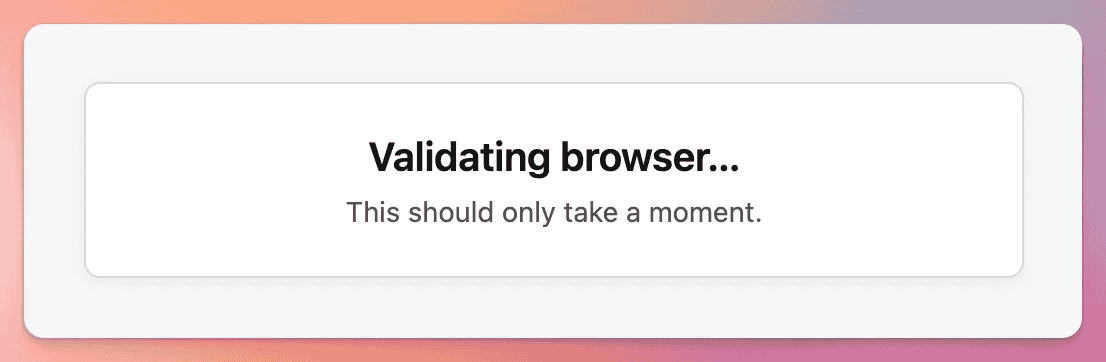
When a fresh guest arrives without Bot Guard browser proof, the add-on can show a lightweight page such as:
The page loads the local Bot Guard JavaScript collector and local bundled FingerprintJS. If browser proof is collected successfully, the visitor is returned to the requested URL. Protected content is not rendered for the fresh no-proof request during this bootstrap step. Privacy-assured protection mode does not suppress this bootstrap validation path, because this is the point where Bot Guard needs browser proof before serving protected content.
Bootstrap collector tokens are signed, short-lived, tied to the requested page, IP address and user-agent context, and one-use under XenForo's public session-backed nonce model. The browser must keep the XF session cookie from the validation page through the collector POST so the stored nonce can be consumed.
A successful bootstrap validation creates a short-lived session marker used only for the next protected request decision. Browser validation range pressure is enabled by default and treats a just-validated, low-continuity protected request as suspicious when the same hashed public IP range has repeated recent bootstrap validations but no recent CAPTCHA pass from that range. A CAPTCHA pass from any IP in the same hashed range suppresses only this range-pressure signal; other Bot Guard reasons continue normally.
For common XenForo front-controller rewrites, Bot Guard normalizes request URI and query-string context before binding the page key. The browser-visible URL, posted page key and server request context should describe the same local page; internal rewrite route fragments are not treated as browser-visible query parameters when the request URI already contains the friendly path.
When Observe-only is active, Bot Guard records observe_bootstrap_required for requests that would have received the browser validation interstitial. The visitor is allowed through and no blocking bootstrap response or pending validation state is created.
The collector posts to the local bot-guard/collect route. It sends:
The default JavaScript intentionally does not collect raw FingerprintJS component entropy.
Verified and known crawler allow responses do not receive passive collector output. Crawlers may still request previously discovered or externally generated Bot Guard operational URLs, but the collector route is not indexable forum content and remains part of local browser-validation handling for normal browser traffic.
When Privacy-assured protection mode is enabled, ordinary page views do not passively load FingerprintJS or post this browser proof payload merely because proof cookies are missing or stale. Forced recollection, bootstrap validation and protected no-proof flows still use the full collector.
The browser-side debug buffer, window.__zeeBotGuardDebugLog, is off by default. The shipped public collector include and bootstrap validation page emit debug: false. If support asks an admin to expose a custom server/template config with debug: true, use it temporarily only. The buffer keeps only recent sanitized lifecycle diagnostics and omits visitor IDs, collector/CSRF tokens, return URLs, localStorage values, raw browser signal values, request paths/query strings and script or asset URLs.
When Contextual link canaries is enabled, the same public Bot Guard JavaScript also listens for pointer, focus and keyboard interaction with anchors. It inspects only the interacted anchor, looks for random canary-looking data attributes, and POSTs the current href with the marker proof for any marked same-origin anchor. The browser script does not contain the active-alias route grammar and does not decide whether a marked link is active or inert. The server validates and burns the nonce, then returns a canonical href for an active alias or a no-op/current href for an inert marked link. If the resolver transport, JSON parse, registry lookup or validation fails, the click falls open to the anchor's current href instead of dead-clicking.
Valid resolver interaction does not add risk. Invalid, expired, reused or binding-mismatched resolver attempts return a low-information response; non-excluded resolver misuse can add resolver failure evidence to normal risk scoring, while normal AJAX and other exclusion policy still wins. Direct navigation to a canary alias without resolver interaction is treated as stronger evidence, then redirected safely to the canonical XenForo URL.
Browser validation may fail or loop if:
When Privacy-assured protection mode is enabled, seeing browser validation on a visitor's first protected action is expected if earlier ordinary page views did not pre-warm browser proof. Treat repeated loops as a validation problem, but treat a single first protected-action validation as the intended point-of-need proof flow.
When light responses are enabled, a matching guest GET request from a configured URL unfurl user agent does not enter the browser validation or CAPTCHA path. For direct page responses, Bot Guard returns the normal XenForo page shell after render, but rewrites the final HTML body to exactly <body></body>. For canonical XenForo post-link redirects, Bot Guard preserves the redirect status and Location with no body, then applies the metadata-only empty-body page shell to the resolved protected page. Metadata in the document head remains available for link-preview linting, including social previews and XenForo forum unfurls, while protected body content, XenForo chrome, notices, breadcrumbs, widgets and sidebars are withheld.
When Observe-only is active, the same match records observe_light_response_required, keeps cache bypass active for safety, and does not activate the final empty-body rewrite. The light response branch still takes precedence over the normal challenge decision path, so the Dashboard reports the light response Bot Guard would have served rather than mixing in later challenge or deny cohorts that would not have run for that request.
This is an admin-controlled security-policy exception for metadata unfurling only. It does not verify the crawler, does not create a trusted robot classification and does not give the user agent access to protected content.
If risk score reaches the threshold, the visitor is redirected to the Bot Guard challenge route. The challenge page renders a XenForo CAPTCHA object chosen by Bot Guard's CAPTCHA provider option.
The default Bot Guard CAPTCHA provider setting inherits XenForo's configured CAPTCHA provider. A non-empty Bot Guard setting selects a specific XenForo-compatible provider for Bot Guard challenges only. Known core provider credentials, question CAPTCHA definitions and extra CAPTCHA keys come from XenForo's CAPTCHA configuration; compatible custom providers may use XenForo extra CAPTCHA keys or their own add-on settings. Bot Guard does not store separate CAPTCHA secrets.
When Bot Guard uses a different core CAPTCHA provider from XenForo's global registration CAPTCHA, XenForo must retain the inactive provider's values in extra CAPTCHA keys. The Preserve inactive XenForo CAPTCHA keys option can keep those hidden provider fields in the XenForo CAPTCHA options save request so both XenForo's selected provider and Bot Guard's selected provider can read the credentials they need.
The provider list shows providers Bot Guard can find and consider usable. Core provider checks include the relevant XenForo version differences: XenForo 2.2/2.3 hCaptcha bundled defaults, Turnstile and reCAPTCHA key requirements, XenForo 2.1 reCAPTCHA bundled defaults, TextCaptcha API key, KeyCAPTCHA user/private key, Solve Media keys where available, and active question CAPTCHA questions. Custom/add-on CAPTCHA providers are supported through XenForo's CAPTCHA abstraction when Bot Guard can resolve the provider class and confirm that it extends XenForo CAPTCHA.
For custom/add-on providers, Bot Guard delegates configuration and validation to the CAPTCHA provider. Bot Guard cannot generically verify private provider keys or detect private credential drift for providers that store their own settings or custom extra CAPTCHA keys, because XenForo's CAPTCHA abstraction exposes rendering and validation rather than a provider-neutral credential status API.
If a selected provider becomes invalid, stale or unavailable, Bot Guard follows XenForo's CAPTCHA factory pattern and attempts the XenForo fallback provider. If the fallback provider is usable, Bot Guard renders the fallback challenge and logs the provider issue for the administrator without exposing secret keys. If neither the selected provider nor the fallback provider is usable, Bot Guard does not record CAPTCHA success and the visitor receives a safe configuration error.
Every Bot Guard challenge solve validates the resolved CAPTCHA provider, including registered users when the challenge scope includes members or non-staff users. The submitted form never controls provider selection. If the saved rendered provider state is missing, such as after a lost XF session, stale challenge tab or cached old challenge page, Bot Guard requires a fresh challenge render without validating the submitted CAPTCHA token, recording CAPTCHA pass or fail, or writing a XenForo server error. If a known core CAPTCHA provider's configuration or the resolved provider identity changes between rendering and solving, Bot Guard requires a fresh challenge render instead of accepting the stale submission and logs the provider/configuration drift for the administrator.
Using a different CAPTCHA provider for Bot Guard than for registration can change which external CAPTCHA service sees Bot Guard challenge traffic. Review provider terms, privacy notices and any site privacy-policy wording before using a separate provider.
When Observe-only is active, Bot Guard records observe_challenge_required or observe_network_challenge_required instead of redirecting to CAPTCHA, and records observe_deny_required instead of returning a local forced-network or feed deny. It does not create real pending CAPTCHA state, does not call the normal challenge-required state writer, and clears any in-flight challenge route state if a visitor reaches the public challenge route while the overlay is active.
On CAPTCHA pass:
On CAPTCHA failure:
On too many attempts:
A CAPTCHA pass means the session completed the configured proof step. It does not permanently prove the visitor is human. The Dashboard intentionally labels CAPTCHA pass rate as a ceiling/operational measure, not a true false-positive rate.
If the page refuses to apply before writing options, first confirm that the admin account has Manage XF Bot Guard operations and XenForo’s native option permission. Admins without the native option permission can see preset, overlay and Observe-only mode cards only if they also have View XF Bot Guard; they cannot preview real option values or write the recommendation.
Next, review the preview issues. Blockers shown in the preview must be fixed before applying that recommendation. Warnings require explicit acknowledgement, and should only be acknowledged when the operational impact is understood. A shared full-page cache probe is a blocker when it cannot be run or read from cache, fails, or shows HIT/error evidence because protected pages may be cached before Bot Guard can validate the visitor.
The Light-DB runtime mode enable action is blocked when XenForo application cache is missing, filesystem-backed for the effective Light-DB provider, or fails the write/read/delete readiness probe. Configure or repair XenForo application cache, rerun Health check, then preview the Light-DB enable action again.
A stale preview means another admin changed relevant Bot Guard options or a preview-relevant readiness condition changed between preview and apply. Review the refreshed preview before applying again. If the refreshed preview still blocks, check Board URL origin, CAPTCHA, collector assets, the PAGE_CONTAINER template modification, hash secret/globalSalt availability, required runtime tables, crawler source data, Light-DB application cache readiness and real visitor IP handling.
Direct upgrades require an installed XF Bot Guard version of 1.2.9 (1020970) or newer. If the installed version is older, upgrade XF Bot Guard through an intermediate release that still contains the legacy migrations, confirm that upgrade completes, then install this package again.
An empty 503 with Retry-After can be origin survival mode. This can affect real unknown visitors while shared origin pressure is active.
If Health check reports that Light-DB runtime mode is configured but application cache is not ready, Bot Guard public protection is intentionally failing open. This avoids silently moving a resource-stretched site back onto Bot Guard-owned DB hot-path tables.
Dashboard availability treats raw public telemetry sources as retained rows only in this state. Recent cache-backed public event-type totals, decision totals and CAPTCHA trust telemetry are unavailable until XenForo application cache is healthy again.
cache.context.bot_guard_light_db is configured, review that provider first; otherwise review the global XenForo application cache provider used by fallback.Open Health check and review the all-cron schedule row first. It reports missing Bot Guard cron rows, inactive rows, callback drift, schedule drift, stale next_run values, and suspicious future next_run values across all Bot Guard cron entries. Errors more than 24 hours behind usually mean XenForo cron is not advancing, the host is killing cron requests, or an external trigger is not hitting XenForo cron often enough.
Check:
If cookies are blocked or the XF session cookie is lost before the bootstrap collector POST, bootstrap collection can fail and the visitor may continue through the normal CAPTCHA challenge path.
The bot-guard/collect route is an operational browser-validation endpoint, not indexable forum content. Bot Guard marks Bot Guard public endpoints with noindex/noarchive robot headers and does not intentionally return HTTP 429 from the collector route. Direct non-POST requests normally receive XenForo's method response, and invalid collector submissions receive bounded client or operational error responses rather than forum content.
If Google Search Console or another crawler tool reports server-style errors for bot-guard/collect, compare those examples against origin and CDN logs for the same time window. Pay particular attention to whether the response was generated by the origin or by a CDN/WAF/rate-limit layer, and whether the crawler saw HTTP 429. Search tools can treat repeated 429 responses as an overload signal even when the origin did not return 5xx. If origin logs show no Bot Guard/origin 5xx for the route, investigate host, CDN, WAF, bot-management and edge rate-limit configuration before changing Bot Guard settings.
XF Bot Guard is generally compatible with ModSecurity-based WAFs, including Comodo/CWAF-style rulesets. Some generic WAF rules can false-positive when they inspect Bot Guard-owned cookie values, especially signed or opaque browser state. The most common known trigger is the Link Chronology fallback cookie zee_bg_lc, which is used when XenForo application cache is unavailable or cannot persist the short-lived chronology state. Because browser cookies are sent with normal forum and admin requests, symptoms can appear on public pages as well as Admin Control Panel pages.
Symptoms can include intermittent frontend errors, logout or clean guest-visit failures, 403, 406, 500 or 502 Bad Gateway responses, errors that stop after clearing site cookies, errors that stop when Link Chronology is disabled, or ModSecurity audit entries mentioning CWAF, OtherApps, REQUEST_COOKIES, REQUEST_HEADERS:Cookie or a zee_bg_* cookie name.
Do not disable ModSecurity globally, do not allow the whole request just because a Bot Guard cookie exists, and do not disable the WAF for the whole forum unless there is no other option. The safer approach is to exclude only Bot Guard-owned cookie values from the relevant WAF inspection target list while continuing to inspect the request URI, query string, POST fields, request body, headers, uploaded files and non-Bot Guard cookies.
For Comodo/CWAF-tagged rulesets, a server administrator can usually add a configure-time target exclusion such as:
# Bot Guard cookie compatibility exclusion for Comodo/CWAF.
# Excludes only Bot Guard-owned cookie values from CWAF inspection.

SecRuleUpdateTargetByTag "CWAF" "!REQUEST_COOKIES:/^zee_bg_(vid|sid|js|vmk|recollect|return|lc|lc_rfo)$/"
If audit logs confirm the relevant rule is tagged OtherApps rather than, or in addition to, CWAF, add the same exclusion for that tag only as needed:
SecRuleUpdateTargetByTag "OtherApps" "!REQUEST_COOKIES:/^zee_bg_(vid|sid|js|vmk|recollect|return|lc|lc_rfo)$/"
For stricter environments, server administrators may instead apply the same target exclusion only to the exact rule IDs shown in the ModSecurity audit log:
# Stricter alternative when the exact offending rule ID is known.

SecRuleUpdateTargetById 123456 "!REQUEST_COOKIES:/^zee_bg_(vid|sid|js|vmk|recollect|return|lc|lc_rfo)$/"
Most false positives should be resolved by excluding REQUEST_COOKIES. If the audit entry confirms the match is against the full Cookie header, such as REQUEST_HEADERS:Cookie, the host may need a broader target exclusion for the relevant tag or rule:
# Last resort only. Prefer REQUEST_COOKIES exclusions where possible.

SecRuleUpdateTargetByTag "CWAF" "!REQUEST_HEADERS:Cookie"
Add configure-time exclusions after the vendor/CWAF rules have been loaded. Place them in server-level or custom ModSecurity configuration, or in the hosting control panel, not in XenForo and usually not in .htaccess. Do not edit vendor rule files directly because vendor updates may overwrite those changes. After changing WAF configuration, reload the web server or WAF service as required, then clear the browser's site cookies for the forum because an old zee_bg_lc cookie may continue to be sent.
If the host cannot add a ModSecurity/CWAF cookie target exclusion, run Bot Guard with Link Chronology disabled: temporarily disable Bot Guard if needed for access, save, disable Link Chronology, save, re-enable Bot Guard, save and clear site cookies. The acceptable final state is Bot Guard enabled with Link Chronology disabled. Bot Guard can continue operating without Link Chronology; it is an additional behavioural signal and should be disabled on servers where ModSecurity/CWAF cannot be tuned to ignore Bot Guard-owned state cookies.
Check:
Check:
Check:
Check:
If these checks do not pass, Bot Guard treats the request as unverified and continues normal scoring/challenge handling. That is expected fail-closed behaviour for this beta draft-spec path.
Check:
Check:
If Cloudflare blocks the request first, Bot Guard cannot allow it at the origin. Review Cloudflare bot, WAF and managed challenge rules separately.
Check:
Request-time matching does not perform WHOIS lookups. If the Health check reports no active cached ranges, the ASN entry cannot match until valid route or route6 CIDRs are stored locally. A managing admin opening the live Health check can queue repair work when the configuration is valid; invalid network-list syntax must be fixed first and is not retried as maintenance.
Check:
Request-time matching does not fetch remote CIDR JSON. If the Health check reports no active cached ranges, the source cannot affect requests until valid CIDRs are stored locally. A managing admin opening the live Health check can queue repair work when the source configuration is valid; invalid source lines must be fixed first and are not retried as maintenance.
Check:
If normal guests receive an empty body for the same URL, purge and fix any shared full-page cache immediately. Bot Guard prevents XenForo page-cache read/write for matching light response requests, but it cannot control a cache that serves protected HTML before PHP runs.
Feed requests are non-interactive. A high-risk protected feed or a protected feed from a forced challenge network may be denied instead of redirected to CAPTCHA. Enable Exclude RSS/Atom feeds from protected areas if RSS and Atom feeds should stay outside protected traffic. To measure protected feed impact without returning 403, enable Observe-only and review observe_deny_required events.
A protected speculative document request that would require browser validation, a forced-network challenge or a normal threshold challenge receives an empty 403. This prevents a non-interactive prefetch/prerender from receiving protected HTML. Normal navigation without the speculative header can still receive the browser-validation interstitial, CAPTCHA challenge or allow response according to the normal decision path.
These paths should be excluded by default, but custom routes may vary. Add explicit exclusions for the affected path and check return URL safety/logs.
Check:
Bot Guard cleans route, controller/action, request method, request path, event type and decision text before writing parent event rows. A malformed URL should not prevent those audit fields from being stored safely. If logs remain empty for affected requests, check server logs for database availability, missing tables or other audit-write errors unrelated to malformed UTF-8 text.
Check:
Core event rows should still appear immediately. Missing supplementary detail does not mean the live protection decision was skipped. If the Health check reports failed buffer files, keep a copy for support, confirm the buffer directory is writable, confirm the event detail buffer flush cron is running, review server/database errors, and let cron process any remaining pending files after the underlying problem is fixed. If the supplementary event detail row is already retained in the database, reason-index repair can repopulate exact reason-code filtering without reading the failed buffer file. Advanced reason-contains searches require at least 3 characters and use a recent-log lookback when no Date from value is supplied.
Do not delete files from internal_data/zee/botguard/event_detail_buffer/failed/ just to clear the Health check. These files are preserved investigation evidence and may explain malformed detail payloads, unreadable files, database write failures or disk/permission problems. Manual deletion is acceptable after support or forensic review confirms the files are no longer needed and any required copy has been retained outside the live failed directory.
The Dashboard warns above the section navigation when the selected range has incomplete trusted snapshot coverage. Health check also warns if an ok Dashboard snapshot row is future-dated or was refreshed before the completed-hour safety delay. Dashboard reporting uses only current-format trusted snapshot rows. The snapshot cron makes premature rows non-reportable, removes their metrics, and rebuilds eligible missing or older-format hours through normal backfill.
If the warning persists after cron runs, check:
Risk signal, route outcome, challenge cohort, exact CAPTCHA trust/session and timing snapshot metrics are built from retained raw rows for each trusted snapshot hour. When Light-DB runtime mode is active, the Dashboard omits raw-backed panels that have no cache-backed replacement dataset, and the CAPTCHA Trust panel uses aggregate pass/trust-allow event trends, per-hour de-duplicated session counts where session identity exists, active trust expiry-bucket estimates and observed rechallenge-after-expiry markers. If a visible panel looks lower than expected, check:
Actions:
If the site is resource-stretched and can accept cache-backed public telemetry instead of durable raw public request rows, consider the Light-DB runtime mode overlay after confirming XenForo application cache is healthy and non-filesystem for the effective Light-DB provider. This suppresses the fastest-growing Bot Guard public telemetry rows and keeps them out of public risk-data decisions: event/detail/reason rows, public request counters, visitor/session/fingerprint relationship rows and IP request/reputation telemetry. Relationship-derived risk reasons that depend on visitor/IP relationship history are unavailable while the mode is active. rDNS, Cloudflare Edge Enforcement, contextual canaries, Link Chronology, verified crawler/source data, manual visitor reports, adjusted online counts, Dashboard, Health check and support bundle workflows remain available. Dashboard snapshots can use recent hourly Light-DB cache telemetry for approximate public event-type totals, decision totals, session-oriented country pressure, CAPTCHA trust telemetry and aggregate risk samples.
Check:
Check whether Observe-only is active. While it is active, Cloudflare Edge Enforcement sync uses effective dry run and suppresses writes without changing the saved Cloudflare Edge Enforcement dry run option. Disable Observe-only when you are ready for the saved dry run setting to control live writes again.
If the Health check page detects shared cache HIT evidence for protected HTML, fix caching before relying on Bot Guard. Do not protect pages that are force-cached as static guest HTML outside XenForo.
If XenForo native guest page-cache compatibility is enabled and Health check reports marker, injection, cache-purge, early-gate or bundle mismatch warnings, disable the compatibility option while investigating. If Health check reports that the runtime filesystem fallback is unavailable, make sure internal_data/zee/botguard/page_cache can be created, written and deleted by PHP, or configure a normal XenForo page cache backend. If runtime output cannot be inserted after native cache storage may already have occurred, Bot Guard attempts to purge the current compatibility cache entry and returns a non-cacheable empty 503 response instead of serving protected HTML without required Bot Guard runtime state. The safe fallback is the normal uncached Bot Guard lifecycle; do not add an external full-page cache rule to compensate for missing native cache hits.
The XenForo ACP one-click upgrade form shows an XF Bot Guard support declaration warning when Bot Guard is enabled and the target XenForo version is higher than the live declared maximum, or when the live declaration cannot be checked or parsed. The warning does not mean the target XenForo version is known to be incompatible. It means XF Bot Guard support for that target has not been declared fully supported. Check with the add-on developer or confirm compatibility on staging before continuing.
If the warning appears because the live declaration cannot be checked, confirm the server can make outbound HTTPS requests to https://thestockexchange.com.au/zee/dist/max_version.txt, resolve public DNS for that host, complete TLS, and receive a one-line version string such as 2.3.13 without redirects or filtering. Manual file-upload upgrades and CLI upgrades do not show this ACP warning.
If the Bot Guard Pro hub reports activation, origin, signature, replay, key/auth or entitlement errors, start with the Pro page and Health check. Confirm the Board URL is the intended public HTTPS origin, the ACP admin has Manage XF Bot Guard operations, and the browser return is opened in an authenticated ACP session. If hosted checkout is unavailable, contact XF Bot Guard support. Do not paste Stripe Customer IDs or unsigned callback data into the add-on; local activation requires the signed activation assertion.
Use the Support bundle block on the Health check when an admin with viewBotGuardSensitive is available. Copy the redacted bundle, then open the xenforo.com support message helper and paste the bundle after reviewing it. The helper opens a compose page only; it does not submit the message. If clipboard copy fails, select the readonly textarea and copy it manually.
Use support bundle access from the Raw event log when current filters are relevant, or from event detail when a specific event is relevant. Admins without viewBotGuardSensitive do not see the support bundle workflow.
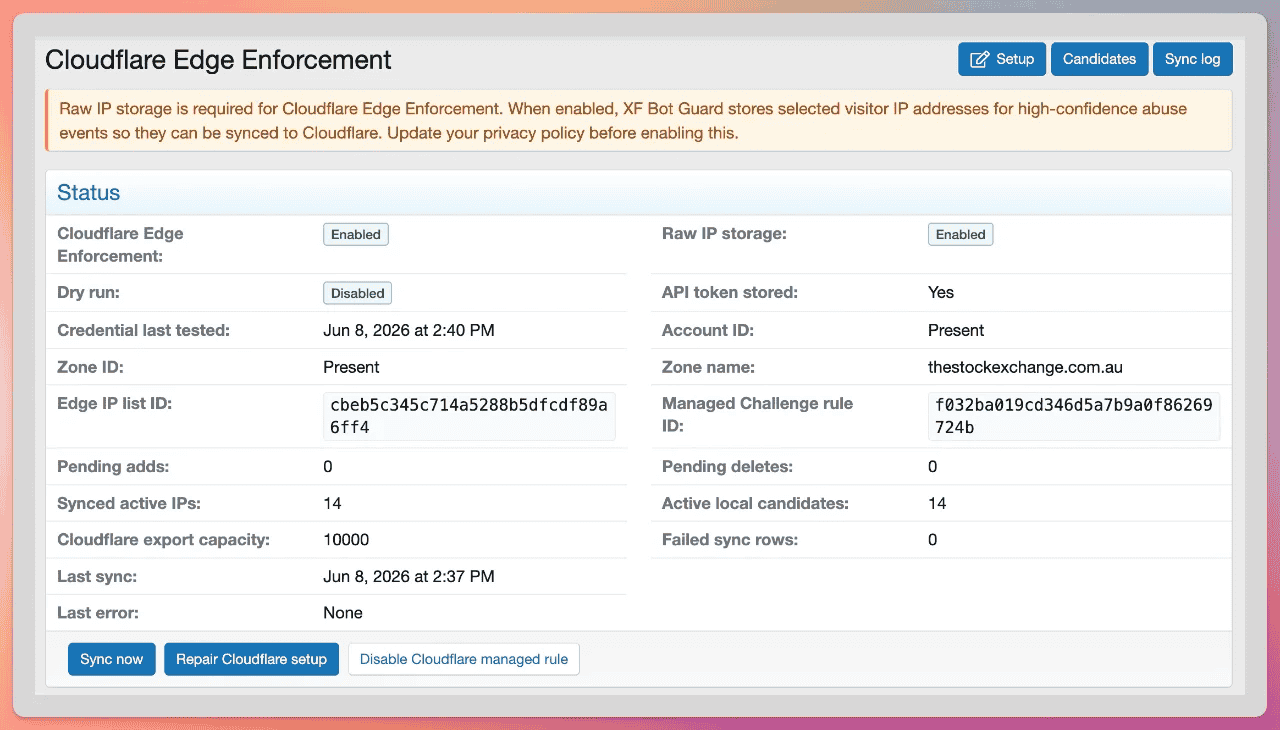
Cloudflare Edge Enforcement is optional. It is designed to take high-confidence local abuse signals and push repeat offenders to Cloudflare so Cloudflare can issue a Managed Challenge before those requests reach XenForo.
It is not required for XF Bot Guard to work.
Observe-only forces effective Cloudflare Edge Enforcement dry run while it is active. The saved Cloudflare Edge Enforcement dry run option is not changed. Overview and Setup pages show both the saved Cloudflare Edge Enforcement dry run setting and the effective sync mode, including Dry run forced by observe-only when applicable.
When Light-DB runtime mode is configured, Cloudflare Edge Enforcement setup, managed setup, repair, disable actions, local candidate queueing, candidate detail, Sync now, Sync log, candidate export/sync planning, and delete/expire actions remain available. Edge qualifying counters use cache-backed Light-DB counters instead of the Bot Guard counter table, and candidate rows continue to use the Cloudflare Edge state tables.
While Observe-only is active, Cloudflare Edge Enforcement sync, managed setup, repair, and disable modes that would alter Cloudflare resources are suppressed as dry run operations. Pausing sync locally remains a local setting change and does not write to Cloudflare.
Normal Cloudflare Edge Enforcement health checks and Dashboard refreshes use stored diagnostics, stored option-sync failure markers and local candidate counts. They do not make live Cloudflare API calls by themselves. Use Test connection, managed setup, repair or sync actions when you intentionally want Cloudflare to be contacted.
Managed setup can create or repair:
The expression excludes Cloudflare's own recognised client bots with not cf.client.bot.
XF Bot Guard stores Cloudflare list and rule IDs locally. Managed setup, Repair and disable/remove actions only update or delete a Cloudflare rule when XF Bot Guard can confirm ownership from the stored rule ID, the XF Bot Guard rule reference, or the exact managed rule shape. A manually-created Cloudflare rule is left alone when it only reuses the same visible description.
The token helper link is designed for:
Use the least-privileged token possible for the intended zone/account.
When a Cloudflare API token is saved, XF Bot Guard stores it in a versioned encrypted local envelope. The envelope records the credential format and key version, while the token remains encrypted with XenForo-local key material derived from globalSalt and the database name. If the Health check reports that the stored token cannot be decrypted, Cloudflare actions treat the token as unavailable. Restore matching XenForo key material and database name when recovering that exact installation, or clear the stored token, enter a fresh Cloudflare token, then use Test connection and managed setup or Repair as appropriate.
Candidate statuses include:
Admins can:
The candidate IP filter uses an indexed binary lookup when a complete valid IP address is entered. Partial IP text remains available as a fallback display-text search.
The Sync log records setup, dry run, observe-only forced dry run, add/delete operations, Cloudflare list lookup failures, lock failures, rate limits and errors. If the database sync lock cannot be checked, the sync run is skipped and no remote Cloudflare Edge Enforcement writes are attempted. If the remote Cloudflare list cannot be read, pending adds remain retryable and no add write is submitted while the remote list state is unknown. When Observe-only forces effective dry run, the Sync log and Dashboard identify that writes were suppressed by Observe-only rather than only by the saved Cloudflare Edge Enforcement dry run option. The Dashboard “would sync to Cloudflare” counter is the sum of would_add and would_delete totals from Observe-only Cloudflare Edge Enforcement sync log dry run metadata, not the local synced-candidate count and not a raw visitor event row. API tokens and credential-like values are redacted from stored and displayed Cloudflare operational errors and metadata before they are written to Cloudflare configuration, Sync log entries or candidate failure state. The Sync log is pruned by cleanup using raw event retention with a minimum 24-hour sync-failure window, while current setup and last-sync state remain available from the Cloudflare Edge Enforcement configuration and health checks.
Cloudflare Edge Enforcement only considers high-confidence abuse events. Observe-only challenge and deny event types are treated as equivalent local abuse signals for candidate evaluation where appropriate, while Cloudflare Edge Enforcement writes remain in effective dry run. Cloudflare Edge Enforcement suppresses weak/allow events, light response allow and observe-only light response events, private/reserved IPs, staff, logged-in users, normal verified crawlers, selected AI search crawler matches while the master verified crawler option is enabled, never-export IPs, direct excluded IP/CIDR/ASN matches and cached additional excluded CIDR JSON source matches. AI user-triggered fetcher matches are not suppressed by the verified-crawler Cloudflare Edge Enforcement suppression branch. ASN exclusions and additional excluded CIDR JSON sources use the same local caches as request-time exclusion matching.
The Cloudflare Edge Enforcement minimum score option controls the score gate for most high-confidence candidate paths. It does not override special high-confidence paths such as CAPTCHA rate limits, severe automation or velocity, or direct contextual link canary alias hits.
Crawler-claim reason codes such as crawler_claim_unverified and crawler_claim_google_unverified are observational challenge metadata. They are not high-confidence Edge reasons and do not qualify an IP for Cloudflare export by themselves.
Contextual link canary direct alias-hit reasons are high-confidence Edge reasons. The alias and resolver handler never writes to Cloudflare directly, but non-excluded direct GET or HEAD alias hits can create normal local candidates when Cloudflare Edge Enforcement and raw IP storage are configured. Resolver-failure reasons remain local scoring evidence unless they are part of a later normal qualifying decision.
The Cloudflare Edge Enforcement forgiveness priority cutoff controls CAPTCHA-pass forgiveness for existing candidates. Candidates below the cutoff can be shortened or marked for removal/deletion. Candidates at or above the cutoff keep their normal lifecycle.
By default, candidates require high confidence signals such as:
Default Cloudflare Edge Enforcement policy values:
The disable screen offers modes such as:
Choose the least destructive option unless you intentionally want to remove Cloudflare resources. Disable and delete modes change only Cloudflare rules and lists that XF Bot Guard can confirm it owns. They do not remove admin-created rules merely because the visible description matches the XF Bot Guard managed rule description.
Cloudflare Edge Enforcement requires raw IP storage. Do not enable it without updating your privacy policy and understanding that candidate IPs may be sent to Cloudflare.
Cloudflare diagnostic errors, option-sync errors and metadata are redacted before storage and display for API tokens, Authorization and Basic credentials, cookies, CSRF tokens, URL credentials, private-key blocks and similar credential-like values. Cloudflare API requests do not follow redirects, and response bodies are bounded to 4 MiB during transfer and before JSON decoding or diagnostic handling. Cloudflare API tokens are stored in a versioned encrypted local envelope using XenForo-local key material derived from globalSalt and the database name. If the stored token cannot be decrypted, Cloudflare actions treat it as unavailable. Restore matching XenForo key material and database name when recovering that exact installation, or clear the stored token and enter a fresh token from Cloudflare Edge Enforcement > Setup.
For a public request, the early dispatcher listener performs the following general sequence:
Static/non-page resource classification includes known static asset extensions, forced resource routes such as attachments and service-worker paths, XMLHttpRequest/AJAX requests, fetch-metadata destinations other than document/empty, and non-HTML Accept headers for JSON, XML, image, CSS and script-style responses. Those static asset paths are also excluded from dynamic-request velocity accounting. RSS and Atom requests use the feed branch before generic resource skipping, and the feed exclusion option decides whether detected feed requests are inside protected areas.
Observe-only is a reversible overlay on top of the active decision path. It does not make Bot Guard passive: request touching, scoring, counters, browser proof collection, local state, local candidate evaluation, snapshots, cleanup, health checks and local Cloudflare Edge Enforcement sync planning continue. It suppresses CAPTCHA redirects, local deny responses, bootstrap/interstitial responses, contextual link canary render-time mutation, URL unfurl light response body rewriting, real pending CAPTCHA state and live Cloudflare Edge Enforcement writes. It does not suppress origin survival mode when that separate emergency control is enabled.
When Contextual link canaries is enabled, response completion samples a very small set of safe public internal links on an eligible protected HTML page. One sampled link may be replaced with a short route-native alias when its route family has a safe alias template, while the remaining sampled links keep their real href unchanged. Every marked link receives the same public-looking random data treatment and is registered server-side before signed cache acceleration is written, then the response receives no-store cache headers. Direct active-alias hits can be recognised until the registry row expires, normally about 336 hours after registration, even if the cache entry has been missed or repopulated. Normal human interaction uses the local Bot Guard JavaScript to POST the interacted href and marker proof, lets the server decide whether the row is active or inert, and navigates to the canonical href, no-op href or current href fallback as appropriate.
When Link Chronology is enabled, response completion reads the original protected HTML before contextual canary processing and records a short-lived page manifest of hashed protected internal links and selected safe native form actions that were shown to the visitor/session, including the prior page's normalized URI-depth bucket. The form-action catalog is intentionally narrow and limited to the exact read/search/listing generator routes search/search, search/member, tags, whats-new/posts and whats-new/profile-posts. Same-origin redirect targets can be carried into the same manifest only when the redirect source was already exposed by that manifest; referrer headers are not used as a trust source. URI depth is calculated from the normalized path only, ignoring query strings and fragments, with root as depth 0 and deeper paths capped at depth 6. Logged-in non-staff members also train approximate dwell percentile bounds on normal eligible HTML transitions. The next protected request hashes the requested URL and checks it against recent manifests newest-first. Dwell is calculated from the matched prior manifest timestamp, not from the current URL depth. Seen URLs with plausible dwell, same-page reloads, missing state, insufficient dwell baseline and first visits do not add risk. Repeated protected URLs that were not recently exposed, and matched transitions with unusually short or long prior-page dwell, add bounded score through the normal risk-scoring path.
The ordering is designed to avoid common breakage:
The visible options below follow the same workflow order used by Options > XF Bot Guard.
page cache store under internal_data/zee/botguard/page_cache without enabling global cache, session cache or unrelated cache contexts. Cacheable base pages contain only a stable Bot Guard marker, and final responses receive fresh collector proof/config during completion. Requests that need bootstrap validation, CAPTCHA, forced-network challenge, denial, URL unfurl light response handling, Bot Guard internal routes, non-primary HTML handling, logged-in identity, remember-cookie processing, personalized guest session state, active router_public_setup or dispatcher_match route mutation listeners visible to the late gate, an existing custom XenForo native page-cache ID generator or any uncertain state disable native page-cache use for that request. App-start listeners ordered after Bot Guard's late gate that add route mutation are unsupported for this compatibility mode.XF Bot Guard is a bot-protection tool. It processes security-related request and browser signals. Admins should disclose this appropriately for their jurisdiction and community.
Depending on settings and visitor behaviour, Bot Guard may store:
Failed detail buffer files under internal_data/zee/botguard/event_detail_buffer/failed/ contain the same kind of supplementary diagnostic event detail. They may be whole failed NDJSON files or single quarantined bad-row files from otherwise processed buffers, so handle them as sensitive operational data and preserve them when support or incident review is needed.
Shared origin pressure state is stored locally as a small cached operational state file under internal_data/zee/botguard/. It contains aggregate pressure signals such as MySQL connection usage, DB enter/exit pressure state, load/CPU/IO/swap values where available, active reasons, timestamps and bounded signal-unavailability errors. It does not contain visitor IPs, cookies, request URLs, user agents or browser fingerprint data.
Origin survival mode does not create per-request Bot Guard database log rows for shed traffic. A shed request receives an empty 503 response with Retry-After before normal request context, scoring and event logging. Use web server/CDN access logs and Health check origin pressure state when investigating survival-mode shedding.
Bot Guard does not store raw Bot Guard cookie values for request-context diagnostics. Malformed Bot Guard cookies may be represented as present/invalid booleans, but they are not used as visitor/session continuity, JavaScript proof, session-hash source, bootstrap suppression or origin-survival exemption.
Request-gate fail-open evidence stores bounded operational metadata: branch, first/last seen time, recorded count, exception class and a hash of the exception message. When a normal request context already exists, throttled request_gate_fail_open parent event rows may store the same bounded metadata. These fail-open rows intentionally skip supplementary event-detail writes. Raw cookies, request bodies, tokens and raw exception messages are not stored in this evidence.
Operational fallback evidence stores bounded local health state only: branch, first/last seen time, recorded count, exception class, a hash of the exception message and per-branch counts. It does not create audit/event-log rows and does not store raw exception messages, stack traces, cookies, request bodies, tokens or cache/counter payload values.
Crawler trust check failure evidence stores bounded local health state only: first/last seen time, recorded count, last generic reason label and per-reason counts. It does not create audit/event-log rows and does not store raw headers, IP addresses, user agents, exception messages, stack traces, cookies, request bodies, tokens or other request data.
For light_response_allow events, Bot Guard logs safe diagnostics such as matched pattern index/hash, route family, response mode, content type, protected_content_served=false and cache-bypass state. For observe_light_response_required events, Bot Guard logs the matched pattern index/hash, route family, would response mode, actual normal-response mode, suppressed action, source option and cache-bypass state. The raw user-agent string is not logged for either event.
For admin_visitor_report events, Bot Guard stores the reporting admin user ID, source workflow, target activity user ID when applicable, target route/controller/action, activity view date and report scoring window. The event row uses the resolved Bot Guard visitor/session hash and does not use IP-only fallback for report scoring. Report metadata does not store raw IP addresses, raw XenForo activity keys, cookies, request bodies, CAPTCHA tokens, CSRF tokens or raw XenForo session IDs.
For contextual link canaries, Bot Guard stores server-side active/inert row classification plus hashes for submitted href proof, active alias path/query where applicable, nonce, random data attribute and source URL values. Event detail uses a sanitized internal canary placeholder and bounded reason metadata instead of the raw public alias or submitted href. Raw canary nonce values, raw data attributes, cookies, request bodies, CAPTCHA tokens, CSRF tokens and raw session IDs are not stored in canary event detail.
For Link Chronology, Bot Guard stores short-lived hashed source-page, exposed-link, selected safe form-action, accepted redirect-target, source-depth, timestamp and miss evidence against the Bot Guard visitor or session identity. XenForo application cache is preferred. When that cache is unavailable, a compact signed fallback cookie may store hashed manifest state. If an accepted redirect continuation cannot be persisted to normal chronology state, a separate one-shot signed fallback cookie may store only the accepted target hash and identity-bound expiry. Link Chronology also stores rolling aggregate dwell statistics in xf_zee_botguard_link_chronology_dwell. Each row is a URI-depth/hour bucket containing sample count, sum of natural-log dwell milliseconds, sum of squared natural-log dwell milliseconds and last sample date. It does not store raw exposed URLs, raw form actions, raw redirect targets, raw referrer trust evidence, raw dwell events, per-user dwell profiles, raw request bodies, cookies, CAPTCHA tokens, CSRF tokens or raw XenForo session IDs in chronology state.
For route pressure, Bot Guard stores hourly challenged/pass/fail cache telemetry keyed by a secret hash of route plus normalized path. Query strings are excluded. Unsafe paths are ignored. A short-lived per-session marker attributes later CAPTCHA pass/fail events on the Bot Guard solve route back to the original protected route/path. The marker stores the route-pressure key hash, bucket start, creation time and pass/fail outcome state; it does not store normalized route/path text, request bodies, cookies, CAPTCHA tokens, CSRF tokens, query strings or raw XenForo session IDs.
For duplicate account detection, Bot Guard stores confirmed logged-in account fingerprints keyed by the same hashed browser visitor identifier used by browser validation. The account-fingerprint row stores user ID, first/last seen, collect count, last hashed IP, last hashed user-agent, last country, last ASN and bounded collector metadata. A duplicate match row stores the exact matched visitor hash, the sorted user ID pair, status, first/last seen, whether hashed IP, hashed user-agent, country or ASN also matched, status action timestamps, last action admin user ID and bounded metadata. Forum-area enforcement-suppressed collector submissions follow fingerprint-persistence suppression and do not write duplicate-account rows. It does not store raw FingerprintJS visitor IDs, raw IP addresses, raw user-agent strings, request bodies, cookies, CAPTCHA tokens, CSRF tokens or raw XenForo session IDs.
For managed intelligence, Bot Guard computes separate community hashes from raw browser fingerprint, IP, IPv6 /64, user-agent-family and approved composites while those local inputs are available. The community hashes use a versioned shared key that is separate from local private Bot Guard hashes. The raw FingerprintJS visitor ID is used only during collector submission to derive and store the local community fingerprint hash in the local identity table and XenForo session, and no cross-site community hash cookie is created. Contribution queue rows contain pseudonymous indicator hashes, action, source event type, score, reason codes and bounded metadata. Challenge mapping rows retain the exact indicator set for later local CAPTCHA pass handling; central revocation uploads are limited to mappings from this installation's own prior local challenge contributions or preserved signed-feed matches. Local activated feed files contain public signed indicator hashes, key IDs, indicator types, scores and expiry. Managed intelligence does not store or upload raw IP addresses, raw FingerprintJS visitor IDs, raw user-agent strings, cookies, request bodies, page URLs, CAPTCHA tokens, CSRF tokens or raw XenForo session IDs as feed indicators.
When Light-DB runtime mode is active, automatic public request handling does not write durable Bot Guard event/detail/reason rows, public request counter rows, visitor/session/fingerprint relationship rows or IP request/reputation telemetry rows, and does not consult them for public risk-data decisions. Relationship-derived risk reasons that depend on visitor/IP relationship history are unavailable while the mode is active. Short-lived public request runtime state is held in non-filesystem XenForo application cache instead. Identity-scoped runtime counters and top-level aggregate telemetry are bounded, approximate cache state rather than durable audit logs. Aggregate telemetry stores only event-type counts, grouped signal counts, decision counts, CAPTCHA trust aggregate counts, trust expiry buckets, aggregate risk reason totals, aggregate risk reason-by-outcome totals, aggregate risk score buckets, exact score value counts for percentile calculation, score summaries, aggregate country-code pressure counts, short-lived hashed session markers for per-hour country de-duplication, bootstrap candidate timestamps and resolved flags, bucket timestamps and last-seen time in 60-second buckets retained for about 65 minutes and 1-hour buckets retained for about 25 hours; it does not store raw IP addresses, user agents, paths, request bodies, cookies, tokens or per-visitor records. Per-hour CAPTCHA trust and country pressure session de-duplication use cache keys derived from existing hashed session identity when available, without storing raw session identifiers in telemetry payloads. Route-pressure telemetry is separate application-cache telemetry with hashed route/path bucket keys and no raw-row backfill in Light-DB runtime mode. Recent completed Dashboard snapshots can copy hourly event-type totals, decision totals, session-oriented country pressure, CAPTCHA trust aggregate telemetry, aggregate risk samples and, when Observe-only is active, aggregate would-action event/decision telemetry, would-hard-intervention country pressure and aggregate observe risk samples into compact snapshot metrics, without adding raw public request rows or per-visitor records. Exact raw observe rows and exact session-style observe analytics require normal DB-backed telemetry. rDNS cache rows, crawler/source data, contextual canary state, Link Chronology dwell rows, duplicate account detection rows, Cloudflare Edge state, Dashboard snapshots, locks, self-server IP state and adjusted online challenge state when enabled remain DB-backed feature state. XenForo core may still write its own session, option, permission or page-rendering data according to normal XenForo behaviour.
When Privacy-assured protection mode is active, ordinary page views do not passively load the bundled FingerprintJS collector and do not write localStorage.zeeBotGuardLastCollect. Bot Guard still collects full browser proof during bootstrap validation, forced recollection and protected no-proof flows, and successful proof cookies use a 7-day lifetime. Contextual canaries, Link Chronology, crawler handling, CAPTCHA, Cloudflare Edge Enforcement, managed intelligence contribution and server-side scoring keep their normal option-controlled behaviour within the collection limits of this mode. This mode reduces passive browser fingerprinting and persistent browser storage; use Light-DB runtime mode separately when Bot Guard-owned database minimisation is also required.
When XenForo native guest page-cache compatibility is active, XenForo's native cache stores only the clean guest page plus a stable Bot Guard marker. Request-specific collector tokens, CSRF values, force-recollection state, privacy-mode state, contextual canary mutations and per-request Link Chronology state are added to the final response after cache retrieval and are not intended to be stored in the cached base page.
Pro activation and entitlement state does not store Stripe billing details, invoices, payment methods, customer profile data, email address, postal address, raw activation payloads, raw signatures, request bodies, Stripe restricted keys or activation signing secrets. Normal ACP output, Health checks and support bundles redact Stripe identifiers unless the admin has View sensitive XF Bot Guard operational details, and they never display Stripe keys, raw signatures or full signed assertions.
For challenged claimed crawler/bot user agents, Bot Guard logs only bounded catalog metadata: robot key, robot title, matched pattern, pattern source, verification-supported flag and raw_user_agent_logged=false. The raw user-agent string is not logged for crawler-claim metadata.
For BETA Web Bot Auth verified crawler allows, Bot Guard retains bounded verification metadata such as verification=web_bot_auth, reason code verified_web_bot_auth_signature, provider, source ID, source label, resolved Web Bot Auth identifier, discovery type, public key ID, algorithm and matched user-agent token where applicable. The resolved identifier excludes query and fragment. Submitted Signature-Agent URLs, Signature-Agent member keys, signature labels and matched admin trusted-identifier patterns/hashes appear as [redacted] in stored event detail; submitted discovery URL queries are not retained in these fields. The remote discovery host receives the URL path and query needed to fetch keys. Bot Guard rejects credentials in discovery URLs and does not store raw Signature or Signature-Input header values, signature bytes, request bodies or cookies in this metadata.
Bot Guard does not store request bodies in event rows, event detail, Dashboard snapshots or candidate metadata. Sensitive header values such as Authorization, Cookie, Set-Cookie, CSRF tokens, API keys and token-like custom headers are redacted before diagnostic metadata is stored or displayed.
Parent event-row text fields used for route, controller/action, request method, request path, event type and decision are stored only after invalid UTF-8 has been removed and the value has been truncated on a UTF-8 character boundary.
Bot Guard uses hashed visitor, session and IP identifiers differently depending on the signal being evaluated. Behavioural counters, velocity and rate-limit checks, CAPTCHA attempt rate limits and similar scoring counts prefer visitor_hash, then session_hash, then ip_hash. The visitor hash is the strongest local browser-reputation continuity signal, the session hash is a narrower fallback, and the IP hash is the broadest fallback.
When Bot Guard derives a recent event count from retained database event rows rather than an operational counter bucket, it may count across the available visitor, session and IP hashes to avoid undercounting. Browser metadata follows a current-session model instead: session metadata may take precedence over visitor metadata because it describes the current browser/session environment.
Link Chronology uses the visitor identity when available, then the session identity, so short-lived protected-link exposure evidence can survive session churn when the visitor identity is known. Admin visitor reports remain scoped to the resolved Bot Guard visitor/session identity and do not use IP-only fallback for report scoring.
The default collector allowlist includes:
Values are length-limited and control characters are stripped before storage.
Core Bot Guard reputation tables are designed around hashed identifiers. Raw IP storage is optional and is required for Cloudflare Edge Enforcement.
Browser validation range pressure stores counters against a hashed normalized public IP range identity: IPv4 is grouped by /24 and IPv6 by /56. Bot Guard hashes the normalized range prefix before writing the counter and does not store raw CIDR/range text for this signal.
When Store selected raw IP addresses is enabled, selected raw visitor IPs from high-confidence abuse events can be stored in Cloudflare Edge Enforcement tables so they can be synced to Cloudflare. Observe-only does not stop local candidate storage or lifecycle updates, but it suppresses live Cloudflare Edge Enforcement writes.
By default, XF Bot Guard does not send browser fingerprint data to an external fingerprinting service. FingerprintJS is bundled locally and loaded with external monitoring disabled.
Bot Guard-initiated server-side HTTP requests identify XF Bot Guard in the outbound User-Agent and may include the configured forum Board URL when a safe value is available. This applies to Bot Guard service requests such as crawler source refreshes, Web Bot Auth directory/JWKS/CIMD fetches, additional CIDR JSON source refreshes, Cloudflare API calls, self-server IP fallback lookup, MMDB refreshes and shared full-page cache probes. It does not add visitor IPs, visitor user agents, cookies, visitor request URLs, browser proof or browser fingerprint data to those service requests.
Possible external transmissions include:
User-Agent and the configured forum Board URL when available.User-Agent and the configured forum Board URL when available.User-Agent.The admin-only CAPTCHA options helper script is local to the XenForo admin control panel. It does not send CAPTCHA keys or tokens anywhere; it only affects which XenForo extra CAPTCHA key form fields are included when an admin saves XenForo's CAPTCHA option form.
The support development reminder opens Stripe or xenforo.com in a new tab when an admin clicks Donate or Review. Its Bot Guard Pro action opens the internal hub in the same tab and makes no external request by itself. Bot Guard does not send visitor security telemetry, browser proof, event logs, support bundles, cookies or credentials through those links automatically.
The support bundle workflow can open a xenforo.com direct-message compose page for admins with viewBotGuardSensitive. The helper does not send anything automatically and does not place the full bundle in the URL. Treat the message body as an external transmission if the admin pastes and submits the redacted bundle, because it may be stored in xenforo.com drafts, messages, notifications, backups or moderation/admin tooling.
Cloudflare API tokens are stored in a versioned encrypted local envelope. Stored and displayed Cloudflare operational diagnostics redact API tokens and credential-like values from error text and metadata before admins see them in configuration state, Sync log entries or candidate failure details. Cloudflare API requests do not follow redirects, and response bodies are bounded to 4 MiB during transfer and before JSON decoding or diagnostic handling. The stored token depends on XenForo-local key material derived from globalSalt and the database name. If the Health check reports that the token cannot be decrypted, Cloudflare actions treat it as unavailable. Restore matching XenForo key material and database name when recovering that exact installation, or clear the stored token and enter a fresh Cloudflare token.
Bootstrap browser validation also emits and relies on XenForo's public session cookie so the one-use collector nonce stored in the public session can be consumed by the collector POST.
Managed intelligence does not add a community hash cookie or browser storage key. Community hashes are derived and stored server-side from already available Bot Guard request and collector context, including a short-lived XenForo session value for request-time matching.
|
Cookie / storage key |
Purpose |
Lifetime |
HttpOnly |
Notes |
|
zee_bg_vid |
Hashed browser visitor identifier from the local FingerprintJS visitorId. |
1 year, or 7 days while Privacy-assured protection mode is enabled |
Yes |
The raw FingerprintJS visitorId is not stored in the cookie; the server stores a hash. Validity requires a 64-character hex value. |
|
zee_bg_vmk |
Marker that browser validation has been seen. |
1 year, or 7 days while Privacy-assured protection mode is enabled |
No |
Lightweight client-readable marker used by the collector. The valid marker value is 1. |
|
zee_bg_js |
Marker that JavaScript collection has run. |
1 year, or 7 days while Privacy-assured protection mode is enabled |
No |
The valid marker value is 1. Malformed values do not count as JavaScript confirmation or continuity. |
|
zee_bg_sid |
Bot Guard continuity/session identifier. |
1 year, or 7 days while Privacy-assured protection mode is enabled |
Yes |
Random local continuity ID used to tie visits together. Validity requires a 32-character lowercase hex value. |
|
zee_bg_recollect |
Forces browser proof recollection. |
10 minutes |
No |
Set when the server wants the browser collector to run again. |
|
zee_bg_return |
Signed fallback return URL ticket after redirecting to CAPTCHA. |
15 minutes |
Yes |
Used when the first guest request has no stable XF session cookie yet. |
|
zee_bg_lc |
Signed fallback Link Chronology state when XenForo application cache is unavailable. |
Configured Link Chronology TTL, default 10 minutes |
Yes |
Stores compact hashed chronology state only. The signature is bound to visitor/session identity, expiry and payload. |
|
zee_bg_lc_rfo |
Signed one-shot Link Chronology redirect fail-open target hash. |
Up to 60 seconds |
Yes |
Used only when an already accepted same-origin redirect continuation cannot be persisted to normal chronology state. It contains a target hash, identity binding, expiry and signature, and is cleared when consumed. |
|
localStorage.zeeBotGuardLastCollect |
Last successful collector post time. |
Browser-managed |
N/A |
Used to avoid collecting on every page view. Not written while Privacy-assured protection mode is enabled. |
Malformed Bot Guard-owned cookie values are diagnostic only. They do not count as visitor/session continuity, JavaScript proof, session-hash source, bootstrap suppression or origin-survival exemption. XenForo session and remember cookies remain continuity signals when present and non-empty.
Cookies use XenForo's configured cookie path/domain where available, SameSite=Lax, Secure when HTTPS is detected, and the HttpOnly flag according to the table above.
Privacy-assured protection mode is designed to support a GDPR-compatible security posture for sites that need Bot Guard protection while reducing passive browser fingerprinting and persistent browser storage. This is operational guidance, not legal advice, and the mode is not a legal compliance guarantee by itself.
For this posture, enable Privacy-assured protection mode, keep protected/bootstrap/recollection browser validation available, and consider Light-DB runtime mode when Bot Guard-owned database minimisation is also required. Protected no-proof, bootstrap and forced recollection flows still collect browser proof because they are the point where Bot Guard needs security proof before serving protected content or renewing trust.
Site operators remain responsible for their own lawful basis, privacy notice, cookie and storage notices, retention choices, consent-management classification and any LIA or DPIA review required by their jurisdiction or risk profile. In many deployments this processing is documented as security or abuse-prevention processing, normally under legitimate interests where appropriate, but the site operator should confirm the appropriate basis and wording for their own forum.
When cookie or browser-storage consent tooling is used, classify Bot Guard proof cookies, localStorage use and related browser storage according to local ePrivacy and cookie rules. Privacy-assured protection mode reduces ordinary-page device access by avoiding passive FingerprintJS collection and the localStorage collection timing marker, but successful security validation still sets Bot Guard proof cookies for 7 days while the mode is active.
Suggested privacy-policy wording to adapt:
We use XF Bot Guard to protect the forum from abusive bots, scrapers, fake browser traffic and automated abuse. XF Bot Guard may process browser and request signals such as request path, route, user-agent-derived information, speculative prefetch/prerender request classification, JavaScript validation status, cookie/session continuity, contextual link canary evidence, short-lived hashed Link Chronology evidence, aggregate link-chronology dwell timing buckets, CAPTCHA outcome, risk score and reason codes. Core Bot Guard reputation data is stored using hashed identifiers where practical. Browser fingerprint data is used locally for bot protection and is not sent to an external fingerprinting service by XF Bot Guard. XF Bot Guard may contribute pseudonymous security indicators from high-confidence Bot Guard challenges and CAPTCHA pass revocations to a managed community intelligence service; these feed indicators do not include raw IP addresses, raw browser fingerprint IDs, raw user-agent strings, cookies, request bodies or page URLs. When duplicate account detection is enabled, exact matched browser fingerprints between logged-in accounts may be shown to authorized administrators for account review. Bot Guard-owned verification pages suppress XenForo native Google Analytics; normal forum pages follow the site's configured analytics behaviour. The CAPTCHA provider used for Bot Guard challenges may differ from the provider used for registration; CAPTCHA providers may process data according to their own terms.
If Cloudflare Edge Enforcement is enabled, consider adding:
Selected raw IP addresses involved in high-confidence abusive activity may be stored and sent to Cloudflare for managed challenge enforcement. XF Bot Guard server-side Cloudflare API requests identify XF Bot Guard and may include the configured forum URL in the outbound User-Agent. Cloudflare may process data according to their own terms.
If Observe-only is used, consider noting that would-action security events and local candidate data may still be stored for reporting, while live Cloudflare Edge Enforcement writes are suppressed during the overlay.
If Light-DB runtime mode is used, consider noting that Bot Guard uses XenForo application cache for short-lived public request telemetry and current aggregate telemetry, including aggregate event, decision, session-oriented country pressure, CAPTCHA trust, risk and Observe-only would-action telemetry, and that raw public request event/detail/reason rows, public counters, visitor/session/fingerprint relationship rows and IP request/reputation telemetry are suppressed and not consulted for public risk-data decisions while DB-backed protection feature state remains available.
If Privacy-assured protection mode is used, consider adding:
XF Bot Guard runs in Privacy-assured protection mode. Ordinary page views do not passively load the browser fingerprint collector and do not write the browser collection timing marker. Browser proof may still be collected when it is needed for security, including bootstrap validation before protected content is served, forced recollection and protected no-proof requests. Bot Guard proof cookies use a 7-day lifetime while this mode is enabled. Browser proof is used locally for bot and abuse-prevention security and is not sent to an external fingerprinting service by XF Bot Guard. If Light-DB runtime mode is also used, disclose separately that Bot Guard uses XenForo application cache for short-lived public request telemetry and suppresses selected Bot Guard-owned database telemetry. Where applicable, Bot Guard security cookies and browser storage should be described in the site's cookie or storage notice according to local consent-management requirements.
If Managed Bot Intelligence Feed consumption is enabled, consider noting that signed community intelligence files are downloaded to the forum server and matched locally against protected interactive HTML requests. Matching requests may be required to complete CAPTCHA earlier, and existing CAPTCHA trust still suppresses repeat challenges.
Bot Guard proof cookies are security and abuse-prevention cookies, but each site should classify and disclose them according to its jurisdiction and consent-management setup.
If selected AI search crawler or AI user-triggered fetcher allowances are enabled, consider noting that verified public fetches from those providers may bypass Bot Guard challenges after IP range and user-agent verification. This is separate from any robots.txt or provider policy choices about training or downstream use.
If BETA Web Bot Auth fallback is enabled, consider noting that matched crawler requests may be verified with a draft-spec cryptographic signature after normal crawler verification fails, and that the server may fetch the matched Signature-Agent operator's public key directory, JWKS URL or CIMD metadata document to complete verification when XenForo application cache is configured and writable. These key-set fetches do not transmit visitor browser fingerprint data, request bodies or cookies, but the contacted Web Bot Auth host can see the forum server's outbound request, including the submitted discovery URL path and query string, Bot Guard's outbound User-Agent, normal HTTP request headers and the configured forum URL when available. Web Bot Auth refreshes do not send conditional ETag/Last-Modified request headers.
If additional excluded or forced challenge CIDR JSON sources are configured, consider noting that the server fetches the configured HTTPS source URLs during scheduled refreshes and queued managing-admin Health maintenance to update local network policy caches. These source refreshes do not transmit visitor identifiers or browser signals to the source provider, but the source provider can see the forum server's outbound request, including the configured source URL path and query string, Bot Guard's outbound User-Agent and the configured forum URL when available.
XF Bot Guard fetches local IPLocate country and ASN MMDB data from the XF Bot Guard distribution endpoint during scheduled refreshes and queued managing-admin Health maintenance. A managing admin opening the live Health check can queue the same bounded refresh path when local geo health is stale, unavailable or missing a valid compact index. These refreshes do not transmit visitor identifiers or browser signals to IPLocate or the distribution endpoint, but the endpoint can see the forum server's outbound request for the manifest and database files, including Bot Guard's outbound User-Agent and the configured forum URL when available. The compact geo index and any warmed XenForo cache pages are generated locally from the downloaded files.
Direct IP and CIDR entries are evaluated locally from option text. Decimal ASN entries are expanded by scheduled WHOIS/IRR refresh or queued managing-admin Health maintenance into local CIDR ranges, with a 4 MiB response cap and a 10,000 unique parsed CIDR range cap per ASN. Additional CIDR JSON sources are fetched by scheduled HTTPS refresh or queued managing-admin Health maintenance into local CIDR ranges. Request-time decisions read only local option/cache data, and XenForo's application cache may accelerate parsed option text and short-lived local match results. If ASN expansion or remote source refresh fails and cached rows expire, the Health check reports the problem and the affected ASN or remote source entry cannot match request IPs until active ranges are available.
The main request-path listener catches internal exceptions, records bounded fail-open evidence and allows the request through. This is intentional: a bot-protection add-on should not take the forum offline because of an internal error.
Fail-open does mean protection may reduce if there is a repeated internal exception. Monitor the request-gate fail-open health row and throttled request_gate_fail_open event rows where a safe request context exists.
Cache and counter fallbacks preserve request availability when XenForo application cache or Bot Guard counter storage fails. Monitor the operational fallback health row when cache-dependent hints, short-lived cache evidence, counter-derived scoring or rate-limit behaviour looks degraded.
Crawler trust helper failures keep their existing fail-safe behaviour. Locally swallowed crawler-trust paths continue to deny trust or continue normal evaluation, and paths already handled by an outer fail-open layer still reach that layer. Monitor the crawler trust check failure health row when verified crawler, known bot, edge suppression, online robot classification or origin-survival crawler exemption behaviour changes unexpectedly.
Core audit text for route, controller/action, request method, request path, event type and decision is cleaned to valid UTF-8 before parent event-row inserts. Malformed request-derived bytes in those fields should not cause the main request-path listener to fail open.
Event detail storage is also fail-open. If buffered detail append fails, Bot Guard attempts the direct database insert. If both fail, the public request continues and the parent event row remains the immediate operational record.
Origin survival mode also fails open on internal exceptions. If its early decision code throws, Bot Guard records bounded fail-open evidence and continues to the normal request path rather than taking the forum offline.
Light-DB runtime mode is a normal-protection mode for sites that need to remove the fastest-growing Bot Guard public telemetry writes from the public request hot path. It uses a non-filesystem XenForo application cache provider for short-lived request telemetry, browser proof collection state, CAPTCHA trust state, bounded identity-scoped counters and top-level aggregate runtime telemetry including session-oriented country pressure, CAPTCHA trust aggregates, risk samples and Observe-only would-action aggregates when Observe-only is active. Runtime telemetry uses 60-second buckets retained for about 65 minutes and 1-hour buckets retained for about 25 hours. These cache counters and telemetry buckets are approximate runtime hints, not DB-atomic counters or durable history. Signed Bot Guard cookies and request-local policy checks still apply.
Browser validation range pressure uses the same counter abstraction in both modes. Normal DB-backed runtime stores hashed range counters in the Bot Guard counter table. Active Light-DB runtime mode stores the same hashed range identities in approximate application-cache counters, and the internal bootstrap/pass-credit counter increments are excluded from Light-DB aggregate telemetry.
When Light-DB runtime mode is active, durable public request event/detail/reason rows, public request counters, visitor/session/fingerprint relationship rows and IP request/reputation telemetry are suppressed and not consulted for public risk-data decisions. Relationship-derived risk reasons that depend on visitor/IP relationship history are unavailable while the mode is active. rDNS cache rows, Cloudflare Edge candidate queueing/sync history, crawler source matching and source refresh maintenance, contextual link canary issuance/scoring, Link Chronology dwell aggregates, manual visitor reports and adjusted online counts remain available. Official crawler range matching may use its compact application-cache directory and falls back to DB-backed crawler range rows when the directory is unavailable. Direct option-defined IP/CIDR network matching, DB-backed ASN expansion and remote CIDR source tables remain part of normal request and maintenance behavior.
If Light-DB runtime mode is configured and application cache later becomes unavailable or filesystem-backed for the effective provider, Bot Guard public protection fails open instead of using Bot Guard-owned DB tables. Origin survival mode also yields to this fail-open state, so cache failure does not produce Bot Guard 503 shedding. Health check and ACP notices report this as a blocking configuration problem until cache readiness is restored or the option is disabled.
Origin survival mode is a strict emergency availability control. It uses cached shared origin pressure state only, returns a fixed empty 503 Service Unavailable response with Retry-After, applies Bot Guard no-store/cache-shield headers and does not offer a manual force switch or configurable status code.
The early path deliberately avoids DB refreshes, full route resolution, risk scoring, per-request event logging and full crawler CIDR/reverse DNS verification. It exempts existing session/remember cookies, valid Bot Guard continuity cookies, trusted known-bot proxy headers when the required trust options are enabled, non-GET/HEAD methods, AJAX, obvious resources, static/internal/sensitive paths, Bot Guard paths, login/register/API/webhook/payment/CAPTCHA-style paths and obvious non-page requests. Malformed Bot Guard-owned cookies do not exempt origin-survival shedding. Unknown real visitors without continuity can still be temporarily blocked while pressure is active.
Bot Guard stores challenge return URLs in session and also uses a signed short-lived HttpOnly fallback cookie for first-request/incognito cases. Return URLs reject absolute URLs, protocol-relative URLs, external hosts, control characters, malformed paths and sensitive route prefixes such as admin, install, API, webhook, payment callbacks, login/register and CAPTCHA routes.
The browser collector uses signed collector tokens/proof. Normal collector tokens and bootstrap collector tokens carry short-lived nonces stored in XenForo's public session and consumed on validation, so a token is one-use under the session-backed model. Bootstrap collect has an early path because a first-hit guest may not yet have normal XF CSRF/session cookies; the interstitial sends the XF public session cookie before output, and bootstrap validation requires that session continuity along with matching expiry, page, IP address, user-agent and origin checks. When Origin or Referer is present, it must match XenForo's configured Board URL origin, including scheme and port. If the Board URL origin is unavailable, Bot Guard falls back to the current request origin from HTTP_HOST and known scheme signals. Missing Origin/Referer and fetch-metadata headers are accepted for compatibility with older clients, but cross-site fetch metadata and request-header read errors fail the bootstrap collect origin check closed.
Collector, return, continuity, report and contextual canary security token issuance requires PHP secure randomness. If the secure random generator fails, Bot Guard does not mint those security tokens and the Health check reports the problem so PHP or operating-system entropy can be fixed before relying on protection. Non-security maintenance identifiers such as local lock owners, stream handles and file-collision suffixes may still use best-effort fallbacks because they do not grant trust or prove browser state.
Bot Guard uses HMAC-SHA256 hashing with a Bot Guard hash secret if set, otherwise XenForo globalSalt. If neither is available, challenge logic fails open.
Changing the hash secret later will break continuity with old stored hashes/cookies and effectively rebuild reputation from scratch.
Light responses are an intentional admin-enabled exception to the normal protected-page decision path. They are limited to guest GET primary HTML page requests inside protected scope, require a valid configured user-agent pattern, exclude sensitive/non-page routes, and return only document-head metadata with a literal empty HTML body. Canonical redirects for eligible XenForo post links are preserved as bodyless redirects, and the resolved protected page still receives only the metadata-only empty-body response. Forum-area enforcement exclusions log the would-light-response decision without applying the empty-body response. Light responses do not verify a crawler, do not grant robot trust, do not serve protected body content and do not contribute to Cloudflare Edge Enforcement export decisions.
The main residual risk is overly broad pattern configuration or an external shared cache that serves a light response page to normal guests. Keep patterns narrow, review light_response_allow logs or observe_light_response_required logs when Observe-only is active, and keep protected guest HTML out of upstream full-page caches.
Speculative browser prefetch/prerender headers are classification signals, not trust signals. Bot Guard treats protected speculative document requests as non-interactive: it does not mint collector proof, does not show interactive browser-validation or CAPTCHA UI, does not create pending CAPTCHA state, and does not serve the protected body when validation would be required. Speculative primary HTML candidates bypass XenForo public page-cache use early so XenForo's own guest page cache cannot answer before the request gate runs. The response is an empty 403 in normal mode and a would-deny log in Observe-only. Excluded traffic and unprotected scope remain authoritative allow paths. Matching forced-network challenge entries are evaluated before verified/allowed crawler paths; non-hard forced-network matches still honour active CAPTCHA trust, while hard-deny matches do not.
Speculative requests also do not create contextual canary or Link Chronology evidence. If a speculative request directly hits a contextual canary alias, it can still be redirected to the canonical URL, but the speculative request is not treated as strong canary scoring evidence.
Contextual link canaries are an optional local evidence source, not an enforcement mode. They are limited to eligible protected public HTML responses, use route-native aliases for real XenForo content, and redirect safely to the canonical URL. Rendered HTML does not expose a Bot Guard canary route. Indistinguishable random data markers may appear on active aliases and unchanged real links so the marker alone does not identify the poisoned link. The browser script only proves interaction with a marked same-origin anchor; active-vs-inert classification remains server-side. The resolver nonce is one-use and stored as a hash. Registry rows are database-authoritative for writes, nonce burn and cache miss/failure paths. Short-lived signed cache payloads may accelerate active alias and resolver lookup, but unsigned, stale, mismatched or expired payloads are ignored. Resolver success still requires the database nonce burn, and unconfirmed cache-only resolver state returns a low-information response without canary scoring.
Link Chronology is an optional local evidence source, not an enforcement mode. It does not use referrer headers. It records selected safe native form actions only for a narrow set of read/search/listing generator routes and never exposes those form actions to contextual link canaries. It carries same-origin redirect targets forward only when the redirect source was already present in recent chronology state. It scores only when recent chronology state exists and the requested protected URL was not recently exposed to the same visitor or session, or when a matched transition falls outside learned approximate dwell percentile bounds for the matched prior page's URI depth. Routed public attachments are non-page resources and are not primary chronology document navigations. Logged-in non-staff and soft country-excluded guest sampling is used only to learn local approximate percentile bounds; it does not claim to accurately model human dwell time across page types. Link Chronology fallback cookies are signed with site-local secret material and bound to visitor/session identity, expiry and payload. Tampered, expired or wrong-identity chronology state is ignored. Missing, invalid or insufficient dwell data fails open without dwell scoring.
Allowed, verified, active CAPTCHA-trusted, excluded, soft country-excluded, forum-area enforcement-excluded and speculative traffic is not mutated or scored by canaries. Links from otherwise eligible pages into forum-area enforcement exclusions are also skipped for active aliases and inert markers. Observe-only suppresses new render-time canary mutation. Direct active-alias hits and non-excluded active-row resolver failures add reason codes to normal scoring; forum-area enforcement-excluded alias targets redirect and log observe-only evidence with forum_area_enforcement_suppressed instead. Inert marked-link resolver interactions do not add bot score. Direct non-excluded active-alias hits can also enter normal local candidate evaluation when configured. Threshold, temporary trust, verified crawler allowance, exclusions, soft country exclusions, forum-area enforcement exclusions, Observe-only suppression, Cloudflare Edge Enforcement dry run and Cloudflare Edge Enforcement export suppression remain authoritative.
Selected AI search crawler and AI user-triggered fetcher options are verification gates for Bot Guard challenge bypass only. They require the master verified crawler option, the specific selected AI option value, fresh official provider CIDR source data and the expected user-agent token. AI user-triggered fetchers are further limited to safe public guest fetches and do not receive member/admin/private access, CAPTCHA trust, Cloudflare Edge suppression, IP allow-listing or a global risk-score reduction.
This trust boundary does not express consent for AI training, does not enforce provider downstream use of content, and does not override robots.txt or edge-layer blocking. AI training and broad collection crawlers such as GPTBot, ClaudeBot and CCBot are not selectable in these controls.
Web Bot Auth fallback is an optional beta trust signal based on an active draft specification. It is additive and fallback-only: existing verified crawler CIDR, selected AI crawler/fetcher CIDR and reverse-DNS verification remain authoritative and run first. A Web Bot Auth signature is useful only when it verifies a built-in recognised Web Bot Auth identity or a resolved Web Bot Auth identifier the admin has explicitly configured.
Admin trusted identifier patterns are powerful. Their normalized paths are case-sensitive, and key discovery requires a supported native Guzzle cURL handler with certificate and hostname verification, even if global outbound verification is disabled or the shared client requests streaming. Explicitly selected StreamHandler and unrecognized custom transports prevent discovery; the configured transport is not silently replaced. They are not generic crawler user-agent patterns and should only identify Web Bot Auth operators the admin intends to trust after cryptographic verification succeeds. Outbound proxies cannot supply pinned discovery; the server must provide approved direct egress. Unknown signed bots, unmatched Web Bot Auth identifiers, malformed or expired signatures, missing signed Signature-Agent members, unsupported algorithms, unavailable crypto, unavailable XenForo application cache, unavailable key sets and fetch failures fail closed and continue through normal Bot Guard handling.
Web Bot Auth signature validity is limited to at most 24 hours. Bot Guard does not deduplicate nonces, so a valid signature can be reused within its validity window. Signing only @authority does not bind the signature to a method, path or query; the GET/HEAD profile still applies, but the signature can verify for other eligible requests to that authority. Operators should cover the request components they need protected and use short signature lifetimes. Invalid Web Bot Auth evidence alone does not create a hard deny.
The Pro entitlement framework is ordinary subscription management, not tamper-proof DRM. PHP source and bundled restricted Stripe keys are readable on the server, so Pro access is enforced through signed activation, direct Stripe entitlement confirmation, local fail-closed checks and narrow Stripe permissions rather than secrecy. The Stripe key must therefore be restricted to the narrowest practical permission, intended to be Entitlements Read only, and no Customer, Subscription, Checkout Session or write permission should be added unless live Stripe testing proves Active Entitlements Read alone is insufficient.
Activation is bound to the canonical HTTPS XenForo Board URL origin. If the Board URL origin changes, a cloned staging copy uses the production database, a database restore rolls back subscription state or local state is tampered with, the compact effective Pro state fails closed for Pro-only features when origin, signature, replay, expiry, entitlement or snapshot validation does not match. Clearing local activation removes local linkage and makes Pro features unavailable until activation and entitlement confirmation complete again.
Stripe, DNS, TLS, network, timeout, rate-limit or local processing failures do not disable free XF Bot Guard behaviour. If a Pro entitlement was previously confirmed, temporary refresh failures preserve that Pro state only through the seven-day grace period. If Stripe responds successfully and the entitlement is absent after full pagination, or if grace expires without a successful refresh, Pro features become unavailable until a later successful refresh confirms entitlement again. Affected Pro-only features then behave exactly as if their options were disabled.
The shared restricted-key model has account-wide availability and rate-limit risk. A dedicated Stripe account or similarly isolated Stripe environment reduces exposure. If the active key is revoked because it is compromised or abused, affected installations use any existing grace and then make Pro unavailable until an upgraded package with usable entitlement credentials is installed.
Managed intelligence feed contribution and refresh are scheduled maintenance features. Public request handling does not call the central service and does not need the service to be reachable. If registration, contribution upload, manifest fetch, signature verification, artifact validation or local activation fails, queued useful contribution rows are retried with backoff, feed matching uses the previous valid local artifact until its signed freshness window expires, and normal Bot Guard protection continues without feed matches.
Feed artifacts are signed and bounded before activation. A corrupt, unsigned, expired, oversized, wrong-hash or wrong-host feed is rejected and never becomes the active local bucket set. The local matcher reads only the activated bucket files and skips matching when the feed state is missing or stale. Existing CAPTCHA trust, verified crawler allowance, exclusions, Observe-only, protected scope, request-method rules and non-interactive request classification remain authoritative.
Contribution accepts only local high-confidence Bot Guard challenge evidence and CAPTCHA pass revocations tied to this installation's own prior local contributions or preserved signed-feed matches. Feed-caused challenges and failures do not self-feed the community signal. CAPTCHA pass revocations use the exact indicator set attached to the original local challenge contribution or feed match, and revocation queue rows are retained longer than challenge contribution rows so delayed proof can still clear matching indicators.
|
Table |
Purpose |
Notes |
|
xf_zee_botguard_visitor |
Visitor/fingerprint reputation and trust state. |
Uses binary hashed visitor identifiers. Stores first/last seen, request counts, CAPTCHA counts, trust expiry, scores and metadata. |
|
xf_zee_botguard_ip |
IP reputation summary. |
Uses hashed IP identifiers unless optional raw IP edge storage is enabled elsewhere. |
|
xf_zee_botguard_ip_rdns |
Reverse DNS hosting/datacenter cache. |
Stores hashed IP and hashed PTR host, status, provider/classification, confidence and expiry. |
|
xf_zee_botguard_session |
Bot Guard continuity/session state. |
Stores hashed session, visitor/IP/UA hashes, JS/cookie confirmation and trust expiry. |
|
xf_zee_botguard_fp_ip |
Visitor-to-IP relationship table. |
Used to detect many IPs per fingerprint and many fingerprints per IP. |
|
xf_zee_botguard_account_fingerprint |
Logged-in account fingerprint review state. |
Stores exact confirmed browser fingerprint hash plus user ID, first/last seen, collect count, last hashed IP, last hashed user agent, last country, last ASN and bounded metadata for Duplicate account detection. |
|
xf_zee_botguard_duplicate_account_match |
Duplicate account review cases. |
Stores exact matched visitor hash, sorted user ID pair, case status, first/last seen, shared hashed IP/user-agent flags, same country/ASN flags, status action timestamps, last action admin user ID and bounded metadata. |
|
xf_zee_botguard_event |
Main audit/Raw event log. |
Stores event date, hashed identifiers, user ID, route/controller/action, method, request path, decision and risk score. UTF-8 audit text fields are cleaned and length-bounded before storage. |
|
xf_zee_botguard_event_detail |
Event detail side table. |
Stores reason codes, metadata and resource context separately from the main event row. This supplementary detail may be written directly to the database or temporarily buffered to local files when event detail buffering is active. Cleanup removes orphaned detail rows in bounded event-ID ranges. |
|
xf_zee_botguard_event_reason |
Normalized event reason-code index. |
Stores event ID, event date, reason code and points for exact indexed reason-code filtering. The index is populated from event detail writes and repaired from retained event detail by the event detail buffer cron using bounded event-ID ranges. Cleanup removes rows with their parent event rows and removes orphaned reason rows in bounded event-ID ranges. |
|
xf_zee_botguard_shadow_canary |
Contextual link canary registry. |
Stores active alias and inert marker registry rows with server-side kind, hashed resolver href proof, hashed active alias path/query where applicable, hashed nonce, hashed random attribute, hashed source URL value, canonical URL, source route, expiry and nonce-burn state. Rows normally expire about 336 hours after registration. Short-lived signed cache payloads may accelerate lookup, while database rows remain authoritative for writes, nonce burn and cache miss/failure paths. |
|
xf_zee_botguard_link_chronology_dwell |
Link Chronology dwell aggregates. |
Stores rolling hourly buckets by capped normalized URI depth. Each accepted sample increments sample count and adds natural-log dwell milliseconds plus squared natural-log dwell milliseconds. Bounds use retained buckets from the last 7 days, and cleanup removes older buckets. |
|
xf_zee_botguard_online_challenge |
Current challenged/validating visitor state. |
Supports online accounting by marking pending challenged visitors for session activity classification. Public online and Bots counts are calculated from current XenForo session activity rows. |
|
xf_zee_botguard_pro_activation |
Pending and consumed Pro activation references. |
Stores hashed activation references, activation status, canonical forum origin, product/feature identifiers, completing admin ID, bounded checkout correlation IDs and replay guard hashes. It does not store raw activation assertions, signatures, Stripe keys or billing details. |
|
xf_zee_botguard_pro_subscription |
Local Pro subscription and entitlement state. |
Stores minimal Stripe linkage, current active feature map, ever-confirmed feature map, refresh timing, grace expiry, failure counts, redacted errors and snapshot generation for cron and ACP workflows. Public requests use the compact effective option state instead of reading this table. |
|
xf_zee_botguard_intel_installation |
Managed intelligence registration and feed state. |
Stores the local install ID, encrypted install private key envelope, install public key, registration proof token, certificate ID, status, contribution/feed refresh timestamps, failure counts and bounded last-error text. It does not store raw visitor indicators or central secrets. |
|
xf_zee_botguard_intel_identity |
Managed intelligence local community identity map. |
Stores local visitor/session hashes mapped to versioned community fingerprint hashes with expiry so later protected requests can build feed-match and contribution indicators without a cross-site community cookie. |
|
xf_zee_botguard_intel_queue |
Managed intelligence contribution and revocation queue. |
Stores queued pseudonymous indicator actions, source event type, score, reason-code metadata, indicator JSON, retry/backoff state, expiry and sent status. Expired challenge contributions can be dropped; CAPTCHA pass revocations are retained for the seven-day revocation queue window. |
|
xf_zee_botguard_intel_challenge |
Managed intelligence challenge indicator mapping. |
Stores the exact indicator set attached to a local challenge or feed match so later CAPTCHA handling can use the same set. Central revocation uploads are limited to this preserved mapping from a local contribution or signed-feed match. Rows are bounded by the revocation queue window. |
|
xf_zee_botguard_counter |
Operational counter buckets. |
Used for rate limits, velocity, Dashboard and scoring. Counters may continue even when retained audit rows are disabled. |
|
xf_zee_botguard_known_crawler_source |
Configured official crawler IP range sources. |
Stores source URL, provider, refresh status, bounded ETag, bounded Last-Modified, bounded remote creation time, bounded redacted errors and metadata. Policy-managed AI source rows are refreshed only when their matching AI option value is selected. |
|
xf_zee_botguard_known_crawler_range |
Official crawler CIDR ranges. |
Used to verify crawlers by IP range. Request-time verification may use a compact XenForo application-cache directory derived from these rows; unavailable or invalid directory state falls back to the database range lookup. Range refresh invalidates directory freshness before replacing live ranges and republishes after a successful replacement when application cache is available; if cache is available but the directory cannot be invalidated, current live range data is left in place. If application cache is unavailable during source or range maintenance, database source/range rows are updated without publishing a directory and request-time verification uses SQL until a valid directory is published. Registered source seeding participates in the same invalidation and publish flow, and leaves source rows unchanged if directory freshness cannot be invalidated. Selected AI source matches also require the expected user-agent token and fresh source data. |
|
xf_zee_botguard_asn_range |
Configured ASN-expanded CIDR cache. |
Stores ASN, CIDR, first/last IP range, WHOIS/IRR source, refresh timestamps, expiry and metadata for local request-time network-list matching. ASN refresh accepts up to 4 MiB of WHOIS/IRR response data and up to 10,000 unique parsed CIDR ranges per ASN. |
|
xf_zee_botguard_network_cidr_source |
Configured additional network CIDR JSON sources. |
Stores source option, mode, label, full configured source URL including any query string, refresh status, ETag, Last-Modified, remote creation time, bounded error text and metadata. Source URLs are admin-configured and are used only by scheduled refreshes and queued managing-admin Health maintenance. |
|
xf_zee_botguard_network_cidr_range |
Additional excluded and forced challenge CIDR cache. |
Stores source ID, source option, mode, CIDR, first/last IP range, first seen, last success, expiry and metadata for local request-time network-list matching. |
|
xf_zee_botguard_crawler_rdns |
Verified crawler reverse DNS cache. |
Used for supported reverse DNS-only/custom crawler verification. |
|
xf_zee_botguard_self_server_ip |
Self-server IP allow state. |
Used to avoid challenging the forum's own server-originated requests where detected. |
|
xf_zee_botguard_self_server_ip_state |
Self-server IP refresh state. |
Tracks resolver attempts/errors. |
|
xf_zee_botguard_edge_ip |
Cloudflare Edge Enforcement candidates. |
Stores raw IP text/bin when edge/raw IP storage is enabled. Candidate sync-failure errors are redacted for API tokens and credential-like values before storage and display. |
|
xf_zee_botguard_edge_never_export |
Cloudflare never-export list. |
Stores raw IPs that should never be sent to Cloudflare. |
|
xf_zee_botguard_cf_config |
Cloudflare Edge config. |
Stores account/zone/list/rule IDs and versioned encrypted API token material. The token envelope records credential format and key metadata, while the token remains encrypted with XenForo-local key material derived from globalSalt and the database name. Last-error diagnostics are redacted for API tokens and credential-like values before storage and display. Cloudflare option sync health state is stored separately as a bounded local registry marker. If encrypted token material cannot be decrypted, Cloudflare actions treat the token as unavailable until matching XenForo key material and database name are restored or a fresh token is entered. |
|
xf_zee_botguard_cf_sync_log |
Cloudflare Edge Enforcement sync lifecycle log. |
Records setup, dry run, observe-only forced dry run, add/delete operations, Cloudflare list lookup failures, lock failures, rate limits and errors with API tokens and credential-like values redacted from messages and metadata. Cleanup prunes retained Cloudflare Edge Enforcement sync log rows using raw event retention with a minimum 24-hour sync-failure window. |
|
xf_zee_botguard_lock |
Internal lock table. |
Used to prevent overlapping Bot Guard cron, health maintenance, sync, snapshot and cleanup work, and to share eight short-lived Web Bot Auth discovery admission slots plus temporary hashed-identifier locks for cache publication. Lock rows contain internal lock names, random owner tokens and expiry timestamps; they do not contain visitor traffic data. |
|
xf_zee_botguard_report_snapshot |
Hourly Dashboard report snapshots. |
Compact reporting payload per hour. Only ok rows refreshed after the completed-hour safety delay are reportable. |
|
xf_zee_botguard_report_snapshot_metric |
Hourly Dashboard metrics. |
Aggregated metrics for Dashboard panels, including compact bucket totals, country pressure totals and weighted value counts for exact risk and timing percentiles. Metrics attached to premature snapshot rows are removed by snapshot repair. |
In normal DB-backed mode, Bot Guard uses the tables above for durable event logging, reputation state, counters, crawler/source data, Dashboard snapshots, contextual link canaries, Link Chronology dwell aggregates, Cloudflare Edge Enforcement state, duplicate account review state and managed intelligence local queue/feed state. Official crawler range verification may use a compact XenForo application-cache directory derived from DB-backed crawler range rows, with database range lookup as the fallback. Route pressure still uses XenForo application-cache summaries on the public request hot path, and off-hot-path snapshot/maintenance work can use a bounded application-cache cursor to fill missing sealed route-pressure buckets from retained raw event rows without replacing existing cache telemetry. Oversized route-pressure replay hours are skipped instead of publishing a large cache payload, and maintenance continues with later eligible hours. In active Light-DB runtime mode, automatic public request handling suppresses the fastest-growing telemetry writes and uses non-filesystem XenForo application cache for short-lived runtime state and approximate aggregate telemetry. Recent completed Dashboard snapshots may copy hourly public event-type totals, decision totals, session-oriented country pressure, CAPTCHA trust telemetry, aggregate risk samples and, when Observe-only is active, aggregate would-action event/decision telemetry, would-hard-intervention country pressure and aggregate observe risk samples from that cache telemetry into DB-backed snapshot metrics. Exact raw observe rows and exact session-style observe analytics require normal DB-backed telemetry. Route pressure has no raw-row backfill in Light-DB runtime mode. Duplicate account detection remains DB-backed while Light-DB runtime mode is active and records only exact logged-in account fingerprint matches from confirmed collector submissions. Managed intelligence contribution, registration and local feed storage remain DB/file-backed while Light-DB runtime mode is active, but feed matching still runs only from local bucket files and does not add public request database reads to the hot path. Relationship-derived risk reasons that depend on visitor/IP relationship history are unavailable while the mode is active. Existing retained rows are not deleted by enabling Light-DB runtime mode; cleanup still prunes retained DB-backed data according to the normal retention settings and cron schedule. Scheduled Dashboard snapshot building, Cloudflare Edge sync, managed intelligence contribution/feed refresh and DB-backed crawler/ASN/CIDR source refresh maintenance continue to run normally.
Suppressed caught-failure diagnostics are not database rows and are not part of the durable event log. They are stored in one XenForo application-cache key for up to seven days, or less if the cache backend evicts or clears the entry. The entry is limited to the top five grouped material caught failures and stores redacted exception messages, stack traces, catch-site identifiers, thrown file/line, feature area, diagnostic target, first/last seen time and counts. If XenForo application cache is unavailable, these diagnostics are not recorded. Activation-related failure diagnostics omit original exception messages and argument values, including when retained cache records are read. They retain the failure type and code location for support.
Event detail buffer files are not a database queue. They are local files stored under:
internal_data/zee/botguard/event_detail_buffer/
The buffer uses pending, processing and failed areas. Pending files are partitioned by event hour and sharded to reduce file-lock contention. Cron streams eligible files into xf_zee_botguard_event_detail using bounded reads and bounded bulk inserts, writes normalized reason-code index rows, repairs missing reason-code index rows from retained event detail in bounded event-ID ranges, then restores any unprocessed remainder to pending for a later flush. Malformed, oversized or invalid reason-code JSON rows are quarantined as failed row files when the rest of the buffer file can still be processed safely. Oversized whole files, unreadable files and files whose bad rows cannot be quarantined are moved to failed. Failed files are preserved for investigation and are reported on the Health check page.
Retention settings and the cleanup cron do not purge files from internal_data/zee/botguard/event_detail_buffer/failed/. If the failed directory grows, preserve a copy, investigate the Health check failed count/bytes, last flush result, file permissions, cron state, server errors and database errors, then confirm pending files are draining after the underlying issue is fixed. Manual deletion from failed/ is acceptable only after support or forensic review confirms the failed files are no longer needed and any required copy has been retained outside the live failed directory.
Downloaded IPLocate MMDB state is stored under:
internal_data/zee/botguard/mmdb/
The active files are ip-to-country.mmdb and ip-to-asn.mmdb. The same directory also holds bounded status metadata, temporary downloads, partial .part downloads, the refresh lock, compact-index staging files and the generated compact geo index under geo-index/. Refreshes download new files to temporary paths, resume partial HTTP Range downloads where the distribution endpoint allows it, validate the manifest metadata, size, hash, MMDB metadata and sample lookups, then replace the active file set only after validation succeeds. Partial download status records byte progress, the target manifest file identity, and the next retry time. If a partial download makes no progress, later retries back off up to one hour. If Range is unavailable and the server returns a full 200 response to a Range request, the partial file is discarded and a clean full download is attempted only when enough runtime budget remains. If the server reports an unsatisfiable range, the stale partial file is discarded and the refresh waits before trying a clean download. After usable files are active, Bot Guard builds compact country and ASN index files for IPv4 and IPv6 ranges in staged resumable sections. Compact index files are generated local lookup data, not an external data source. When the compact index is valid for the active files, request handling uses it as the normal local country and ASN lookup path. The MMDB files remain the source for refresh validation, health checks, compact-index generation and fallback lookup when the compact index is missing, stale or unusable. Failed refreshes leave the previous known-good active files in place. Partial or failed MMDB refreshes and compact index builds leave request handling on the previous valid compact index or the validated MMDB fallback until a later run succeeds and validates. The live Health check for a managing admin can queue the same due refresh and compact-index repair path when health reports a repairable problem, with per-task throttling, delayed partial retries and resumable job state to avoid retrying persistent external failures on every page load. Setup can seed this directory from old add-on-tree MMDB files when they are present and valid, then removes those old add-on-tree files and their empty parent directories. During install and upgrade setup, usable active MMDB files already in managed storage can build or repair the compact geo index locally without contacting the distribution endpoint.
Managed intelligence feed artifacts are stored under:
internal_data/zee/botguard/managed_intelligence/
This directory contains the active signed-feed state, generated bucket files and temporary build/previous directories used during atomic activation. Public request handling reads only the active local bucket files. Corrupt or stale build directories are ignored by the matcher and can be replaced by a later successful feed refresh.
Raw retention options are clamped between 1 and 720 hours. Dashboard snapshots can be retained up to 17520 hours. Zero-signal IP pruning is clamped between 720 and 17520 hours. Cleanup prune window hours are clamped between 0 and 23.
Cleanup is batched to reduce risk on large forums:
MySQL/InnoDB may not return freed disk space to the operating system immediately after rows are deleted. The Health check page includes physical disk reclaim notes. Use OPTIMIZE TABLE or equivalent table rebuild only during a maintenance window and only if you understand the lock/disk-space implications.
Raw event cleanup removes parent event rows, matching event detail rows and matching normalized reason rows. Orphaned event detail and normalized reason rows are included as separate round-robin cleanup slices, so they do not wait for the parent event backlog to fully drain; those orphan slices advance through bounded event-ID ranges instead of scanning the whole retained detail or reason table on each run. Visitor cleanup removes expired visitor reputation rows, old visitor-to-IP relationship rows, old duplicate account fingerprint rows and old duplicate account match rows according to the visitor-retention window. Session cleanup removes stale Bot Guard session rows and expired CAPTCHA-trust session rows. Counter cleanup removes old operational counter buckets. Zero-signal IP cleanup removes old IP reputation rows that have no retained score, CAPTCHA, fingerprint, dynamic/protected-route or metadata signal. Expired reverse DNS cache rows, crawler reverse DNS cache rows, self-server IP allow rows, stale online challenge rows, Dashboard snapshot rows and metrics, Cloudflare Edge Enforcement sync logs and expired locks are also pruned in bounded slices. Sync log rows are pruned using raw event retention with a minimum 24-hour sync-failure window. Expired contextual link canary registry rows are removed after their stored expiry, normally about 336 hours after registration. Old Link Chronology dwell aggregate buckets are removed outside the rolling 7-day window. The hourly refresh path removes unconfigured network CIDR JSON sources and their cached ranges; expired cached ranges are ignored by request-time matching.
Event detail buffer flushing is separate from raw data cleanup. Retention settings do not replace the buffer flush cron.
Before upgrading:
Before using XenForo's ACP one-click upgrade tool while XF Bot Guard is enabled, review any XF Bot Guard support declaration warning shown on the upgrade form. If the target XenForo version has not been declared fully supported, confirm only after checking whether XF Bot Guard compatibility has been vetted for that XenForo release.
Uninstalling from XenForo removes the add-on, its installed database tables, Bot Guard ACP navigation entries, the managed downloaded MMDB state under internal_data/zee/botguard/mmdb/ and the managed intelligence feed artifact state under internal_data/zee/botguard/managed_intelligence/. During normal cleanup, XenForo ACP navigation data is refreshed as part of uninstall. Before uninstalling, decide whether you need to retain logs for incident review.
Recommended uninstall process:
XF Bot Guard is proprietary freeware. It is free to install and use on authorised XenForo installations, but it is not open source. Redistribution, resale, sublicensing, public re-hosting, repackaging, rebranding, publishing modified versions or removing licence notices is not permitted without permission from the developer.
Bundled third-party components, libraries, runtime data notices and other materials include:
The offline third-party inventory is bundled at src/addons/Zee/BotGuard/LICENSES/third-party-inventory.json. It records shipped third-party sources, versions, licences, file hashes and runtime data notices for administrators who need to review bundled materials without live audit calls.
Preserve all bundled licence notices.
If the admin account has viewBotGuardSensitive, copy the redacted Support bundle from the Health check before opening the xenforo.com support message helper. The bundle includes generated time, XenForo/PHP/XF Bot Guard versions, key Bot Guard option state including feed request exclusion and forum-area enforcement exclusions, XenForo native guest page-cache compatibility state, managed intelligence feed saved/effective/contribution state, native cache configuration, sampled compatibility diagnostic counts, problem buckets and observed native hit/miss counts, retention, cleanup prune window, event-detail write mode, shared origin-pressure thresholds and Cloudflare Edge Enforcement thresholds, stored/local health checks, warning/error health rows such as crawler trust check failures, operational fallback evidence and Cloudflare option sync failures, Light-DB cache readiness provider/source diagnostics and Light-DB cache telemetry when configured, recent event summaries and relevant filter or event context. Light-DB telemetry in the support bundle is a concise aggregate summary of activity, decisions, CAPTCHA pass/fail groups, CAPTCHA trust session aggregates, rechallenges after trust expiry, risk sample counts and Observe-only risk sample counts; it does not include raw IP addresses, user agents, request paths, cookies, tokens, request bodies, session IDs or per-visitor records. Managed intelligence support state is redacted and does not include private keys, central certificates or indicator hashes. Suppressed caught-failure stack diagnostics are shown only in the Health check table and are not included in the Support bundle. The support message helper only prefills a short message and does not include the bundle in the URL.
When reporting a problem, include:
|
Table |
Purpose |
Notes |
|
xf_zee_botguard_visitor |
Visitor/fingerprint reputation and trust state. |
Uses binary hashed visitor identifiers. Stores first/last seen, request counts, CAPTCHA counts, trust expiry, scores and metadata. |
|
xf_zee_botguard_ip |
IP reputation summary. |
Uses hashed IP identifiers unless optional raw IP edge storage is enabled elsewhere. |
|
xf_zee_botguard_ip_rdns |
Reverse DNS hosting/datacenter cache. |
Stores hashed IP and hashed PTR host, status, provider/classification, confidence and expiry. |
|
xf_zee_botguard_session |
Bot Guard continuity/session state. |
Stores hashed session, visitor/IP/UA hashes, JS/cookie confirmation and trust expiry. |
|
xf_zee_botguard_fp_ip |
Visitor-to-IP relationship table. |
Used to detect many IPs per fingerprint and many fingerprints per IP. |
|
xf_zee_botguard_account_fingerprint |
Logged-in account fingerprint review state. |
Stores exact confirmed browser fingerprint hash plus user ID, first/last seen, collect count, last hashed IP, last hashed user agent, last country, last ASN and bounded metadata for Duplicate account detection. |
|
xf_zee_botguard_duplicate_account_match |
Duplicate account review cases. |
Stores exact matched visitor hash, sorted user ID pair, case status, first/last seen, shared hashed IP/user-agent flags, same country/ASN flags, status action timestamps, last action admin user ID and bounded metadata. |
|
xf_zee_botguard_event |
Main audit/Raw event log. |
Stores event date, hashed identifiers, user ID, route/controller/action, method, request path, decision and risk score. UTF-8 audit text fields are cleaned and length-bounded before storage. |
|
xf_zee_botguard_event_detail |
Event detail side table. |
Stores reason codes, metadata and resource context separately from the main event row. This supplementary detail may be written directly to the database or temporarily buffered to local files when event detail buffering is active. Cleanup removes orphaned detail rows in bounded event-ID ranges. |
|
xf_zee_botguard_event_reason |
Normalized event reason-code index. |
Stores event ID, event date, reason code and points for exact indexed reason-code filtering. The index is populated from event detail writes and repaired from retained event detail by the event detail buffer cron using bounded event-ID ranges. Cleanup removes rows with their parent event rows and removes orphaned reason rows in bounded event-ID ranges. |
|
xf_zee_botguard_shadow_canary |
Contextual link canary registry. |
Stores active alias and inert marker registry rows with server-side kind, hashed resolver href proof, hashed active alias path/query where applicable, hashed nonce, hashed random attribute, hashed source URL value, canonical URL, source route, expiry and nonce-burn state. Rows normally expire about 336 hours after registration. Short-lived signed cache payloads may accelerate lookup, while database rows remain authoritative for writes, nonce burn and cache miss/failure paths. |
|
xf_zee_botguard_link_chronology_dwell |
Link Chronology dwell aggregates. |
Stores rolling hourly buckets by capped normalized URI depth. Each accepted sample increments sample count and adds natural-log dwell milliseconds plus squared natural-log dwell milliseconds. Bounds use retained buckets from the last 7 days, and cleanup removes older buckets. |
|
xf_zee_botguard_online_challenge |
Current challenged/validating visitor state. |
Supports online accounting by marking pending challenged visitors for session activity classification. Public online and Bots counts are calculated from current XenForo session activity rows. |
|
xf_zee_botguard_pro_activation |
Pending and consumed Pro activation references. |
Stores hashed activation references, activation status, canonical forum origin, product/feature identifiers, completing admin ID, bounded checkout correlation IDs and replay guard hashes. It does not store raw activation assertions, signatures, Stripe keys or billing details. |
|
xf_zee_botguard_pro_subscription |
Local Pro subscription and entitlement state. |
Stores minimal Stripe linkage, current active feature map, ever-confirmed feature map, refresh timing, grace expiry, failure counts, redacted errors and snapshot generation for cron and ACP workflows. Public requests use the compact effective option state instead of reading this table. |
|
xf_zee_botguard_intel_installation |
Managed intelligence registration and feed state. |
Stores the local install ID, encrypted install private key envelope, install public key, registration proof token, certificate ID, status, contribution/feed refresh timestamps, failure counts and bounded last-error text. It does not store raw visitor indicators or central secrets. |
|
xf_zee_botguard_intel_identity |
Managed intelligence local community identity map. |
Stores local visitor/session hashes mapped to versioned community fingerprint hashes with expiry so later protected requests can build feed-match and contribution indicators without a cross-site community cookie. |
|
xf_zee_botguard_intel_queue |
Managed intelligence contribution and revocation queue. |
Stores queued pseudonymous indicator actions, source event type, score, reason-code metadata, indicator JSON, retry/backoff state, expiry and sent status. Expired challenge contributions can be dropped; CAPTCHA pass revocations are retained for the seven-day revocation queue window. |
|
xf_zee_botguard_intel_challenge |
Managed intelligence challenge indicator mapping. |
Stores the exact indicator set attached to a local challenge or feed match so later CAPTCHA handling can use the same set. Central revocation uploads are limited to this preserved mapping from a local contribution or signed-feed match. Rows are bounded by the revocation queue window. |
|
xf_zee_botguard_counter |
Operational counter buckets. |
Used for rate limits, velocity, Dashboard and scoring. Counters may continue even when retained audit rows are disabled. |
|
xf_zee_botguard_known_crawler_source |
Configured official crawler IP range sources. |
Stores source URL, provider, refresh status, bounded ETag, bounded Last-Modified, bounded remote creation time, bounded redacted errors and metadata. Policy-managed AI source rows are refreshed only when their matching AI option value is selected. |
|
xf_zee_botguard_known_crawler_range |
Official crawler CIDR ranges. |
Used to verify crawlers by IP range. Request-time verification may use a compact XenForo application-cache directory derived from these rows; unavailable or invalid directory state falls back to the database range lookup. Range refresh invalidates directory freshness before replacing live ranges and republishes after a successful replacement when application cache is available; if cache is available but the directory cannot be invalidated, current live range data is left in place. If application cache is unavailable during source or range maintenance, database source/range rows are updated without publishing a directory and request-time verification uses SQL until a valid directory is published. Registered source seeding participates in the same invalidation and publish flow, and leaves source rows unchanged if directory freshness cannot be invalidated. Selected AI source matches also require the expected user-agent token and fresh source data. |
|
xf_zee_botguard_asn_range |
Configured ASN-expanded CIDR cache. |
Stores ASN, CIDR, first/last IP range, WHOIS/IRR source, refresh timestamps, expiry and metadata for local request-time network-list matching. ASN refresh accepts up to 4 MiB of WHOIS/IRR response data and up to 10,000 unique parsed CIDR ranges per ASN. |
|
xf_zee_botguard_network_cidr_source |
Configured additional network CIDR JSON sources. |
Stores source option, mode, label, full configured source URL including any query string, refresh status, ETag, Last-Modified, remote creation time, bounded error text and metadata. Source URLs are admin-configured and are used only by scheduled refreshes and queued managing-admin Health maintenance. |
|
xf_zee_botguard_network_cidr_range |
Additional excluded and forced challenge CIDR cache. |
Stores source ID, source option, mode, CIDR, first/last IP range, first seen, last success, expiry and metadata for local request-time network-list matching. |
|
xf_zee_botguard_crawler_rdns |
Verified crawler reverse DNS cache. |
Used for supported reverse DNS-only/custom crawler verification. |
|
xf_zee_botguard_self_server_ip |
Self-server IP allow state. |
Used to avoid challenging the forum's own server-originated requests where detected. |
|
xf_zee_botguard_self_server_ip_state |
Self-server IP refresh state. |
Tracks resolver attempts/errors. |
|
xf_zee_botguard_edge_ip |
Cloudflare Edge Enforcement candidates. |
Stores raw IP text/bin when edge/raw IP storage is enabled. Candidate sync-failure errors are redacted for API tokens and credential-like values before storage and display. |
|
xf_zee_botguard_edge_never_export |
Cloudflare never-export list. |
Stores raw IPs that should never be sent to Cloudflare. |
|
xf_zee_botguard_cf_config |
Cloudflare Edge config. |
Stores account/zone/list/rule IDs and versioned encrypted API token material. The token envelope records credential format and key metadata, while the token remains encrypted with XenForo-local key material derived from globalSalt and the database name. Last-error diagnostics are redacted for API tokens and credential-like values before storage and display. Cloudflare option sync health state is stored separately as a bounded local registry marker. If encrypted token material cannot be decrypted, Cloudflare actions treat the token as unavailable until matching XenForo key material and database name are restored or a fresh token is entered. |
|
xf_zee_botguard_cf_sync_log |
Cloudflare Edge Enforcement sync lifecycle log. |
Records setup, dry run, observe-only forced dry run, add/delete operations, Cloudflare list lookup failures, lock failures, rate limits and errors with API tokens and credential-like values redacted from messages and metadata. Cleanup prunes retained Cloudflare Edge Enforcement sync log rows using raw event retention with a minimum 24-hour sync-failure window. |
|
xf_zee_botguard_lock |
Internal lock table. |
Used to prevent overlapping Bot Guard cron, health maintenance, sync, snapshot and cleanup work, and to share eight short-lived Web Bot Auth discovery admission slots plus temporary hashed-identifier locks for cache publication. Lock rows contain internal lock names, random owner tokens and expiry timestamps; they do not contain visitor traffic data. |
|
xf_zee_botguard_report_snapshot |
Hourly Dashboard report snapshots. |
Compact reporting payload per hour. Only ok rows refreshed after the completed-hour safety delay are reportable. |
|
xf_zee_botguard_report_snapshot_metric |
Hourly Dashboard metrics. |
Aggregated metrics for Dashboard panels, including compact bucket totals, country pressure totals and weighted value counts for exact risk and timing percentiles. Metrics attached to premature snapshot rows are removed by snapshot repair. |
In normal DB-backed mode, Bot Guard uses the tables above for durable event logging, reputation state, counters, crawler/source data, Dashboard snapshots, contextual link canaries, Link Chronology dwell aggregates, Cloudflare Edge Enforcement state, duplicate account review state and managed intelligence local queue/feed state. Official crawler range verification may use a compact XenForo application-cache directory derived from DB-backed crawler range rows, with database range lookup as the fallback. Route pressure still uses XenForo application-cache summaries on the public request hot path, and off-hot-path snapshot/maintenance work can use a bounded application-cache cursor to fill missing sealed route-pressure cache buckets from retained raw event rows without replacing existing cache telemetry. Oversized route-pressure replay hours are skipped instead of publishing a large cache payload, and maintenance continues with later eligible hours. In active Light-DB runtime mode, automatic public request handling suppresses the fastest-growing telemetry writes and uses non-filesystem XenForo application cache for short-lived runtime state and approximate aggregate telemetry. Recent completed Dashboard snapshots may copy hourly public event-type totals, decision totals, session-oriented country pressure, CAPTCHA trust telemetry, aggregate risk samples and, when Observe-only is active, aggregate would-action event/decision telemetry, would-hard-intervention country pressure and aggregate observe risk samples from that cache telemetry into DB-backed snapshot metrics. Exact raw observe rows and exact session-style observe analytics require normal DB-backed telemetry. Route pressure has no raw-row backfill in Light-DB runtime mode. Duplicate account detection remains DB-backed while Light-DB runtime mode is active and records only exact logged-in account fingerprint matches from confirmed collector submissions. Managed intelligence contribution, registration and local feed storage remain DB/file-backed while Light-DB runtime mode is active, but feed matching still runs only from local bucket files and does not add public request database reads to the hot path. Relationship-derived risk reasons that depend on visitor/IP relationship history are unavailable while the mode is active. Existing retained rows are not deleted by enabling Light-DB runtime mode; cleanup still prunes retained DB-backed data according to the normal retention settings and cron schedule. Scheduled Dashboard snapshot building, Cloudflare Edge sync, managed intelligence contribution/feed refresh and DB-backed crawler/ASN/CIDR source refresh maintenance continue to run normally.
Suppressed caught-failure diagnostics are not database rows and are not part of the durable event log. They are stored in one XenForo application-cache key for up to seven days, or less if the cache backend evicts or clears the entry. The entry is limited to the top five grouped material caught failures and stores redacted exception messages, stack traces, catch-site identifiers, thrown file/line, feature area, diagnostic target, first/last seen time and counts. If XenForo application cache is unavailable, these diagnostics are not recorded. Activation-related failure diagnostics omit original exception messages and argument values, including when retained cache records are read. They retain the failure type and code location for support.
Setup creates missing XF Bot Guard cron entries as active and repairs their callback class, callback method and schedule when those definitions drift. Existing XF Bot Guard cron rows keep their current enabled or disabled state, so an admin-disabled cron remains disabled until an admin enables it again.
Each Bot Guard cron uses a shared runtime budget derived from PHP/XenForo execution limits with a safety margin. Crons stop before the effective budget is exhausted and resume later through bounded cursors, existing pending/remainder files, staged rows, staged geo-index files, existing row statuses, or eligibility-based cleanup rules. Best-effort set_time_limit support can provide more room on hosts that allow it, but cron correctness does not depend on unlimited PHP execution.
Each Bot Guard cron also uses a durable non-overlap lock. If XenForo starts more than one activity-based job runner and a Bot Guard cron or one of its protected maintenance resources is already locked, Bot Guard treats that as ordinary contention rather than a server error. Because XenForo advances a cron entry's next_run before calling the cron callback, Bot Guard pulls the affected cron entry forward to a near retry, normally about one minute later, instead of waiting for the next hourly or normal scheduled interval. Lock-check or lock-storage failures are reported as operational errors.
|
Cron entry |
Schedule |
Purpose |
|
zeeBgCloudflareSync |
Every 5 minutes at minutes 2, 7, 12, etc. |
Syncs eligible Cloudflare Edge Enforcement candidates with Cloudflare when enabled. Uses effective dry run when the saved dry run option is on or Observe-only is active. Work is budget-aware between planning, operation polling, deletes, adds and confirmation, and existing pending/syncing/synced row states continue the sync on a later run. Continues to run in Light-DB runtime mode because Edge state tables remain live. |
|
zeeBgIntelContribute |
Every 5 minutes at minutes 1, 6, 11, etc. |
Registers the installation with the managed intelligence service when needed, flushes queued qualifying pseudonymous challenge contributions and CAPTCHA pass revocations, applies retry/backoff on temporary failures and drops expired challenge contribution rows. All installations run this cron with a stable per-install phase; Pro installations can opt out of contribution with the Pro contribution opt-out option. |
|
zeeBgIntelFeedRefresh |
Every 5 minutes at minutes 3, 8, 13, etc. |
Refreshes the signed managed intelligence manifest and JSONL feed artifact for Pro installations when the Pro entitlement and feed consumption option are effective. It validates the feed signature, size, hash, expiry and URL before building local bucket files for request-time matching. Public request handling never performs this refresh work. |
|
zeeBgDashboardSnapshot |
Hourly at minute 10. |
Repairs premature/future snapshot rows, backfills missing trusted hours, builds compact hourly Dashboard snapshots for completed hours, and uses a bounded application-cache cursor to fill missing sealed route-pressure cache buckets from retained raw event rows when the Pro feature is effectively enabled in normal DB-backed mode. Oversized route-pressure replay hours are skipped instead of publishing a large cache payload, and maintenance continues with later eligible hours. Snapshot builds are budget-aware, phase-based and resumable; incomplete phase metrics are continued or rebuilt as needed before a snapshot becomes trusted. Continues to run in Light-DB runtime mode using retained durable rows, DB-backed snapshot state and recent hourly Light-DB cache telemetry where available, including session-oriented country pressure plus aggregate Observe-only would-action, would-hard-intervention country pressure and observe risk telemetry when Observe-only is active. While Light-DB runtime mode is active, missing completed hours still inside the hourly cache telemetry retention window are prioritized before older backfill so recent cache telemetry can be copied before it expires. Light-DB runtime mode does not backfill route-pressure cache buckets from raw rows. |
|
zeeBgKnownCrawlerRefresh |
Hourly at minute 7. |
Refreshes official crawler/fetcher IP range sources, selected policy-managed AI source ranges, configured ASN-expanded WHOIS/IRR ranges, and configured additional excluded/forced challenge CIDR JSON sources. Source, ASN and CIDR work share one runtime budget and store bounded cursors so later runs continue with the next due item. Range replacements are staged and swapped into live rows only after validation, so request-time matching ignores partial staged data. Partial staged rows are protected only while their progress cursor is recent and still belongs to a configured or selected source; abandoned staged rows are cleaned in bounded batches. ASN expansion accepts up to 4 MiB of WHOIS/IRR response data and up to 10,000 unique parsed CIDR ranges per ASN. Continues to run in Light-DB runtime mode because crawler/source data remains live. |
|
zeeBgMmdbRefresh |
Hourly at minute 13. |
Checks whether the downloaded local IPLocate country and ASN MMDB files are due for refresh, downloads and validates replacements from the XF Bot Guard MMDB distribution manifest when due, and keeps the previous known-good files when a refresh fails. Downloads are budget-aware and can resume through .part files and HTTP Range where available. Partial downloads carry delayed retry metadata, back off when no byte progress is made, restart cleanly when Range is ignored and budget allows it, and discard stale unsatisfiable Range state before retrying later. Partial downloads and partially validated file sets are never activated. Compact-index repair uses the same staged resumable build path as zeeBgGeoIndexCacheWarm. |
|
zeeBgGeoIndexCacheWarm |
Hourly at minute 23. |
Builds or repairs the compact geo index from active MMDB files when needed, then warms bounded compact geo index pages through XenForo application cache when a valid compact index and writable application cache are available. Full compact-index generation uses staged checkpointed sections for country IPv4, country IPv6, ASN IPv4 and ASN IPv6, and activates only after all staged sections validate. Request handling does not depend on this cache; cache misses read the compact local index files and unavailable compact index data falls back to the validated MMDB reader path. |
|
zeeBgOnlineCleanup |
Hourly at minute 5. |
Cleans stale online challenge rows using the shared runtime budget and eligibility-based resume. Known Bots compatibility enforcement still runs when cleanup leaves enough budget; otherwise it is skipped until a later run. |
|
zeeBgProEntRefresh |
Wakes every 30 minutes; normally contacts Stripe about once per linked installation per deterministic 48-hour phase window. |
Refreshes local Pro entitlement state from Stripe Active Entitlements after activation, on administrator Check subscription status, after retry backoff or when the installation's stable 48-hour phase is due. It uses full pagination before confirming an entitlement is absent, applies exponential backoff with bounded Retry-After handling for temporary failures, preserves the last confirmed entitlement for a seven-day grace period after prior success, and writes the hidden effective-feature option when the public effective feature map or activation origin changes, when access becomes unavailable, or when a corrupt hidden snapshot must be repaired after successful confirmation. |
|
zeeBgSelfServerIpRefresh |
Every 2 minutes. |
Refreshes self-server public IP state when due or nearly due, independently of the cleanup prune window. It uses local server values and hostname DNS resolution first, then may use the bounded api64.ipify.org fallback when no public local candidate is available. |
|
zeeBotGuardCleanup |
Every 2 minutes. |
Wakes every 2 minutes and, while the current site-local hour is inside the configured cleanup prune window, deletes expired raw events, event detail, normalized event reasons, Bot Guard sessions, visitor reputation rows, visitor-to-IP relationship rows, duplicate account fingerprint rows, duplicate account match rows, zero-signal IP rows, counters, reverse DNS caches, self-server IP allow rows, stale online challenge rows, contextual canary registry rows, Dashboard snapshots and metrics, Link Chronology dwell buckets, Cloudflare Edge Enforcement sync logs and locks. Cleanup uses bounded SQL batches, bounded event-ID range cursors for event-detail and normalized reason orphan cleanup, a shared runtime budget, smaller batches near the end of the budget and a non-overlap lock. Manual visitor report rows are retained for their 24-hour scoring window. Cloudflare Edge Enforcement sync logs keep at least the sync-failure backoff window. |
|
zeeBgEventDetailFlush |
Every minute |
Flushes buffered event detail files older than the configured grace period into xf_zee_botguard_event_detail using budget-aware streaming reads and bounded bulk inserts. A partial processing cursor preserves unread rows for a later flush, and split remainder files are returned to pending when rows are rewritten. Quarantines malformed or oversized rows when safe, moves failed files to the failed area, reconciles reason-code indexes in bounded event-ID ranges when budget remains, and records flush status for Health check reporting. |
|
Route |
Purpose |
|
Public route bot-guard |
CAPTCHA challenge page, solve endpoint, collector endpoint, managed intelligence site-control proof endpoint and confirmed manual visitor report endpoint. |
|
Admin route bot-guard-dashboard |
Dashboard. |
|
Admin route bot-guard-recommended |
Quick settings. |
|
Admin route bot-guard-log |
Raw event log, filtered CSV export, event detail, Health check and sensitive-permission support bundle page. |
|
Admin route bot-guard-pro |
Permanent Bot Guard Pro hub for discovery, annual pricing, checkout, feature setup, billing and subscription checks. Recovery guidance and fresh-reference preparation use bot-guard-pro/recovery. Disconnect confirmation uses bot-guard-pro/disconnect before the protected clear POST. Signed checkout/recovery returns use bot-guard-pro/return and the protected finalize-activation POST. All Pro screens omit the support reminder; view and management permissions still apply. |
|
Admin route bot-guard-duplicates |
Duplicate account list, filtered user/hash review, case detail and case status actions. |
|
Admin route bot-guard-edge |
Cloudflare Edge Enforcement Overview, Setup, Candidates and Sync log. |
|
Asset |
Purpose |
|
js/zee/botguard/botguard.js |
Public browser collector and contextual link canary resolver script. |
|
js/zee/botguard/fingerprintjs/fp.min.js |
Bundled local FingerprintJS library. |
|
js/zee/botguard/dashboard.js |
Admin Dashboard and ACP home Dashboard Overview chart/interaction script. |
|
js/zee/botguard/maps/world-countries.js |
Bundled Natural Earth world country map data for the admin Dashboard country pressure map. |
|
js/zee/botguard/captcha-options.js |
Admin-only XenForo CAPTCHA option form helper used to preserve inactive extra CAPTCHA key fields when enabled. |
|
js/zee/botguard/admin-support.js |
Admin-only support development reminder dismiss helper. |
|
js/zee/botguard/echarts/echarts.min.js |
Bundled Apache ECharts charting library. |
|
styles/default/zee/zee_botguard_admin.css |
Admin UI styling for Dashboard, ACP home Dashboard Overview, Quick settings, Raw event log, Health check and Cloudflare Edge Enforcement pages. |
|
Listener |
Purpose |
|
app_pub_start_begin |
Runs the origin survival mode cached-pressure check before route resolution, returning an empty 503 with Retry-After for eligible unknown public page traffic when that emergency mode is enabled and shared origin pressure is active. It also disables XenForo public page-cache use early for candidate light response requests and plausible contextual link canary HTML requests on the normal non-native-compatibility path. When XenForo native guest page-cache compatibility is enabled, a separate late public-start listener runs the strict guest-only compatibility gate before XenForo's native page-cache lookup and disables native page-cache use for uncertain or unsupported requests; contextual canary aliases are rejected by that gate and eligible canary mutations happen only during completion so cached base HTML stays clean. In active Light-DB runtime mode, contextual canary early bypass remains available on the normal non-native-compatibility path. If Light-DB runtime mode is configured but cache readiness fails, the public start listener returns before origin survival so Bot Guard public protection fails open. Final route, protected-page, exclusion and response eligibility are checked later for cache-bypass behaviours, but the early bypass and native compatibility gate prevent XenForo guest page-cache reads/writes from bypassing response-time protection. |
|
dispatcher_pre_dispatch |
Builds Bot Guard request context, handles contextual link canary alias/resolver requests, handles bootstrap collect, applies light response matching and the main challenge gate, including local managed intelligence feed matching for protected interactive HTML requests, non-interactive feed and speculative document deny handling, honors Observe-only and forum-area enforcement suppression, and records light_response_allow or observe_light_response_required decisions. When XenForo native guest page-cache compatibility is enabled and an authoritative early decision exists, it validates the route/context/guest/policy bundle and consumes the decision without repeating scoring, logging, counters, CAPTCHA state or Cloudflare candidate evaluation. In active Light-DB runtime mode, it uses the normal decision path with Light-DB storage adapters that suppress raw public telemetry rows and record approximate cache-only telemetry. |
|
app_pub_complete |
Applies response cache shielding, records Link Chronology manifests before contextual canary mutation when enabled, carries accepted same-origin redirect targets forward only from already-exposed chronology sources, records logged-in non-staff and soft country-excluded guest sample-only chronology state on otherwise protected primary HTML when enforcement is out of scope, may instrument eligible protected HTML with contextual link canaries when enabled and Observe-only is inactive, rewrites active light response HTML to the literal empty body, and preserves active light response redirects with an empty body. When XenForo native guest page-cache compatibility is enabled, it uses the early completion context and injects fresh Bot Guard runtime output into the final response instead of relying on request-specific template output in the cached base page. Speculative prefetch/prerender requests and forum-area enforcement-excluded responses are not used for contextual canary mutation. In active Light-DB runtime mode, Link Chronology and contextual canary response writes remain available. Observe-only and forum-area enforcement-excluded light response matches are not marked active, so this rewrite is not applied for them. |
|
dispatcher_post_dispatch |
Observes response/error-route outcomes. In active Light-DB runtime mode, these public observer events are recorded as cache-backed telemetry instead of durable public event rows. |
|
templater_template_pre_render |
Injects collector token/config data for Bot Guard browser validation, emits only the stable marker for a request-local native-cache-compatible allow, or suppresses collector output for verified/known crawler allow responses. It also prepares the ACP home Dashboard Overview when enabled and permitted, prepares duplicate-account review links on supported user/profile views when permitted and effectively enabled, and suppresses XenForo native Google Analytics on Bot Guard-owned public routes. |
|
Integration |
Purpose |
|
Class extension XF\Data\Robot |
Adds Bot Guard robot keys and additional crawler labels. |
|
Class extension XF\Entity\SessionActivity |
Adds transient per-row options used to display the manual visitor report action without changing XenForo's session activity table. Rows in excluded forum areas are not annotated for manual visitor reporting. These Bot Guard annotations remain available in Light-DB runtime mode. |
|
Class extension XF\Repository\Option |
Coordinates publication of the Pro access snapshot during native option-cache rebuilds with subscription changes. Ordinary public feature checks continue to use the already-loaded snapshot. |
|
Class extension XF\Repository\SessionActivity |
Adjusts online counts and robot classification, and annotates only the currently displayed Online rows for manual visitor reporting when they are in Bot Guard scope and outside forum-area enforcement exclusions. These Bot Guard adjustments remain available in Light-DB runtime mode when the related options and permissions allow them. |
|
Template modification PAGE_CONTAINER |
Inserts the public browser collector include before the closing body tag. For request-local native-cache-compatible allows, the include emits a stable marker in the cacheable base page. Verified/known crawler allow responses suppress the collector include. |
|
Listener templater_template_post_render |
Verifies that cache-compatible XenForo native guest page-cache responses include the Bot Guard runtime marker before allowing native page-cache storage. |
|
Template modification tools_upgrade_xf |
Displays the XF Bot Guard support declaration warning and confirmation checkbox on the XenForo ACP one-click upgrade form when required. |
|
Template modification option_template_captcha |
Conditionally loads the admin-only CAPTCHA option form helper when inactive XenForo CAPTCHA key preservation is enabled. |
|
Template modification index |
Displays the ACP home Dashboard Overview before XenForo's main ACP icon links when Show Dashboard Overview on ACP home is enabled and the admin has View XF Bot Guard. |
|
Template modification addon_list_macros |
Displays XF Bot Guard add-on list description and Documentation extra URL label through phrases. |
|
Template modification online_list |
Adds the Flag visitor action to eligible displayed Online rows for admins with Manage XF Bot Guard operations. |
|
Template modification user_edit |
Adds a duplicate-account review action to the ACP user edit action menu for admins with sensitive Bot Guard access when Duplicate account detection is effectively enabled. |
|
Template modification member_view |
Adds a duplicate-account review action to public member profiles for signed-in admins with sensitive Bot Guard access when Duplicate account detection is effectively enabled. |
|
Template modification widget_members_online |
Displays the challenged visitor/Bots count below Members Online totals. |
|
Template modification widget_online_statistics |
Displays the challenged visitor/Bots count below Online statistics totals. |